From a photo · or from a description

AI Avatar Generator

Turn a photo of yourself into a character: a 3D animated look, a hand-painted illustration or a hero from a video game. The AI avatar generator also works from words, so you can build an avatar with no photo at all.

  • 8 free credits when you sign up
  • 4 more free credits every day
  • No watermark
Add a photo (optional)

Best for text in images: posters, signs and labels.

Original photo of a man in a gray hoodie sitting on a sofa at homeBefore
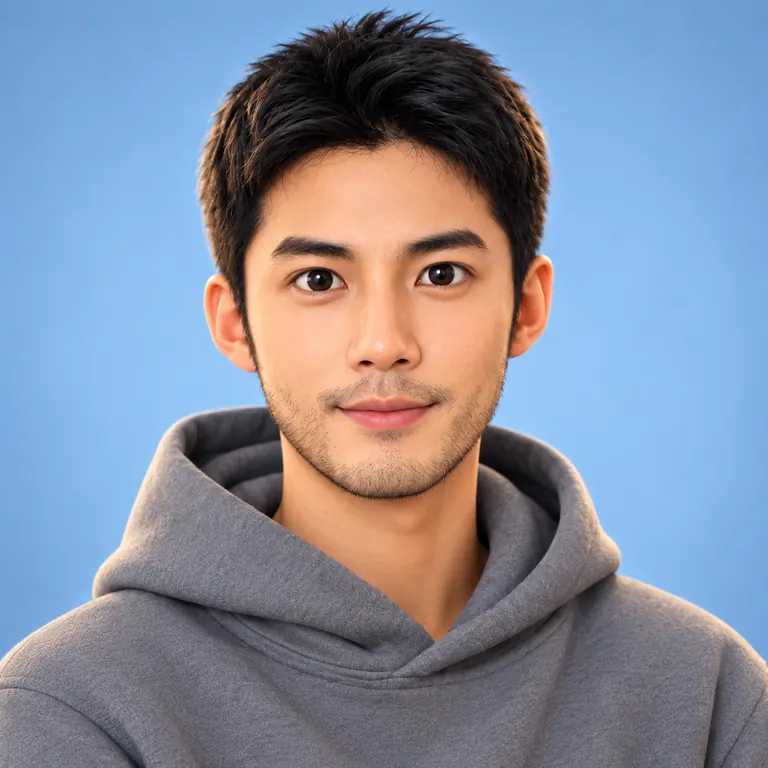
The same man as a 3D animated-style avatar in a gray hoodie on a soft blue background, made with an AI avatar generatorAfter
Example · 3D animated

Avatars made with the AI avatar generator

Each avatar started as a plain photo. The prompts name the style first, then what should stay recognizable. Tap “Use this prompt” and add your own picture.

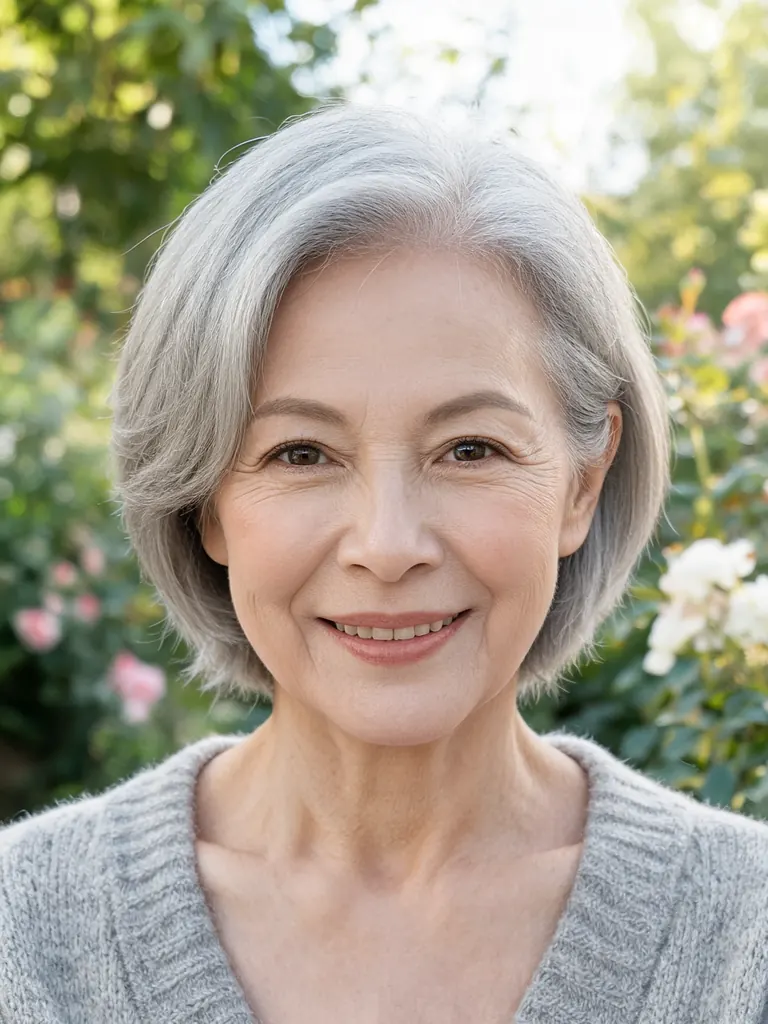
  • Original garden photo of an older woman with short gray hair in a cardigan
    Before
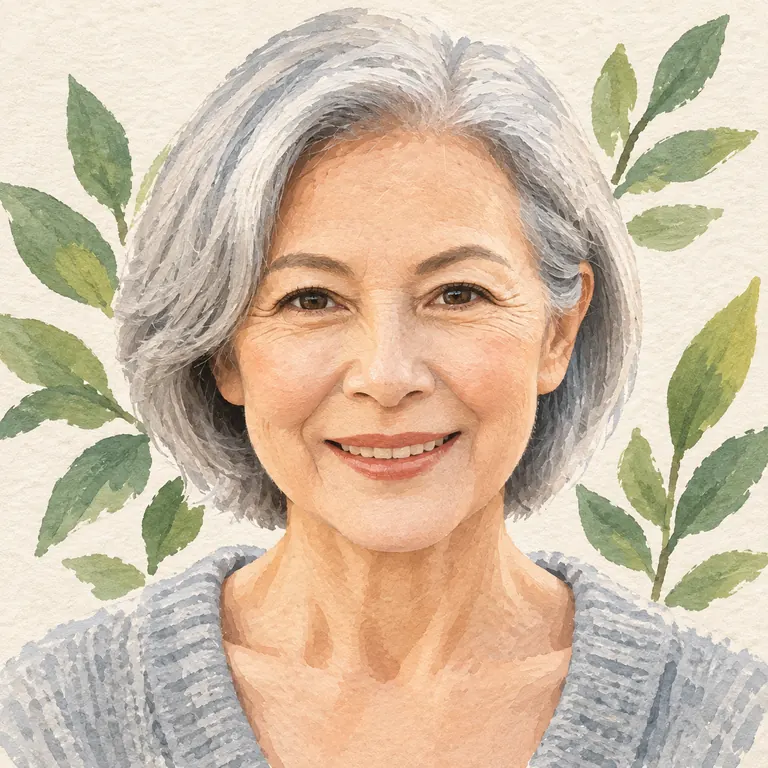
    The same woman as a gouache illustration with painted leaves behind her
    After
    Gouache illustration

    “Make an illustrated avatar of her in gouache: flat soft colors, visible paper texture, her short gray hair and cardigan, a few painted leaves in the background, square crop. Her face shape, smile and skin tone should stay easy to recognize.”

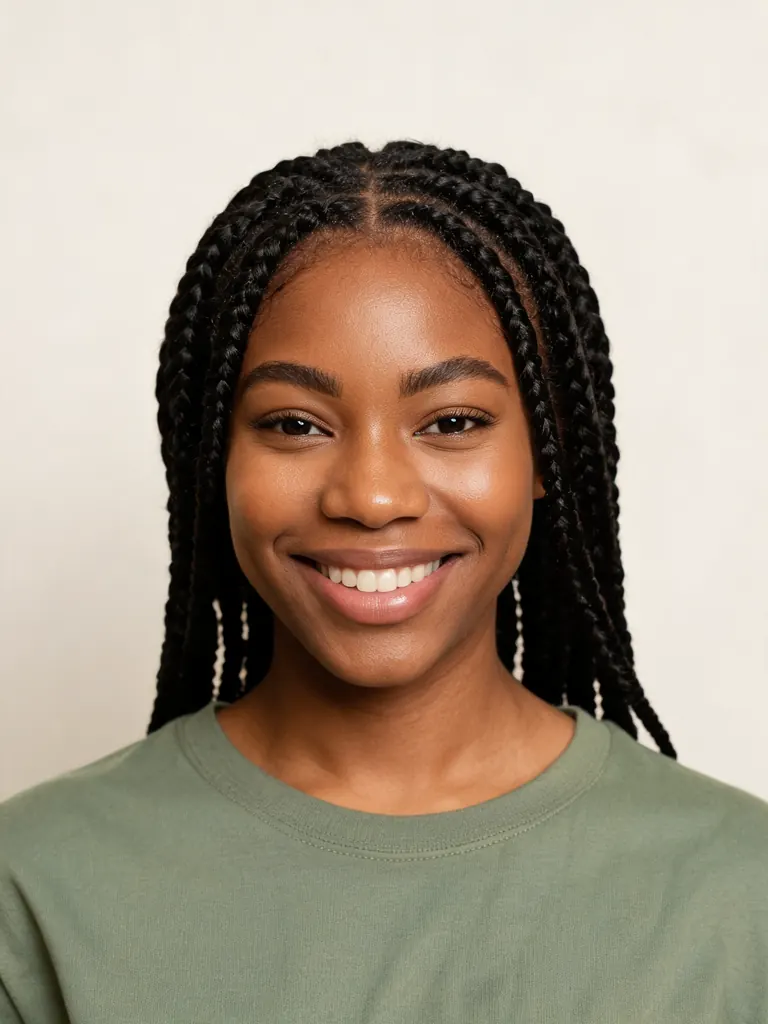
  • Original photo of a woman in a casual top against a plain background
    Before
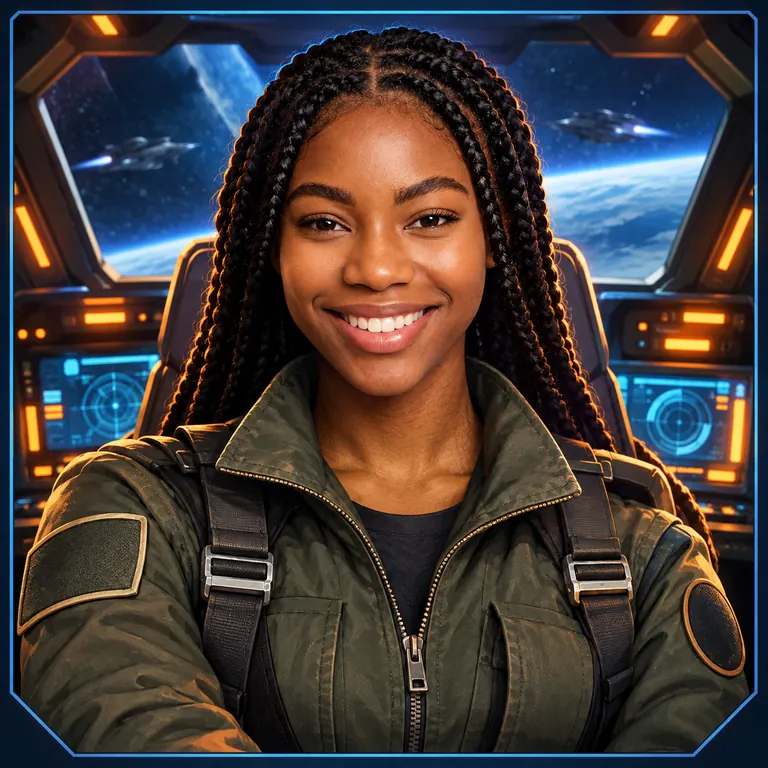
    The same woman as a stylized sci-fi pilot game character in a flight jacket
    After
    Game character

    “Create a game-style avatar of her as a sci-fi pilot, like a character select screen: detailed stylized render, flight jacket with plain patches and no logos, glowing cockpit lights behind her, square frame. Her face, hair and skin tone should still be clearly hers.”

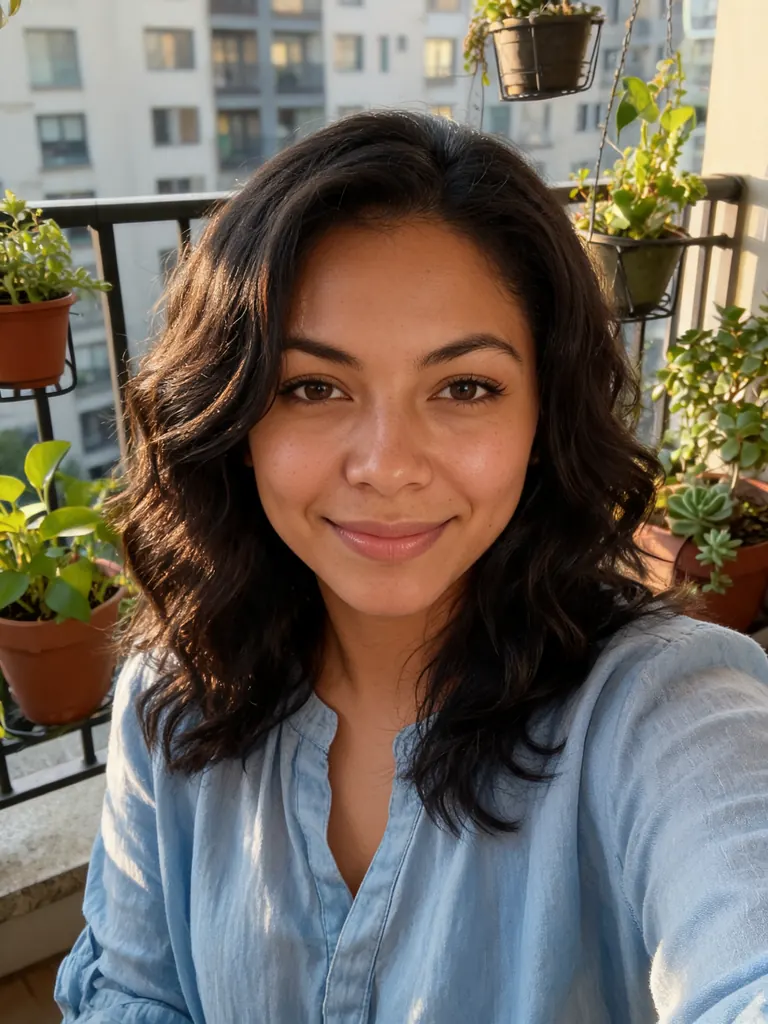
  • Original balcony selfie of a woman in a casual blouse in afternoon light
    Before
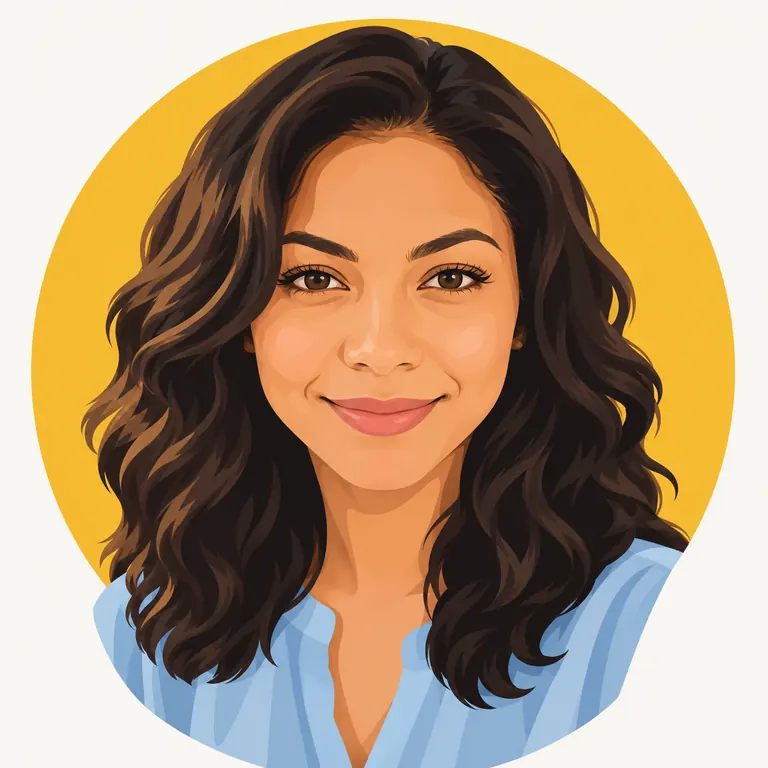
    The same woman as a flat vector avatar on a mustard yellow circle
    After
    Flat vector

    “Turn her into a flat vector avatar for chat apps: clean shapes, no outlines, three-tone shading, mustard yellow circle behind her, square format. Keep her hairstyle, skin tone and face shape recognizable.”

Styles the AI avatar generator handles

An avatar is a character that stands in for you. You decide how far it moves from your real face, from a soft 3D look to a full game hero, and which details stay yours.

3D animated looks

Rounded features, big eyes and soft light, like a still from an animated film. The model keeps your hair, skin tone and glasses so friends still see you in it.

  • Say “3D animated-style” rather than naming a studio
  • Add “soft studio light” for a clean render
  • Plain backgrounds suit profile use

Illustrated and painted

Gouache, watercolor, ink or flat vector. Illustrated avatars feel personal and work well on blogs, newsletters and team chat.

  • Name the medium and the color palette
  • “Flat vector, no outlines” for chat apps
  • Keep the background simple

Game and fantasy characters

Put yourself in armor, a flight suit or a wizard’s robe, drawn like a character from a video game. Describe the class, the outfit and the setting.

  • Describe the outfit, not a known character
  • “Character select screen” gives game-like framing
  • Ask for “no logos or text”

How to make an avatar with the AI avatar generator

  1. 1

    Add a photo or skip it

    Upload a clear picture to base the avatar on your face, or leave it out and describe an adult character in words: hair, clothes, expression and mood.

  2. 2

    Name the style first

    Start the prompt with the style, such as “3D animated-style avatar” or “flat vector avatar”, then add the outfit, the background and what must stay recognizable.

  3. 3

    Choose a model

    GPT Image 2.5 is selected by default and follows style details well. When the avatar should stay close to your real face, try Nano Banana 2 or Nano Banana Pro. The square 1:1 size is preset.

  4. 4

    Download and reuse

    Most avatars are ready within a few minutes (free accounts wait at least 2 minutes on premium models). Download at full size and save the prompt so you can make matching versions later.

Tips for avatars that still feel like you

  1. 01

    Keep two or three signature traits

    Hair, glasses, a beard or a favorite color are what people recognize in a stylized avatar. Name them in the prompt so the style does not wash them out.

  2. 02

    Stylize one step at a time

    If a strong style loses your likeness, try a softer version first, like “semi-realistic 3D”, then push further on the next run.

  3. 03

    Build a matching set

    Reuse one prompt and change only the expression or the pose: waving, thinking, holding a coffee. A set of matching avatars works well as stickers and in team chat.

  4. 04

    Use a clean background

    A solid color or a soft gradient behind the character keeps the avatar clear at small sizes and makes it easy to cut out later.

An AI avatar generator for profiles, games and chat

An avatar lets you show up online without a real photo, or with a version of yourself that fits a game, a stream or a team chat. An AI avatar generator turns your photo into that character in the style you name, from 3D animated to flat vector. You describe what should change and what should stay yours.

You can also start from nothing. Describe a person, a creature or a robot in a sentence, and the generator draws it as a finished avatar. That is handy for gaming handles, stream overlays and accounts where you prefer to stay anonymous.

Likeness in a stylized picture is looser than in a photo. GPT Image 2.5, the default here, follows style instructions closely. Nano Banana 2 and Nano Banana Pro usually keep faces most faithfully, so try them when your AI avatar should look clearly like you. Run a prompt more than once and keep the best.

New accounts get 8 free credits and 4 more every day from the second day, which makes this a free AI avatar generator for a handful of tries. A 1K avatar with GPT Image 2.5 costs 3 credits. Downloads have no watermark, may be used commercially and stay private in My Images. Avatars of real people made to deceive or harass them are not allowed.


AI avatar generator FAQ

Is the AI avatar generator free?

You can use it for free. New accounts get 8 credits and 4 more every day from the second day. A 1K avatar with GPT Image 2.5 costs 3 credits.

Can I make an AI avatar from a photo?

Yes. Upload a clear selfie and name a style, and the AI avatar generator turns you into a character. Ask it to keep your hair, skin tone and face shape recognizable.

Do I need a photo?

No. Describe the avatar in words, for example “a friendly robot with a round head and orange paint, 3D style”, and it is made from text alone.

Which style keeps my likeness best?

Semi-realistic 3D and painted styles usually stay closest to your face; flat vector simplifies features more. For the most faithful likeness, use Nano Banana 2 or Nano Banana Pro.

Can I use my avatar in games, streams or for a business?

Yes. Downloads are full size with no watermark, and you may use them for personal and commercial purposes. Do not copy known characters, logos or trademarks.

What is not allowed?

Sexual content, anything involving minors, and avatars of real people made to impersonate, deceive or harass them are blocked. The full rules are on the content policy page.

Try the AI avatar generator

Add a photo or type a description, pick a style and get your avatar in a few minutes.

Start creating