Describe a hero or monster · get table art

D&D AI Art Generator

Describe a player character, an NPC or a monster by race, class and gear. The DnD AI art generator paints portraits, tokens and dungeon scenes you can show at the table or drop into a virtual tabletop.

  • 8 free credits when you sign up
  • 4 more free credits every day
  • No watermark
Add a photo to edit it (optional)

Best for text in images: posters, signs and labels.

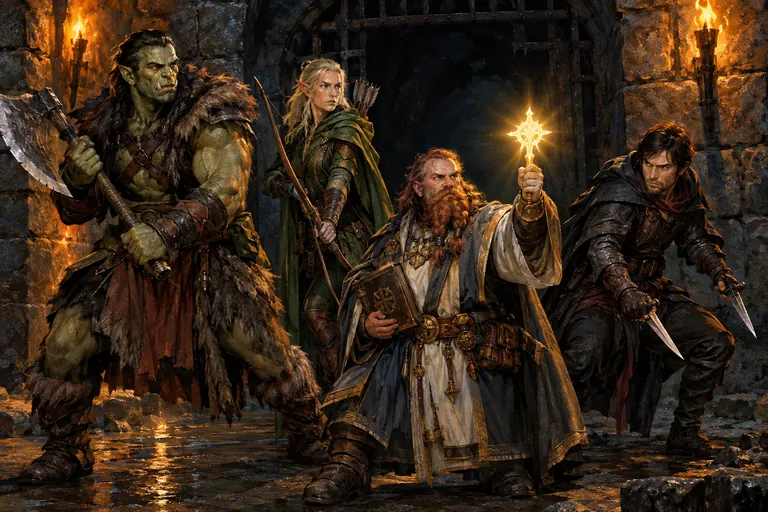
Adventuring party of a half-orc barbarian, elf ranger, dwarf cleric and human rogue at a torchlit dungeon entrance, made with the DnD AI art generator
Example · Party at the dungeon

Table art made with the DnD AI art generator

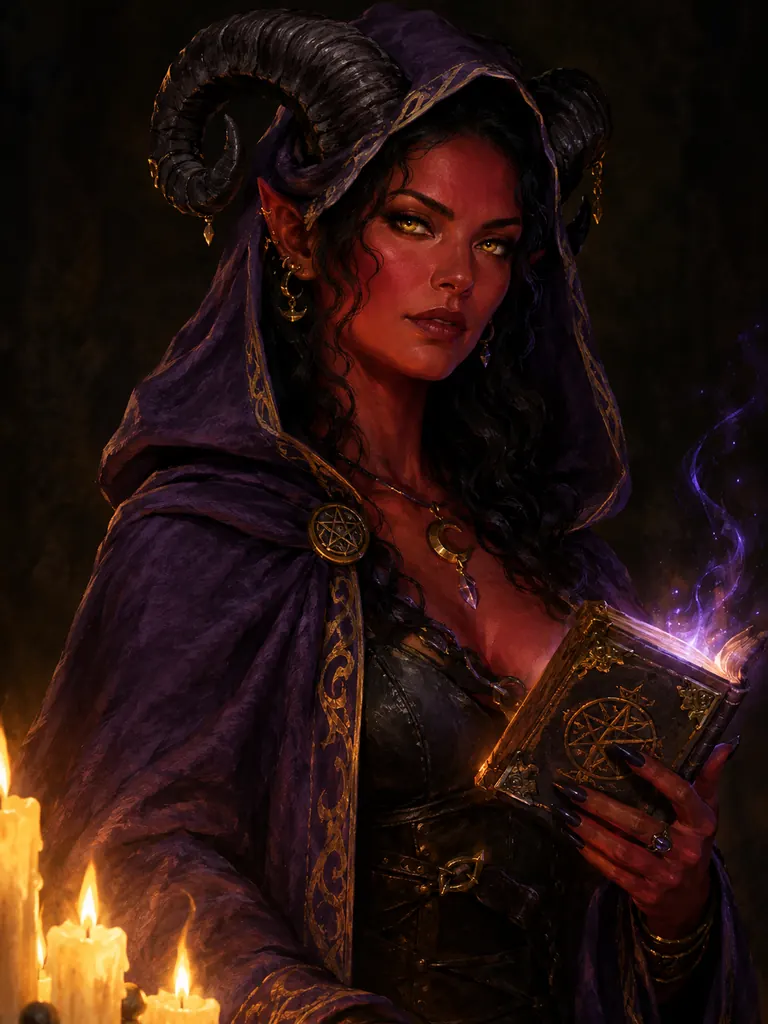
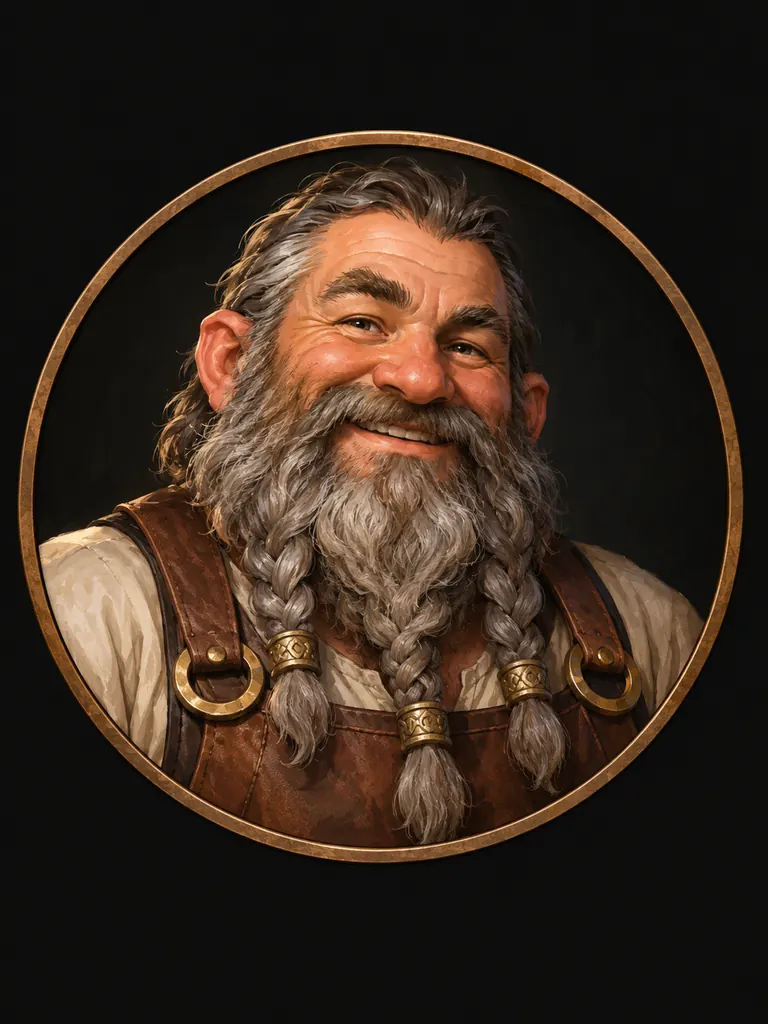
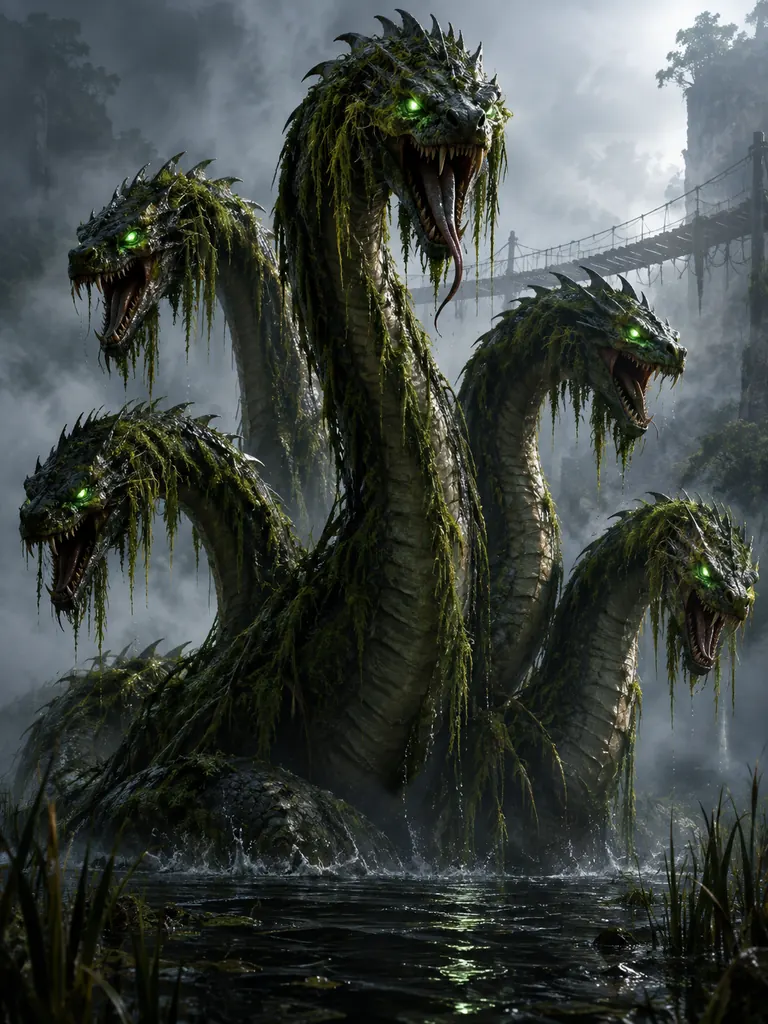
A party lineup, a player character, an NPC token and a monster: each piece of DnD AI art here came from the prompt shown. Tap “Use this prompt”, swap in your own hero or creature, and roll again.

  • Painterly portrait of a tiefling warlock with red skin, black horns and a violet cloak holding a glowing spellbook
    Player character

    “Waist-up portrait of a tiefling warlock in her thirties: deep red skin, curled black horns, gold eyes, a hooded violet cloak and a small glowing spellbook in one hand. Painterly fantasy RPG character art, candlelight from below, dark background.”

  • Round token portrait of a gray-bearded dwarf tavern keeper inside a bronze ring border
    NPC token

    “Round token-style portrait of a dwarf tavern keeper: a broad man in his fifties with a braided gray beard, a leather apron and a friendly grin, head and shoulders centered inside a thin bronze ring border on a plain dark background. Clean painterly style that reads well at small size.”

  • Five-headed swamp hydra with glowing green eyes rising from black water beside a misty rope bridge
    Swamp monster

    “A swamp hydra with five serpent heads rising from black water, glowing green eyes, moss and reeds hanging from its scales, a rope bridge in the mist behind it for scale. Dark fantasy RPG monster illustration, cold fog, dramatic rim light.”

What the DnD AI art generator makes for your game

Most campaigns need faces and places faster than anyone can draw them. The DnD AI art generator turns session notes into art: who the party meets, what they carry and where it happens.

Player characters

Give it race, class, age and one piece of signature gear, and get a portrait for the sheet or a full-body pose for the party lineup. Players can add a line of backstory to the prompt.

  • Lead with race and class: “dwarf cleric”
  • Add one scar, tattoo or heirloom
  • Keep the whole party in one art style

NPCs and tokens

Innkeepers, guards, rivals and quest givers, made with the DnD AI art generator between sessions. Token-style portraits put the head and shoulders in a round frame over a flat, dark backdrop, so they stay readable on a battle map.

  • Ask for “head and shoulders, centered”
  • Use 1:1 for tokens
  • Name the border: bronze ring, stone circle

Monsters, taverns and dungeons

Swamp hydras, cave trolls, smoky taverns and flooded crypts. Show the picture when the party walks in, or print it as a handout that sets the mood before anyone rolls initiative.

  • Add a door, a torch or a figure for scale
  • Name the light: torchlight, moonlight, magic glow
  • Use 3:2 for rooms and battle scenes

How to use the DnD AI art generator for your campaign

  1. 1

    Start from the sheet

    Race, class, age, build and gear are already written down. Copy them into the prompt, then add the look: hair, skin, clothing colors and one detail the table will remember.

  2. 2

    Pick the framing

    Portrait for a sheet, token for the map, full body for a lineup, wide scene for a location. Choose 3:4, 1:1 or 3:2 to match.

  3. 3

    Set the style

    GPT Image 2.5 is selected by default and keeps long lists of gear in place. Say “painterly fantasy RPG art” or “ink and watercolor”, and reuse the same style words for the whole party. The credit cost shows before you start.

  4. 4

    Bring it to the table

    Most images are ready within a few minutes (free accounts wait at least 2 minutes on premium models). Download your DnD AI art at full size with no watermark and share it with the group.

Tips for better DnD AI art

  1. 01

    Describe, do not name

    Write “a halfling rogue in a gray cloak” instead of a hero from a published adventure. Generic races and classes work well; named characters, logos and official art are declined.

  2. 02

    Show the class through gear

    A holy symbol, a spellbook, a longbow or a lute tells everyone the class at a glance. Put the item in the hands, not in a backpack.

  3. 03

    Match the party

    Save one line of style words, like “painterly, warm torchlight, dark background”, and paste it into every prompt so all your DnD AI art looks like it came from one book.

  4. 04

    Prep monsters in bulk

    Before a big session, make each creature the party might meet. Art you never show can wait in My Images for the next campaign.

A DnD AI art generator for players and dungeon masters

Every table has the same problem: the story is vivid, but the only picture is in each player’s head. A DnD AI art generator closes that gap. Describe the tiefling warlock from your sheet or the troll under the bridge from your notes, and you get art the whole group can look at, react to and remember.

AI Photo Generator Studio is an independent tool, not affiliated with or endorsed by the owners of Dungeons & Dragons. DnD AI art here comes from generic fantasy races, classes and creatures described in your own words, so it suits any tabletop RPG, not only one system. GPT Image 2.5 is the default because it follows long descriptions of armor, weapons and clothing closely.

Credits are shared across the site. New accounts get 8 free credits, and 4 more arrive every day from the second day. A 1K image with GPT Image 2.5 costs 3 credits, 2K costs 4 and 4K costs 7, and the exact cost shows next to the Generate button before anything is spent.

Pictures from the DnD AI art generator download at full size without a watermark. Use them on character sheets, in a campaign journal, on a virtual tabletop or in a homebrew adventure you sell. Results stay private in My Images until you share them. Human and humanoid characters must be adults, and nothing sexual is allowed.

DnD AI art generator FAQ

Is the DnD AI art generator free?

Yes, you can start for free. New accounts get 8 credits and 4 more every day from the second day, and signed-in accounts can use the FLUX.2 model at no credit cost. GPT Image 2.5 costs 3 credits for a 1K image.

Is this official Dungeons & Dragons art?

No. We are not connected to the publisher of the game. It makes new DnD AI art from your description and does not reproduce official art, logos or named characters.

Can I make tokens for a virtual tabletop?

Yes. Ask for a token-style portrait at 1:1: the face in the middle of a round border on a plain background. Download it and add it with your virtual tabletop’s token tool.

Can the DnD AI art generator keep my character consistent?

Mostly. Reuse the same description and add your favorite portrait as a reference image with the + tile when you want a new pose or scene. Small details can shift, so make two or three and keep the closest.

Which size works best for each use?

3:4 for character sheet portraits, 1:1 for tokens, 3:2 for dungeon rooms and battle scenes, and 2:3 for a printed handout. Pick 2K or 4K when you plan to print.

Can I sell a homebrew adventure with this art?

Yes. Images have no watermark and may be used commercially. Keep every design original and leave out official logos, setting names and named characters.

Roll up your next hero with the DnD AI art generator

Paste the details from your character sheet and meet your hero in a few minutes.

Start creating