AI Movie Poster Generator
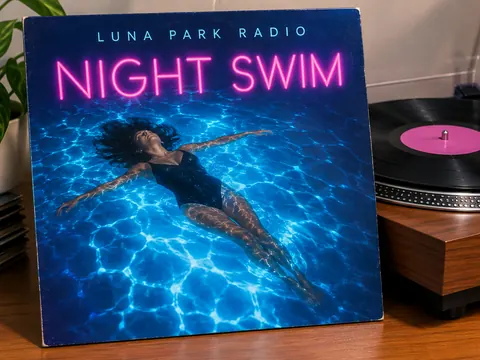
Give your film a name, a one-line tagline and a genre. The AI movie poster generator paints the key art, sets the title like a studio release and adds a short billing line at the bottom.
Premium models need a free account. Sign in with Google to get free credits.
No subscription·Failed runs refund credits
Sign in to get free credits every day and keep your creations.
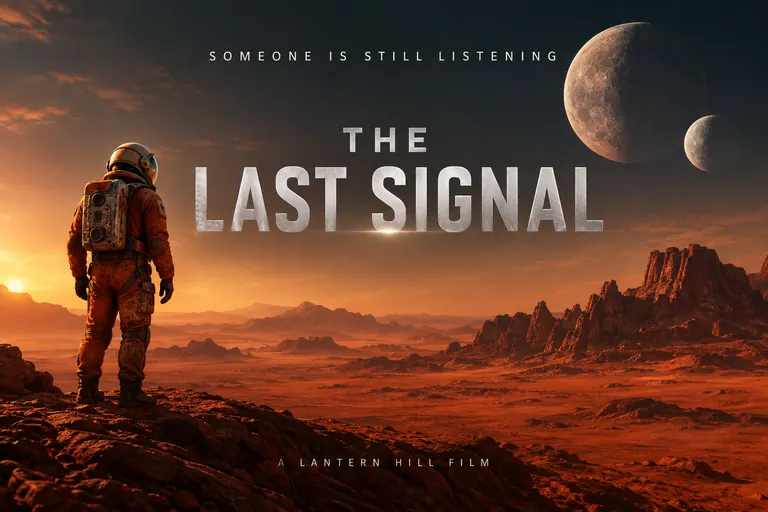
AI Photo Generator Studio is an AI movie poster generator for creating posters with the look of a film release from an original title, tagline, scene description and short billing text.
Tool details
- Default model
- Nano Banana 2.1
- Default model cost per image
- 1K: 2 credits · 2K: 3 credits · 4K: 4 credits
- Photo uploads
- JPG, PNG or WebP; up to 8 MB per file.
- Reference photos
- Up to 10 with Nano Banana 2.1.
- Free option
- Switch to FLUX.3 (1K) for zero-credit images when available. Reference photo limit: 1. For multiple reference photos, choose a model that supports them. Guests have a daily limit; sign in for normal personal use without a daily cap. Images may take longer to generate when demand is high.
- Downloads
- No watermark. Personal and commercial use, subject to the content policy.
- If generation fails
- Credits charged for a failed generation are returned.
What can I create with the AI Movie Poster Generator?
Create a science fiction poster with an astronaut on a red desert, a foggy ferry thriller, a birthday romantic comedy, or a painted western with a lone rider. Pair the scene with an original title and short tagline, then describe the lighting and lettering that fit the proposed film.
- Sci-fi short film
“A landscape movie poster for a sci-fi short film. Title “The Last Signal” in large silver letters, tagline “Someone is still listening” above it, and “A Lantern Hill Film” in small type at the bottom. An astronaut in a worn orange suit stands alone on a red desert under two moons, cinematic lighting, clean readable typography.”
- Noir thriller
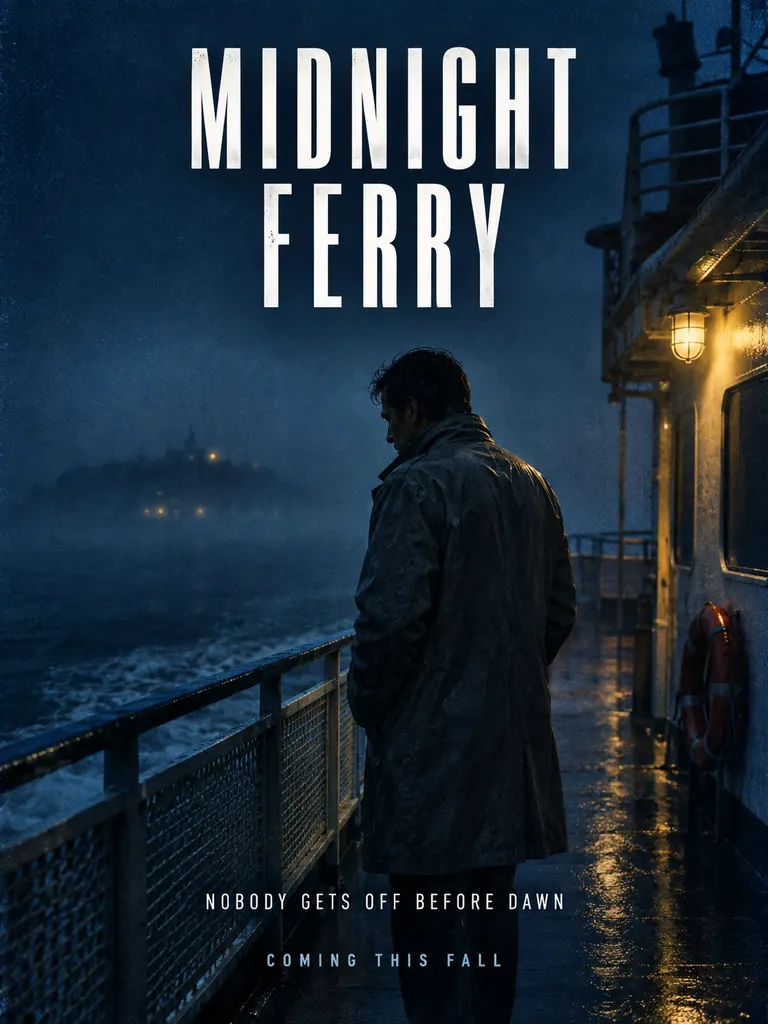
“A noir thriller movie poster. Title “Midnight Ferry” in tall white condensed letters, tagline “Nobody gets off before dawn” and “Coming this fall” at the bottom. A man in a gray raincoat on the deck of a foggy ferry at night, lit by one yellow lamp, deep blue shadows, film grain, clean readable typography.”
- Birthday rom-com
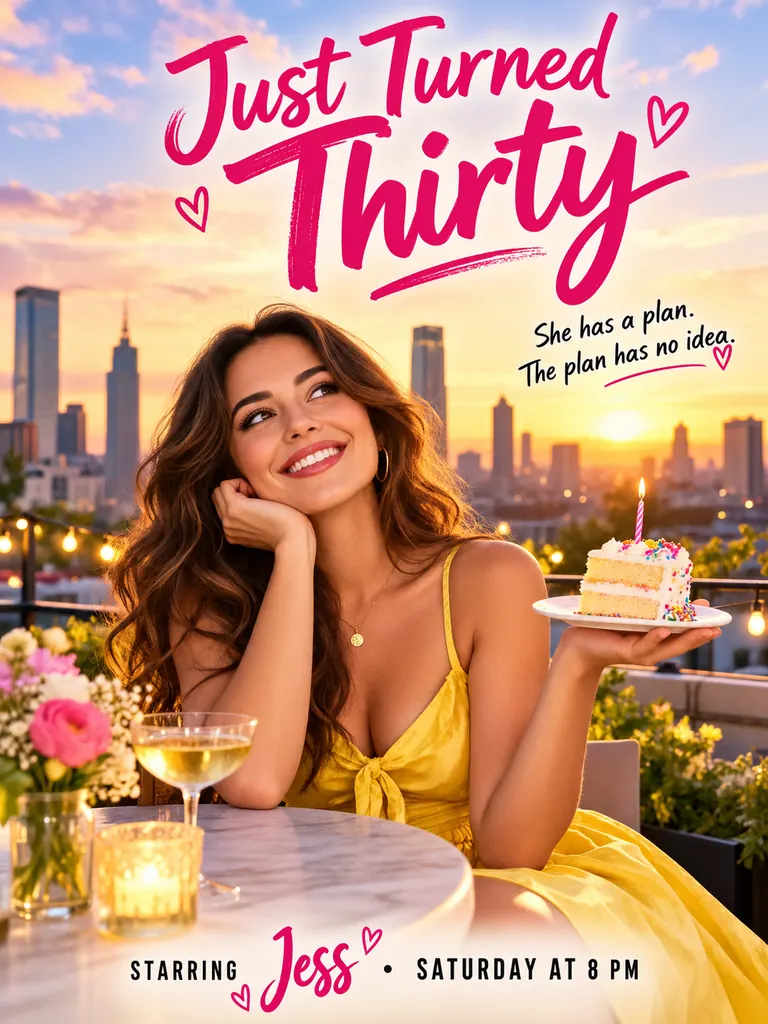
“A bright romantic comedy movie poster for a friend’s birthday. Title “Just Turned Thirty” in playful pink script, tagline “She has a plan. The plan has no idea.” and “Starring Jess · Saturday at 8 PM” at the bottom. A smiling woman in her thirties in a yellow dress holds a slice of cake on a city rooftop at golden hour, clean readable typography.”
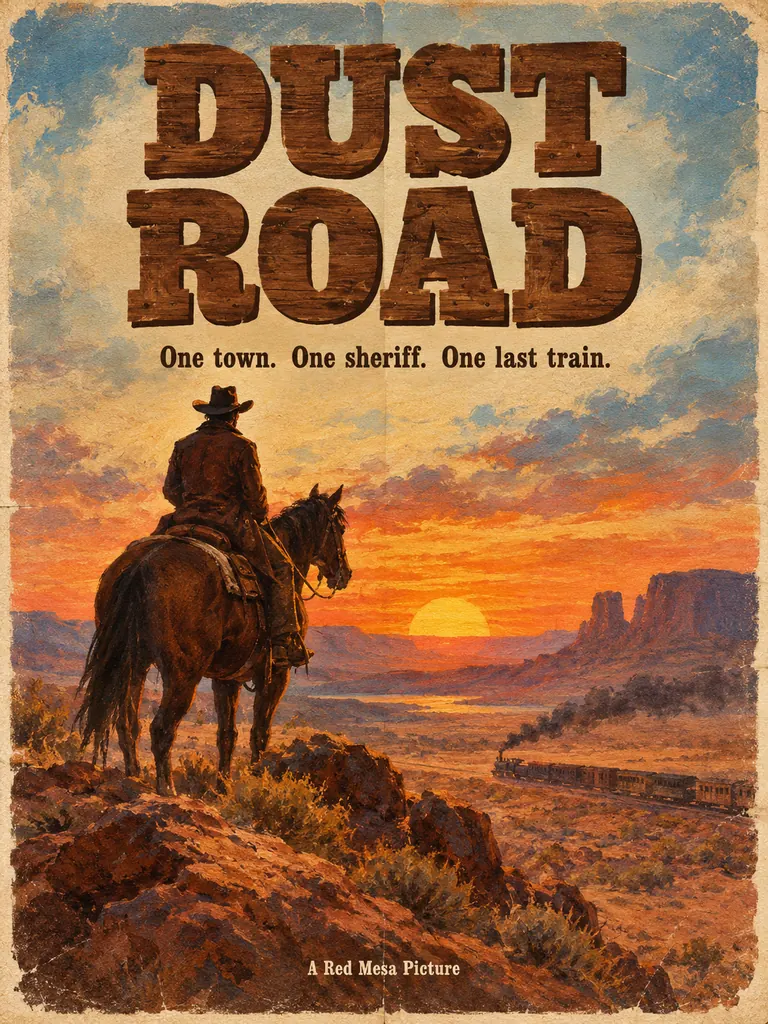 Painted western
“A hand-painted 1970s western movie poster. Title “Dust Road” in big wooden slab-serif letters, tagline “One town. One sheriff. One last train.” and “A Red Mesa Picture” in small type at the bottom. A lone rider on horseback on a desert ridge at sunset, visible brush strokes, faded paper texture, clean readable typography.”
What people make with this AI movie poster generator
A good AI movie poster sells a story in one frame. You write the words and the mood; image and type come back as one design.
- Posters for your own short film. Student films, festival entries and web series need a one-sheet before the edit is done. Describe the key scene and the genre, then use it for a screening flyer or a teaser post.Pick one moment from the story, not the whole plot · Put the studio or crew name in small type at the bottom · Choose 4K for a lobby print or festival wall
- Party, gift and movie-night posters. Turn a birthday, a retirement or a group trip into a film that never existed, starring your friend. Add their photo with the + tile.Use a real name in the billing line, with their permission · For a faithful face, pick a Nano Banana model · Write the date and time into the billing line
- Genre looks from every era. Painted 1970s westerns, neon 1980s action, grainy noir, pastel rom-coms and cold green horror. Naming the genre sets colors, lighting and letters at once.Name the decade: “1980s VHS cover style” · Name the letters: “condensed white sans”, “chrome” · Add “film grain” for a printed feel
How do I use the AI Movie Poster Generator?
Write an original title and short tagline in quotes. Describe the main image, genre and lighting, then add a brief billing line if needed. Choose a frame and model, generate the poster, and check the spelling and composition before downloading or revising any text that did not render correctly.
- 1Name the film and write a tagline
Invent a title of one to four words and a one-sentence tagline. Put both in quotes, spelled exactly as they should appear.
- 2Describe the key art
Say who is in the frame, where and in what light, e.g. “a lone rider on a desert ridge at sunset”. The tall 2:3 shape is preset; choose 3:2 for a banner.
- 3Add a billing line and faces
Add one or two short lines such as “A Lantern Hill Film” or “Starring Jess”. To star real people, add their photos with the + tile; the default model takes 10 reference photos and GPT Image 2.5 16.
- 4Check the spelling and download
Most AI movie posters are ready within a few minutes (free accounts wait a little longer on premium models). Proofread, rerun if a letter slips, then download.
How do I show a film genre in one poster image?
Choose one figure or object and use the light and palette to suggest the genre. A ferry under one yellow lamp can suit noir, while a dusty ridge at sunset can suggest a western. Keep extra scenes and long credit text out of the main image so the mood stays clear.
- 01
One face or one object
Studio one-sheets rarely crowd the frame. A single figure or a road into the distance reads faster than a busy collage.
- 02
Keep the billing block short
Tiny print is where letters break, so ask for one or two short credit lines and add the full block later in a layout app if you need it.
- 03
Let light tell the genre
Cold blue and green for horror and thrillers, warm gold for romance, dusty orange for westerns, hard neon for action.
- 04
Invent everything
Use an original title, made-up characters and your own studio name. Copying a real film, actor or studio logo is not allowed.
How an AI movie poster generator builds a one-sheet
A theatrical one-sheet has four parts: key art that sets the mood, a title in a custom letter style, a tagline that teases the conflict and a billing block of credits. An AI movie poster generator has to get all four right in one image, and the lettering is the hard part, because a misspelled title ruins the illusion.
This page starts on Nano Banana 2.1, our newest model. For the title and the credits, switch to GPT Image 2.5, the model on our site that follows long prompts most closely and keeps words readable. When the star is a real friend, Nano Banana 2 or Pro usually keeps the face closer to their photo. The free FLUX.3 model is fine for key art without text.
Google sign-ins get free credits, then more every day. With the default model a poster costs 2 credits at 1K, 3 at 2K and 4 at 4K, and with GPT Image 2.5 3, 4 and 7; the exact cost shows before anything is spent.
Your AI movie posters save privately to My Images, download without a watermark and may be used commercially, for example to promote your own film. Keep them original: no real movie titles, actors, studio logos or franchise characters, and no sexual content, minors or images meant to deceive or harass.
AI movie poster generator FAQ
Is the AI movie poster generator free?
- You can start for free. Google sign-ins get free credits and more every day, which covers a 1K poster with the default model at 2 credits or GPT Image 2.5 at 3.
Can I put myself or a friend on an AI movie poster?
- Yes. Add a clear photo with the + tile and say who they play, e.g. “the man in the photo is the detective”. For the most faithful likeness, try two models from the picker and keep the closer face. Only use photos of adults who agree.
Will the title and credits be spelled right?
- Usually, when each line is short and in quotes. Titles and taglines on an AI movie poster come out cleanest; long credit blocks in tiny type are where mistakes appear.
Can I make a poster for a real movie or actor?
- No. The AI movie poster generator is for original stories: your short film, a party theme or a fan idea with its own title and characters.
What size should I print?
- The preset 2:3 shape fits a 24 × 36 inch frame, close to the classic 27 × 40 inch one-sheet. Pick 4K for a wall print; 1K is enough for a phone screen.
How is this different from the general poster tool?
- The general poster tool makes posters that inform, such as events, sales and classroom charts. This page makes film-style posters with a title, a tagline, key art and a billing line.