Describe a character · pick a cartoon look

AI Cartoon Generator

Describe a character or a scene, and the AI cartoon generator draws it as a picture-book page, a comic strip, a 3D cartoon or an old-school animated short. Every character is your own.

  • 8 free credits when you sign up
  • 4 more free credits every day
  • No watermark
Optional: add a sketch or an earlier cartoon

Best for text in images: posters, signs and labels.

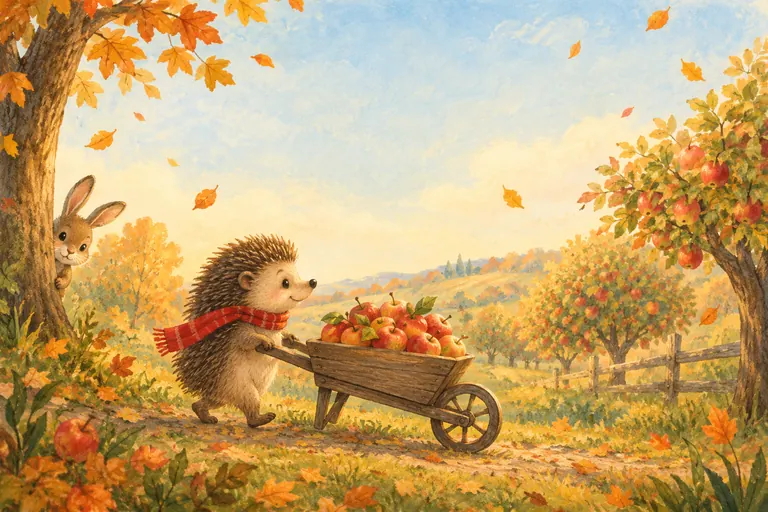
Picture book cartoon of a hedgehog in a red scarf pushing a wheelbarrow of apples through an autumn orchard
Example · Picture book orchard

Cartoons made with the AI cartoon generator

Four prompts, four AI cartoon looks. Each one names the character, what is happening and the style. Tap “Use this prompt”, then swap the character or the joke for your own.

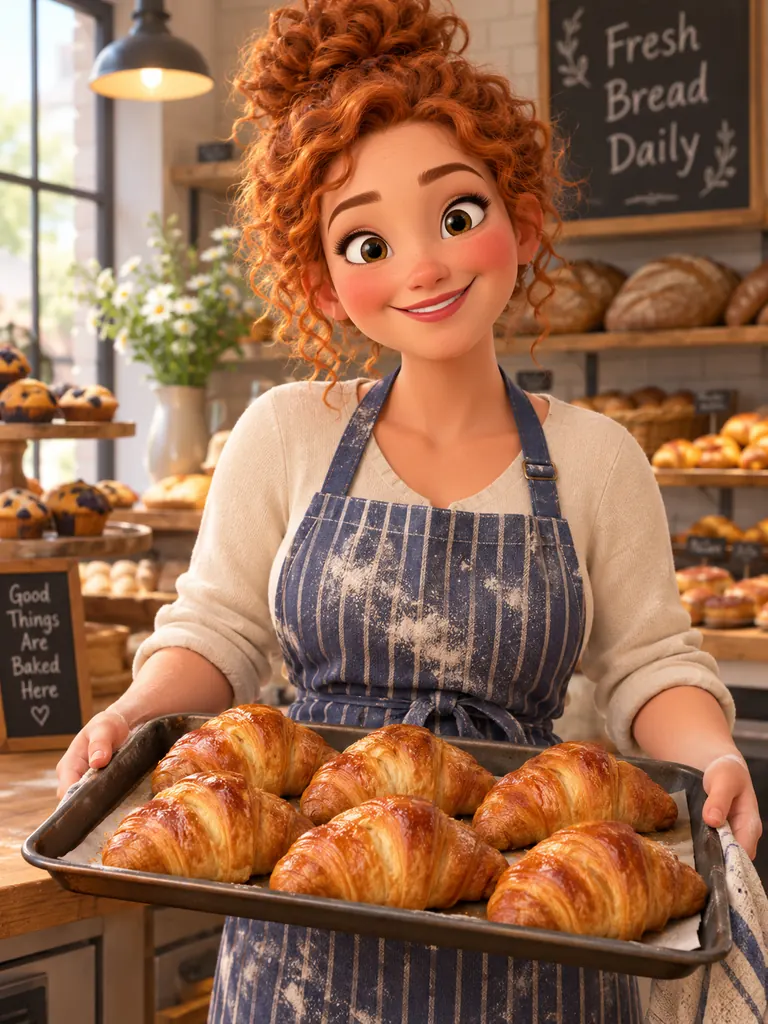
  • 3D cartoon character of a smiling adult baker holding a tray of croissants in a cozy bakery
    3D cartoon baker

    “A 3D cartoon character of a cheerful adult baker in her thirties, curly red hair in a messy bun, big expressive eyes, rosy cheeks and flour on her striped apron, holding a tray of fresh croissants in a cozy bakery. Stylized proportions, smooth rounded shapes, soft studio lighting, warm colors, polished animated-film look.”

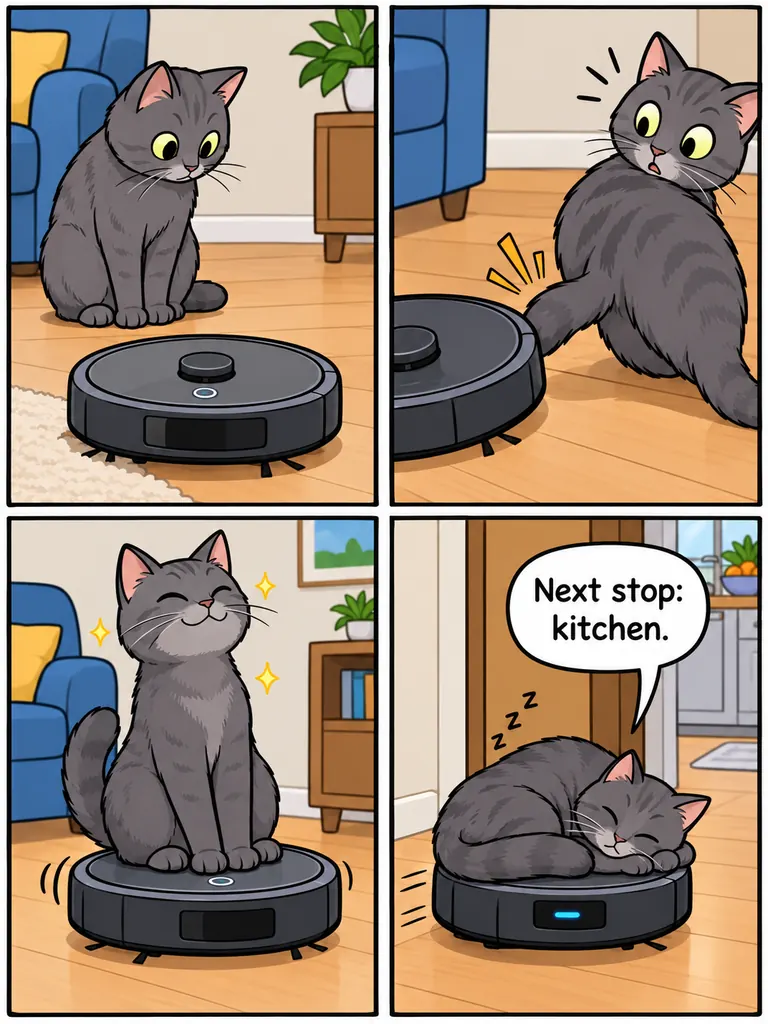
  • Four-panel cartoon comic strip of a gray cat riding a robot vacuum, with a speech bubble in the last panel
    Four-panel comic

    “A four-panel comic strip in a bold, clean cartoon style, arranged in a 2 by 2 grid. Panel 1: a gray cat stares at a round robot vacuum. Panel 2: the vacuum bumps into the cat’s tail. Panel 3: the cat rides on top of the vacuum, looking proud. Panel 4: the cat asleep on the moving vacuum, with a speech bubble from the vacuum that says “Next stop: kitchen.” Thick black outlines, flat bright colors, clean readable lettering.”

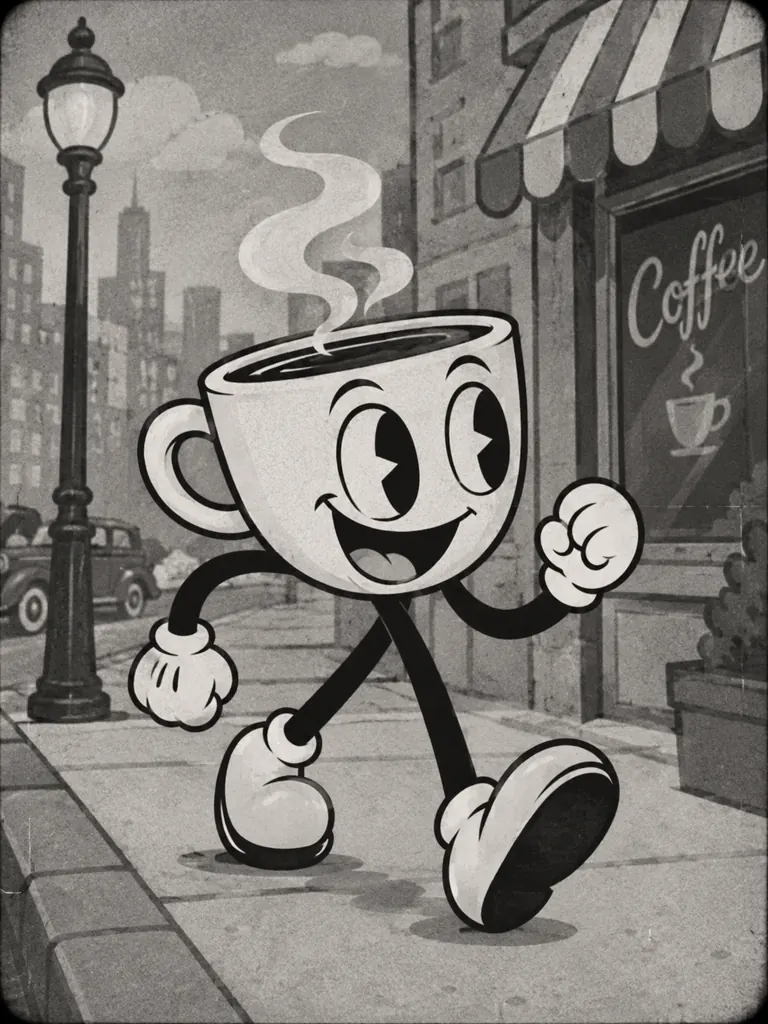
  • Black and white 1930s rubber-hose style cartoon of a walking coffee cup character with white gloves
    Retro rubber-hose

    “A 1930s rubber-hose style cartoon of a cheerful coffee cup character strolling down a city sidewalk, bendy noodle arms and legs, white gloves, big pie-cut eyes and a wide grin, steam curling from the top of the cup. Black and white ink with soft gray tones, light film grain and a slightly wobbly hand-drawn line, like an old animated short.”

What the AI cartoon generator can draw

A cartoon is a simple drawing with a clear idea: big shapes, bold outlines and faces you can read from across a room. You bring the character; the AI cartoon generator handles line, color and exaggeration.

Cartoon characters and mascots

Use it as an AI cartoon character generator for a shop mascot, a comic hero or a talking animal for a bedtime story. Give the character a shape, a color and one prop, and it becomes easy to remember.

  • Start with a silhouette: “round”, “tall and thin”
  • Give one prop: a scarf, a toolbox, a kite
  • For people, state the age: “an adult in his forties”

Picture books and comic strips

Draw a single storybook page or a short strip with panels and speech bubbles. GPT Image 2.5 keeps short dialogue readable, so the punchline lands without extra editing.

  • Number the panels and describe each one
  • Put dialogue in quotes, a few words per bubble
  • Leave open sky for a title or a caption

Cartoon looks from every era

Soft gouache storybook art, flat vector cartoons, glossy 3D animated-film characters, 1930s rubber-hose shorts or Sunday newspaper comics. The same character feels very different in each one.

  • “Flat vector cartoon, no gradients” for icons
  • “3D cartoon, soft studio light” for a film look
  • “Rubber-hose, black and white ink” for retro

How to use the AI cartoon generator

  1. 1

    Pick your character

    Say who or what the cartoon is about: “a nervous giraffe in a bow tie” or “an adult plumber with a huge mustache”. Animals and objects with faces work very well.

  2. 2

    Add the moment

    Cartoons are about something happening. Describe the action and the place: “trying to fit through a subway door”, “juggling pancakes in a diner”.

  3. 3

    Name the cartoon style

    Add the look and two or three colors, such as “picture book gouache, mustard and teal”. GPT Image 2.5 is selected by default; pick 3:4 for characters or 16:9 for wide scenes.

  4. 4

    Generate and try a variation

    Most images are ready within a few minutes (free accounts wait at least 2 minutes on premium models). Keep the prompt, change the expression or the pose, and run it again.

Tips for a funnier, cleaner AI cartoon

  1. 01

    Exaggerate one thing

    Cartoons get their charm from a single oversized feature: huge boots, a tiny hat, enormous ears. Ask for one, not five, so the drawing stays readable.

  2. 02

    Give the face an emotion

    Write the feeling you want: “proud”, “grumpy”, “trying not to laugh”. Clear expressions are what make a cartoon feel alive.

  3. 03

    Keep the background simple

    A plain color or a few shapes behind the character keeps attention on the joke.

  4. 04

    Invent, don’t borrow

    Famous cartoon characters and studio designs are someone else’s property. Describe the traits you like, such as a big grin or a bouncy walk, and build a character that is yours to use.

A free AI cartoon generator for original characters

This AI cartoon generator is for anyone who needs a drawing with personality: a teacher making a worksheet, a small business that wants a mascot, a parent writing a bedtime story or a writer planning a webcomic. You describe it in plain words, and the model draws it in the cartoon style you name.

GPT Image 2.5 is the default model on this page because it follows long, detailed prompts and writes clean lettering, which matters for speech bubbles, signs and book titles. Switch to Seedream for punchy color, or to the free FLUX.2 model for quick drafts.

It also helps you keep a character consistent. Paste the same description into every prompt and attach an earlier cartoon as a reference; GPT Image 2.5 accepts 16 reference pictures. If you want to cartoon yourself or a friend from a real photo instead, the Image to Cartoon AI tool is set up for that.

New accounts get 8 free credits, and 4 more arrive every day from the second day. A 1K image with GPT Image 2.5 costs 3 credits, 2K costs 4 and 4K costs 7. Cartoons download at full size without a watermark for personal and commercial use.

AI cartoon generator FAQ

Is the AI cartoon generator free?

Yes, you can start for free. New accounts get 8 credits and 4 more every day from the second day, and the FLUX.2 model makes 30 images a day with no credits. GPT Image 2.5 uses credits.

Can I draw famous cartoon characters?

No. Characters from existing shows, films and comics belong to their owners. Describe an original character with the traits you like instead.

How do I keep the same cartoon character in every image?

Write one fixed description with the shape, colors, outfit and one prop, and reuse it word for word. Attach your best earlier image as a reference so the AI cartoon generator matches it.

Can it make comic strips with speech bubbles?

Yes. Say how many panels you want, describe each one in order and put the dialogue in quotes. Short lines of a few words come out the most readable.

Can I use my cartoons in a book or on products?

Yes. Images download at full size with no watermark, and personal and commercial use are allowed. Pick 2K or 4K for print.

Are there rules for cartoon people?

Yes. People in cartoons must be adults, so give an age in any prompt with a person. Sexual content and cartoons meant to mock or harass a real person are blocked.

Try the AI cartoon generator now

Describe one character, give it something to do, name a cartoon style and see it drawn in a few minutes.

Start creating