Describe a character · get the art

AI Character Art Generator

Describe who your character is and what they wear. The AI character art generator draws them as a portrait, a full-body pose or a turnaround sheet for your story, game or comic.

  • 8 free credits when you sign up
  • 4 more free credits every day
  • No watermark
Add a photo to edit it (optional)

Best for text in images: posters, signs and labels.

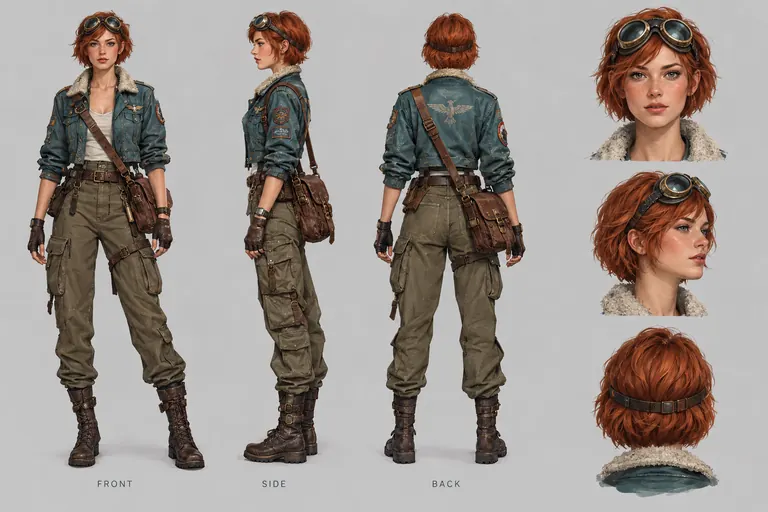
Character turnaround sheet of a sky courier in a teal flight jacket, front, side and back views, from the AI character art generator
Example · Turnaround sheet

Characters made with the AI character art generator

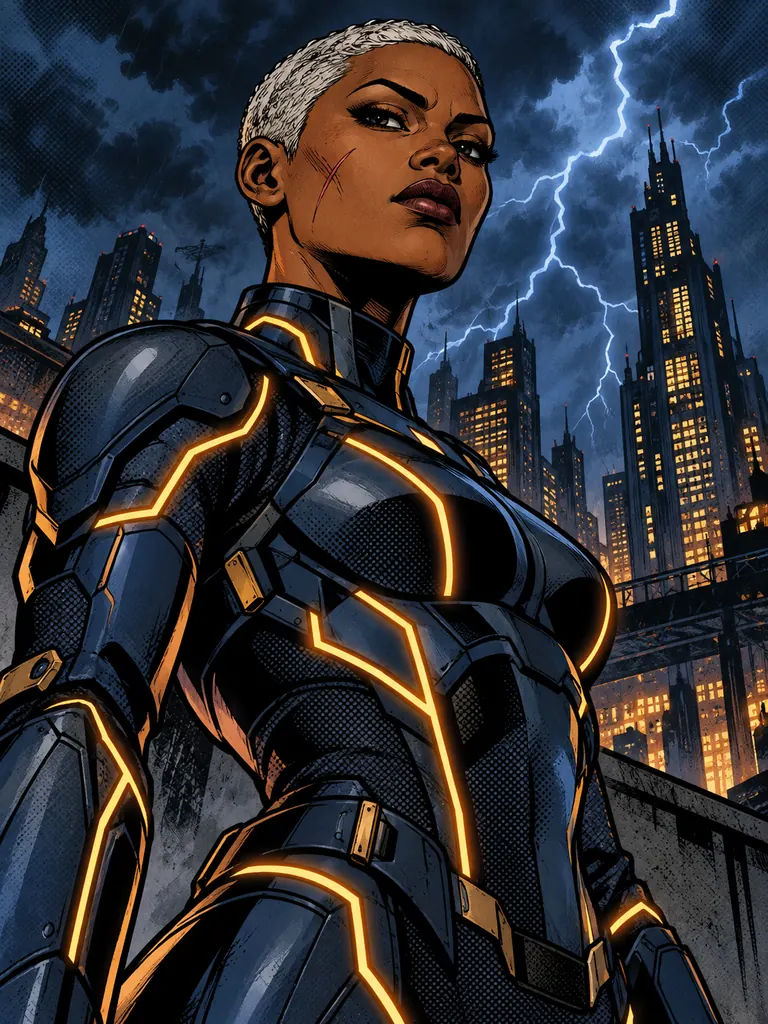
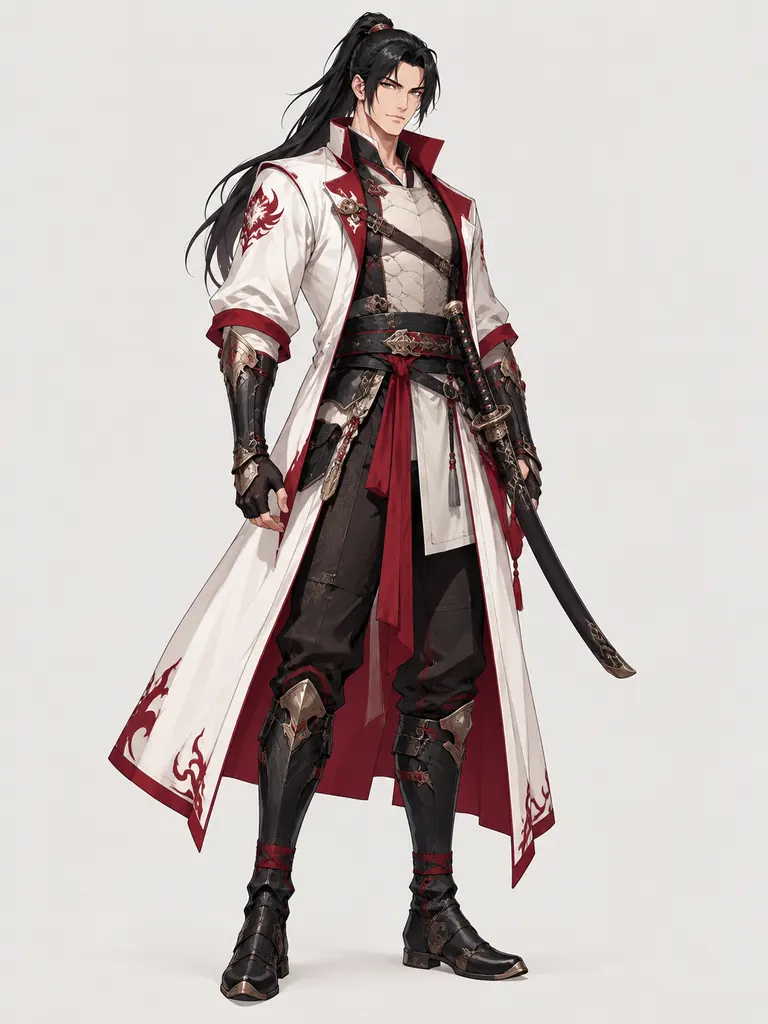
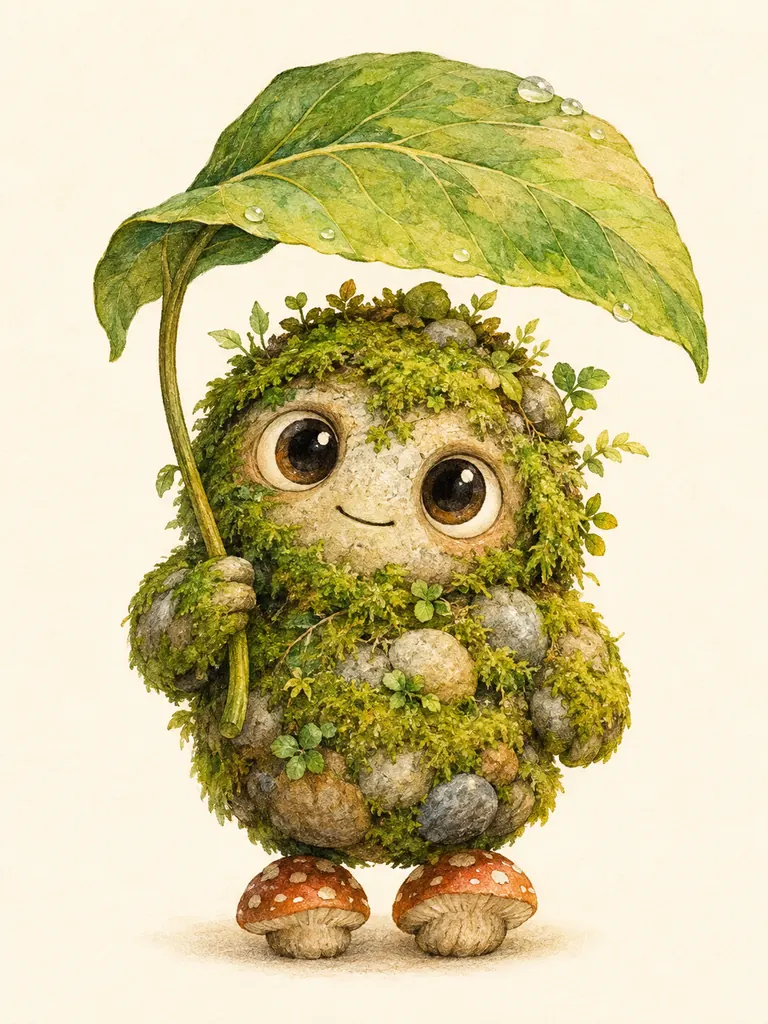
All four pieces of AI character art are original designs made from the prompt shown. Tap “Use this prompt”, change the age, outfit or style and make it yours.

  • Comic book portrait of an original heroine with a silver buzz cut in blue armor with amber seams
    Comic hero

    “Waist-up portrait of an original comic book heroine in her thirties: dark skin, silver buzz cut, a thin scar on one cheek and a sleek midnight-blue armored suit with glowing amber seams. Bold ink outlines, flat colors with halftone shading, dramatic low angle against a stormy city skyline at night.”

  • Anime-style full-body art of an original swordsman in a white and crimson coat with a curved sword
    Anime swordsman

    “Full-body anime character art of an original adult swordsman: tall, long black hair tied back, a white and crimson coat over light armor, a curved sword at his hip. Clean line art, soft cel shading, confident standing pose, pale background, like a game character select screen.”

  • Watercolor storybook character of a round moss and stone forest spirit holding a leaf umbrella
    Storybook creature

    “Original storybook creature: a small round forest spirit made of moss and river stones, with big curious eyes, a leaf umbrella and tiny mushroom feet. Soft watercolor and colored pencil, warm light, plain cream background, drawn as a friendly picture book character.”

What the AI character art generator is good at

A character is more than a face. Give the AI character art generator a role, a build, an outfit and one detail people will remember, and it designs around them.

Character sheets and turnarounds

Front, side and back views on one page, plus expression heads. A clear reference for an illustrator, a 3D modeler or your future self.

  • List the views you want: front, side, back
  • Ask for “the same colors in every view”
  • Use 3:2 or 16:9 so the views fit side by side

Any art style

Anime, western comic, painterly fantasy, storybook watercolor or 3D render. One description works in every style, so this AI character image generator lets you test a look before you commit.

  • Name the style in the first line of the prompt
  • Add the medium: ink, gouache, cel shading
  • Keep the character details word for word

The same character again

Once you like a design, add that image as a reference with the + tile and describe the new pose or scene. GPT Image 2.5 takes 16 reference images, so a sheet and a portrait can guide the next picture.

  • Reuse the exact wording of the first prompt
  • Change one thing per run: pose, place or outfit
  • Expect small drift in tiny details; rerun if needed

How to design a character with the AI character art generator

  1. 1

    Start with a short bio

    Age, build, hair, skin, outfit and one signature item. “A retired sea captain in his sixties with a brass hook and a green wool coat” gives the model plenty to draw.

  2. 2

    Choose the framing

    Say portrait, waist-up, full body or turnaround sheet. Pick 3:4 for a single figure and a wide size for sheets with several views.

  3. 3

    Add the style

    GPT Image 2.5 is selected and handles long descriptions well. Name the style and background; the credit cost shows next to Generate.

  4. 4

    Keep the best version

    Most images are ready within a few minutes (free accounts wait at least 2 minutes on premium models). Every result saves to My Images, so you can reuse it as the reference for the next scene.

Tips for memorable AI character art

  1. 01

    Start from the silhouette

    A big coat, a tall hat or an oversized weapon makes a character readable from far away. Shape first, small details after.

  2. 02

    Give them one signature color

    Pick one color that belongs to the character, like a crimson scarf, and repeat it in every prompt. It ties the design together.

  3. 03

    Show personality in the pose

    A hand on the sword, a slouch, a wide grin. One line about attitude does more than three lines about buttons and belts.

  4. 04

    Keep it original

    Describe your own character instead of naming one from a show or a game. Original designs are yours to use; copies of existing ones are declined.

An AI character art generator for writers, game makers and artists

Most characters start as a paragraph in a notebook. An AI character art generator turns that paragraph into a picture you can react to: the scar is on the wrong side, the coat should be longer. Change the words, run it again and AI character design sharpens with every pass, long before anyone opens a drawing app.

Writers use AI character art to picture a cast before a draft, game makers mock up heroes for a pitch, and comic artists try three costumes before inking one. GPT Image 2.5 is the default because it keeps many details from a long description and writes short labels like “FRONT” cleanly. Try Seedream for rich painted color, or Nano Banana 2 when a character is based on your own photo.

Credits are shared across the site. New accounts get 8 free credits, and 4 more arrive every day from the second day. A 1K image with GPT Image 2.5 costs 3 credits, 2K costs 4 and 4K costs 7, and the exact cost shows next to the Generate button before anything is spent.

Art from the AI character art generator downloads at full size without a watermark, for personal and commercial work such as book covers and game prototypes. Results stay private in My Images until you share them. Human characters must be adults, and nothing sexual is allowed.

AI character art generator FAQ

Is the AI character art generator free?

Yes, you can start for free. New accounts get 8 credits and 4 more every day from the second day, and signed-in accounts can use the FLUX.2 model at no credit cost. GPT Image 2.5 costs 3 credits for a 1K image.

Can the AI character art generator keep a character consistent?

Mostly, yes. Reuse the same description and add your favorite result as a reference image. Small details can still shift between runs, so make a few and keep the closest match.

Does it work as an AI anime character generator?

Yes. Start the prompt with “anime character art” and describe the outfit, hair and pose. Add “clean line art, cel shading” for a classic anime finish.

Can I use AI character art in my game or book?

Yes. Results have no watermark and may be used commercially. Keep the designs original and avoid logos or characters that belong to someone else.

Can I turn myself into a character?

Yes. Upload a clear photo of yourself, then describe the costume and style. For the most faithful likeness choose Nano Banana 2 or Nano Banana Pro; faces usually stay close, though not always identical.

Why was my character prompt declined?

Prompts that copy a named character, show sexual content or involve minors are blocked. Rewrite it as your own adult character or creature and try again.

Bring your character to life with the AI character art generator

Type a two-line bio, pick a style and meet your character in a few minutes.

Start creating