Type the headline · get a print-ready poster

AI Poster Generator

Type the headline, the details and the look you want. The AI poster generator draws the picture and the lettering together, so your event, sale or classroom poster comes back with words people can read.

  • 8 free credits when you sign up
  • 4 more free credits every day
  • No watermark
Add a photo to edit it (optional)

Best for text in images: posters, signs and labels.

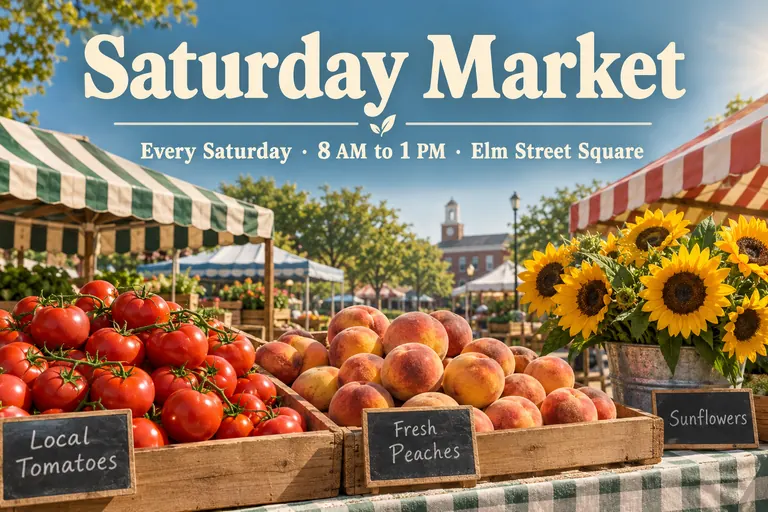
Farmers market poster with the headline Saturday Market over crates of fruit and sunflowers, made with an AI poster generator
Example · Market poster

Posters made with the AI poster generator

Every poster below came from one prompt with the exact words in quotes. Tap “Use this prompt”, change the text to your own and run it.

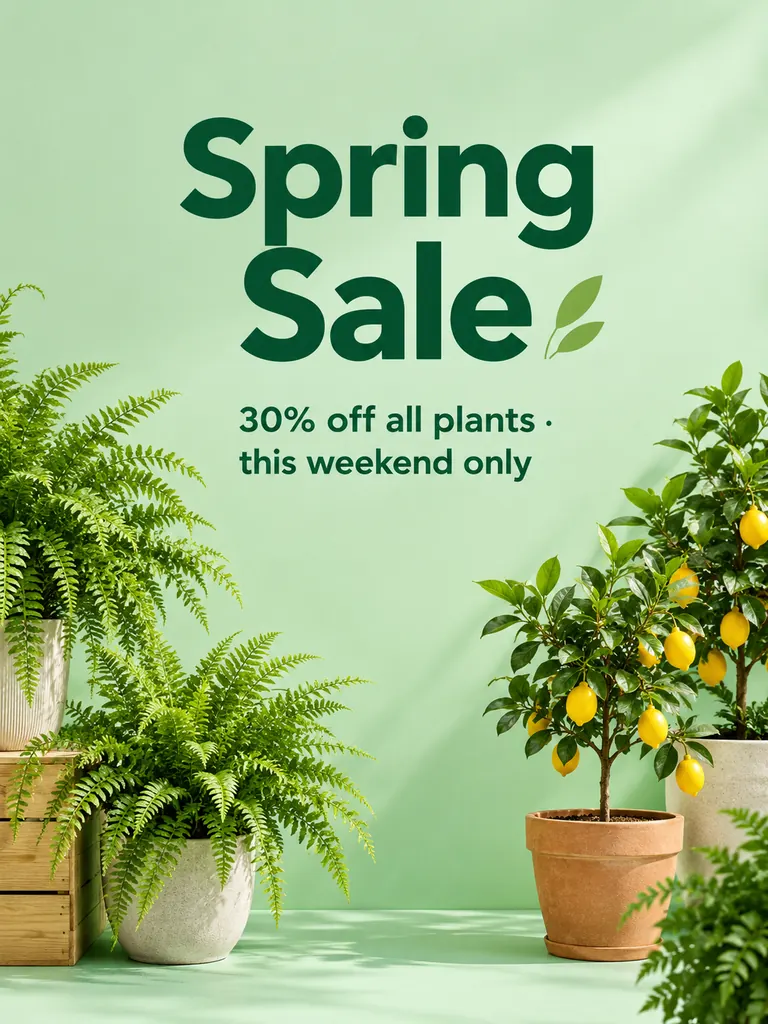
  • Mint green Spring Sale poster with potted ferns and lemon trees and a bold discount line
    Shop sale

    “A shop window poster with the headline “Spring Sale” and the line “30% off all plants · this weekend only” in bold, clean sans-serif type. Potted ferns and small lemon trees on a mint green background, soft studio light, plenty of empty space around the words.”

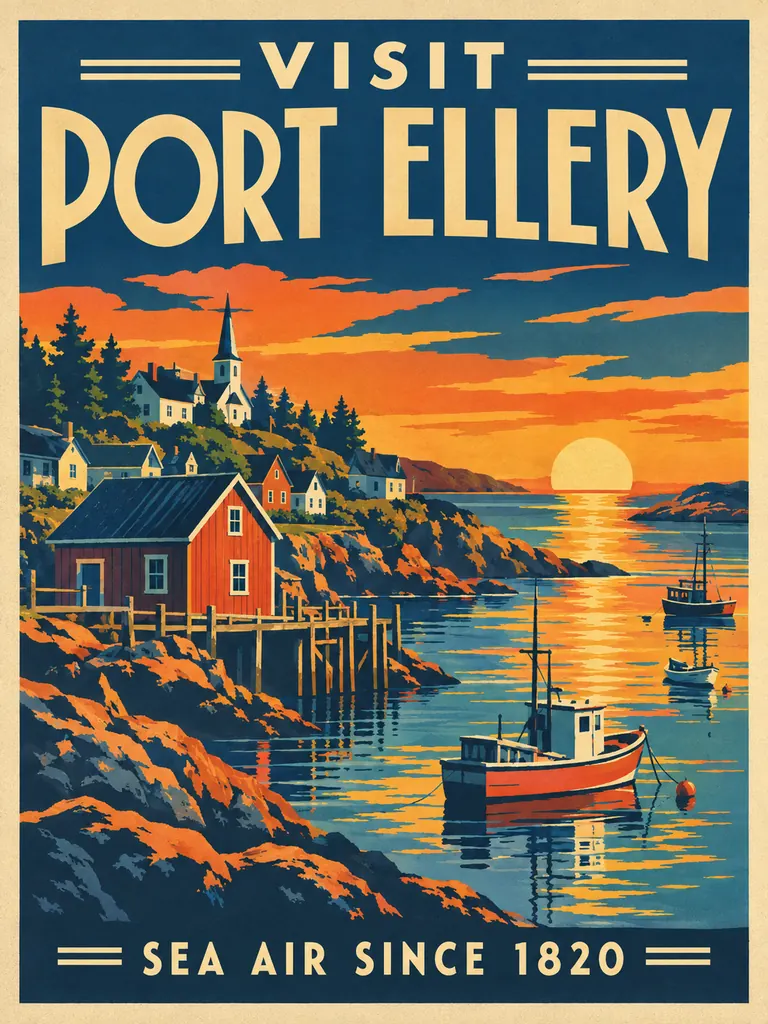
  • Screen-print style travel poster of a coastal fishing village titled Visit Port Ellery
    Travel print

    “A vintage travel poster of a small fishing village on a rocky coast at sunset, flat screen-print style with five colors. Title “Visit Port Ellery” in large Art Deco letters at the top and “Sea air since 1820” at the bottom.”

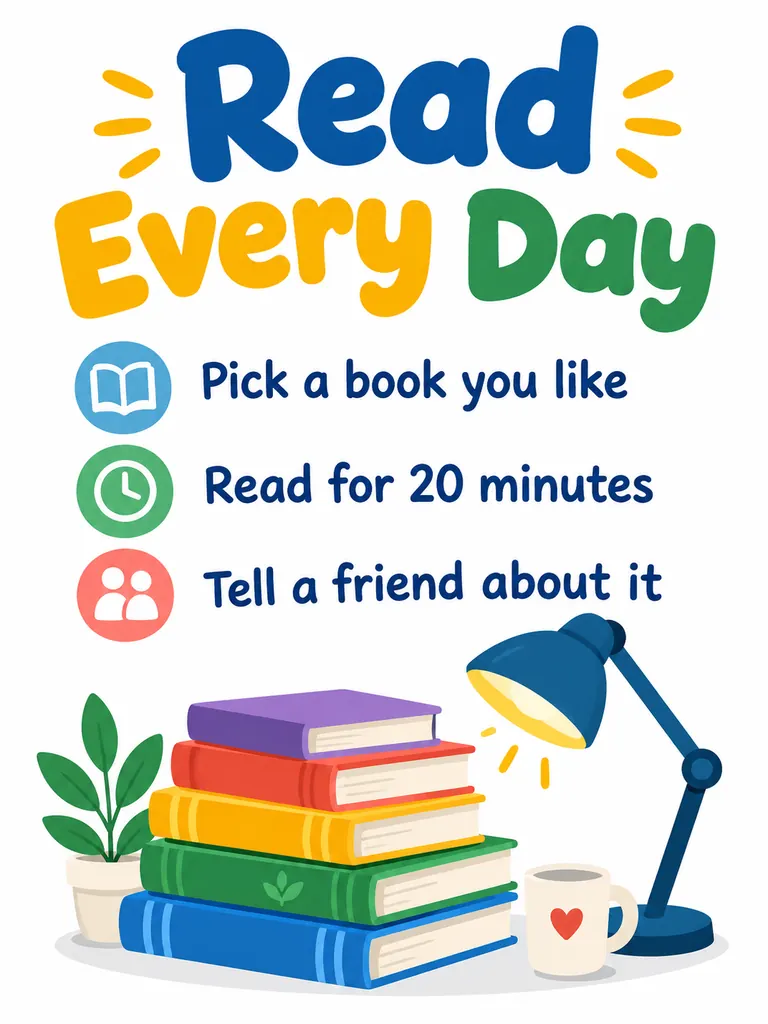
  • Classroom reading poster titled Read Every Day with three short rules and a stack of books
    Classroom poster

    “A bright classroom poster with the title “Read Every Day” in big rounded letters and three short lines: “Pick a book you like”, “Read for 20 minutes”, “Tell a friend about it”. Flat illustration of a stack of books and a reading lamp on a white background.”

What you can make with this AI poster generator

A poster has two jobs: catch the eye from across the room and say what, where and when. Image and type come out of one pass, so the words sit inside the design instead of on top of it.

Event and party posters

Concerts, bake sales, open mic nights and garage sales. Put the name, date, time and place in quotes and the layout is built around them.

  • Keep the headline to five words or fewer
  • Put details on one line with “·” between them
  • Name the mood: “hand-made and warm”, “loud neon”

Sale and shop posters

Window signs, menu boards, seasonal offers and launch posters for a small business. Results carry no watermark, and commercial use is allowed.

  • Write the offer exactly as it should read
  • Ask for empty space so the price stands out
  • Pick 2K or 4K if it goes to a print shop

Travel, quote and school posters

Retro travel prints of real or made-up places, motivational quotes for a home office, and classroom charts that can be read from the back row.

  • Name a print style: “screen print”, “Art Deco”, “Swiss”
  • Short quotes come out cleaner than long ones
  • Say “white background” for home printing

How to make a poster with the AI poster generator

  1. 1

    Write the words first

    Decide the headline and one or two lines of details. Put each piece of text in quotes, spelled exactly the way it should appear.

  2. 2

    Describe the picture and style

    Add the main image, the colors and the type style, e.g. “mint green background, bold sans-serif, potted ferns”. The tall 2:3 poster shape is preset; switch to landscape or square if you need it.

  3. 3

    Keep a text-friendly model

    GPT Image 2.5 is selected by default because it keeps lettering clean and follows long instructions. Nano Banana 2 also handles text well. The free FLUX.2 model is weak at text, so save it for picture-only posters.

  4. 4

    Proofread and download

    Most posters are ready within a few minutes (free accounts wait at least 2 minutes on premium models). Read every word before you print, run it again if a letter is off, then download the full-size file.

Tips for posters people can read

  1. 01

    Fewer words, bigger letters

    People read a poster in two seconds while walking past. One headline and one line of details beat a paragraph.

  2. 02

    Spell out dates and places

    Write “Saturday, May 10 · 7 PM · Town Hall”, not “next Saturday evening”. The model copies what is in quotes and guesses everything else.

  3. 03

    Give the text its own space

    Say where the words go: “title across the top, details in a dark band at the bottom”. A calm area behind the letters keeps them sharp.

  4. 04

    Match quality to the print

    For a framed print or a shop window, pick 4K. For a phone screen, a group chat or a social post, 1K is enough and costs fewer credits.

Why an AI poster generator needs a model that can spell

Many image models draw letters as shapes and scramble the spelling, which is fine for art and useless on a notice board. An AI poster generator is only as good as its text, so this page starts on GPT Image 2.5, the model on our site that follows long instructions most closely and keeps words on signs, labels and posters readable.

You can still switch. Nano Banana 2 handles lettering well and costs 4 credits at 1K. Seedream models are strong on rich color and illustration. The free FLUX.2 model makes 30 images a day for signed-in accounts, but its lettering is unreliable, so use it for background art you letter in another app.

Credits work the same across the site. New accounts get 8 free credits, then 4 more every day from the second day. A poster with GPT Image 2.5 costs 3 credits at 1K, 4 at 2K and 7 at 4K, and the exact cost shows next to the Generate button before anything is spent.

The posters you make are yours to use, including for a shop or a paid event. They save privately to My Images and download without a watermark. Use your own brand name and logo, and keep to our content policy: no sexual content, nothing involving minors and nothing meant to deceive or harass a real person.

AI poster generator FAQ

Is the AI poster generator free?

You can start for free. New accounts get 8 credits and 4 more every day from the second day, enough for a 1K AI poster with GPT Image 2.5 (3 credits). The FLUX.2 model costs nothing but struggles with lettering.

Will the text on my poster be spelled correctly?

Usually, when the words are short and in quotes. GPT Image 2.5 is the default because it handles lettering best among our models. Long paragraphs and tiny print are where mistakes appear, so proofread and rerun if a letter is wrong.

Which shape should I pick for a printed poster?

The preset 2:3 shape fits common 24 × 36 inch frames, and 3:4 fits 18 × 24 inch frames. Choose 4K for anything you hang on a wall; 1K is fine for screens.

Can I add my own logo or product photo?

Yes. Add images with the + tile and say how to use them, e.g. “put the logo small in the bottom right corner”. GPT Image 2.5 accepts 16 reference photos per image.

Can I use the posters for my business?

Yes. Every AI poster downloads at full size with no watermark, and you may use it in personal and commercial projects such as shop signs, menus and event flyers.

How is this different from the movie poster tool?

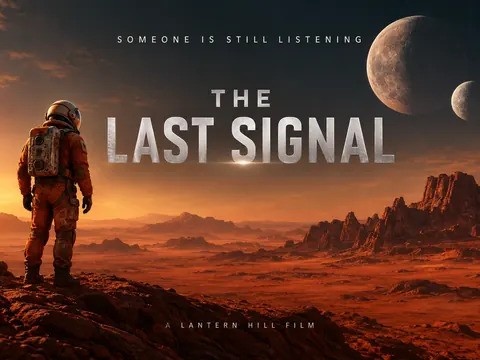
This AI poster generator is for posters that inform: events, sales, travel, quotes and classrooms. For a film-style one-sheet with a title, a tagline and a credits block, use the AI Movie Poster Generator.

Make your first poster now

Type your headline in quotes, describe the look, and the AI poster generator hands back a ready-to-print poster in a few minutes.

Start creating