
AI Family Photo Generator: Combine Three Adult Portraits
Use an AI family photo generator to combine three adult portraits. Copy the studio and garden prompts, compare the results, and check each face.
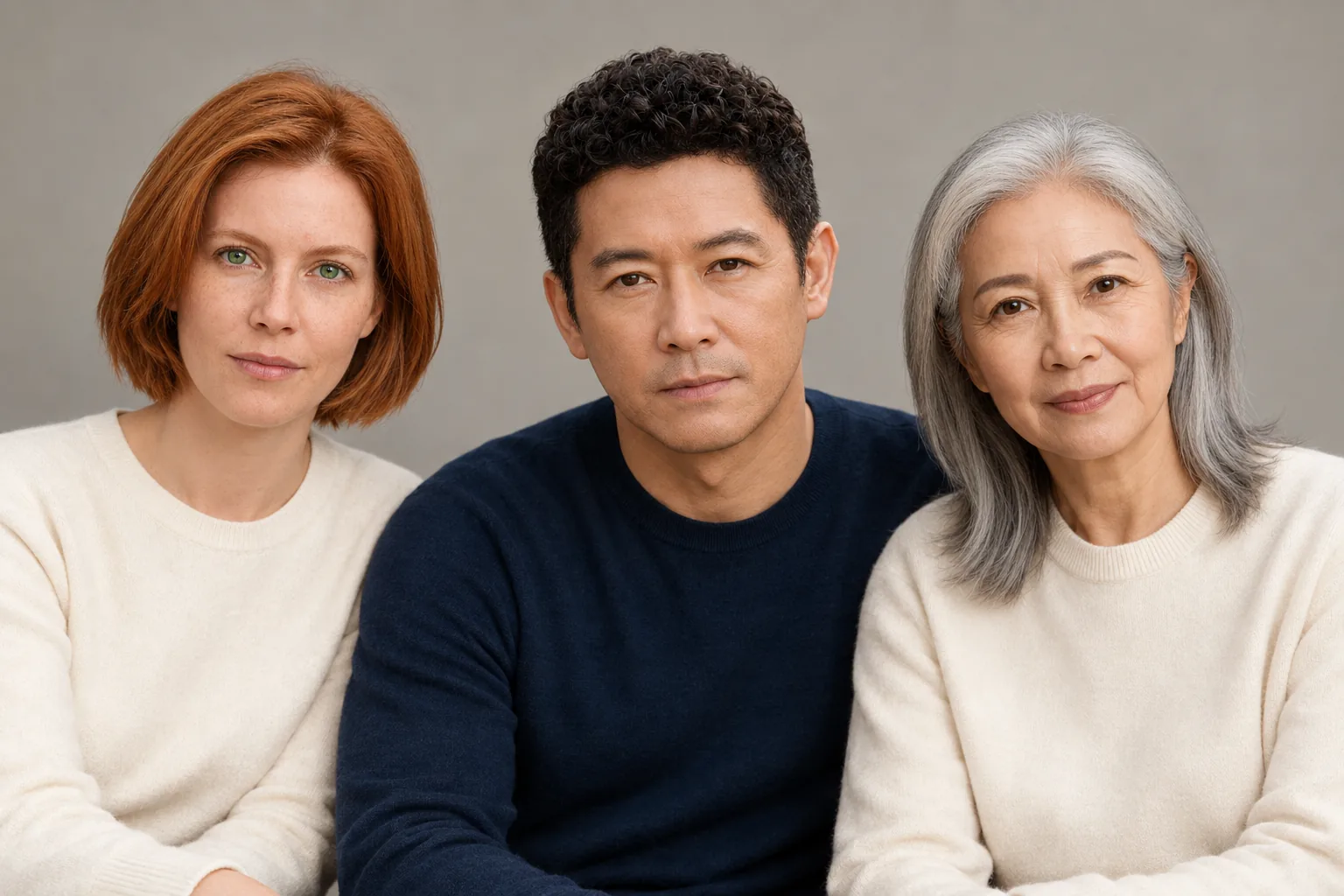
An AI family photo generator can combine separate portraits into one group picture. In AI Photo Generator, choose GPT Image 2.5, upload one clear photo per adult, and assign each person a position in your prompt. The studio and garden examples below use three fictional adults, three separate uploads, and a wide 3:2 frame.
Last updated: October 8, 2026 · 5 min read
“Make a happy family photo” leaves the model to choose who appears where. “Person from photo 1 sits left” connects a reference face to a place in the group. Start with that instruction, then add the setting, clothing, and light.
1. Which photos should you choose for each adult?
Pick a sharp portrait with the whole head visible and the eyes unobstructed. Front-facing or slightly turned faces let you compare the eyes, nose, jaw, and hairline afterward. The source background matters less when you are asking for a new scene.
Our references show a woman with a copper bob and green eyes, a man with dark curls, and an older woman with silver hair. All three wear simple sweaters against neutral backgrounds. These are AI-generated fictional people; no real family photos were used.
Plan the upload order before writing the prompt:
- Photo 1: the person who should appear on the left.
- Photo 2: the person who should appear in the center.
- Photo 3: the person who should appear on the right.
The reference strip below is a display of the three inputs. Each original portrait was uploaded separately. Check the thumbnail order in the tool, and update the photo numbers in your prompt if you remove or replace an upload.
2. How do you upload three photos in one generation?
Open the AI photo editor, sign in, and select GPT Image 2.5 before uploading. It accepts up to 16 reference photos and switches to image editing when references are attached.
Add the three portraits as separate JPG, PNG, or WebP files, each under 8 MB. Set Size to 3:2 and Quality to 1K to match these examples. Size controls the frame's shape; Quality selects the resolution setting.
A GPT Image 2.5 edit at 1K costs 3 credits, as listed on the live editor page on October 8, 2026. Check the displayed cost before generating. The free FLUX.2 [klein] model accepts one reference photo, so it cannot follow this three-upload workflow.
For two adults, the AI couple photo generator has two-person scene prompts you can adapt. For three, change the count and assign all three positions. Tool pages use the same generator; replace any starter text with your own instruction, which is sent to the model as typed.
3. What prompt combines the adults into a studio portrait?
We attached all three references and sent this exact instruction:
Create one photorealistic family studio portrait containing exactly these three adults. Person from photo 1 sits left, person from photo 2 sits center, person from photo 3 sits right. Preserve each person's facial features, hairstyle and apparent age. Coordinated navy and cream clothing, soft window light, plain warm-gray background, waist-up framing, all faces unobstructed, no text.
| Separate reference photos | Combined studio portrait |
|---|---|
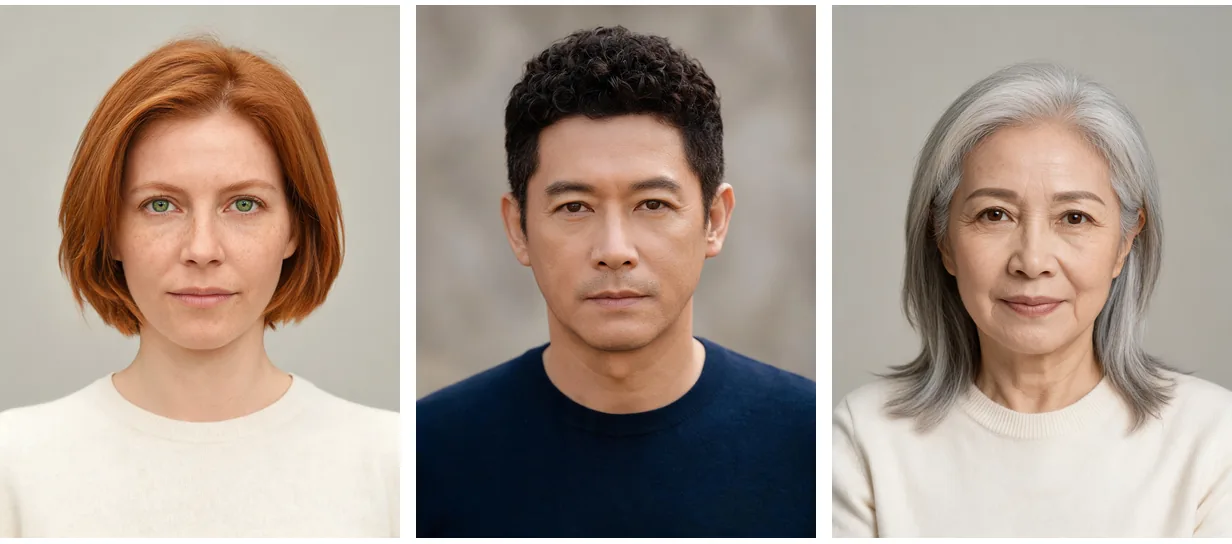 | AI family photo generator studio result with three fictional adults in cream, navy, and cream sweaters |
Left: fictional references, supplied as three separate photos. Right: GPT Image 2.5, 1K, 3:2; output from those references and the instruction above.
The result puts the copper-haired woman on the left, the man in the center, and the silver-haired woman on the right. The left woman's green eyes and freckles remain visible, as do the man's curls and the older woman's facial lines. All three heads fit inside the frame, with no face hidden behind another person.
The cream-navy-cream sweaters also carry through from the inputs. The prompt asked for coordinated colors without assigning an outfit to each person; this result kept their original arrangement.
Keep the count and photo numbers when adapting the prompt. Change the clothing, background, or light to describe your own picture. The AI portrait generator has studio lighting examples if you want a different look.
4. How do you make a garden version with the same references?
Keep the three original uploads in the same order. We made the garden version directly from those portraits, using this instruction:
Create one photorealistic family garden portrait containing exactly these three adults. Person from photo 1 sits left, person from photo 2 sits center, person from photo 3 sits right. Preserve each person's facial features, hairstyle and apparent age. Coordinated navy and cream clothing, seated together on a garden bench, leafy green background, soft late-afternoon daylight, waist-up framing, all faces unobstructed, no text.
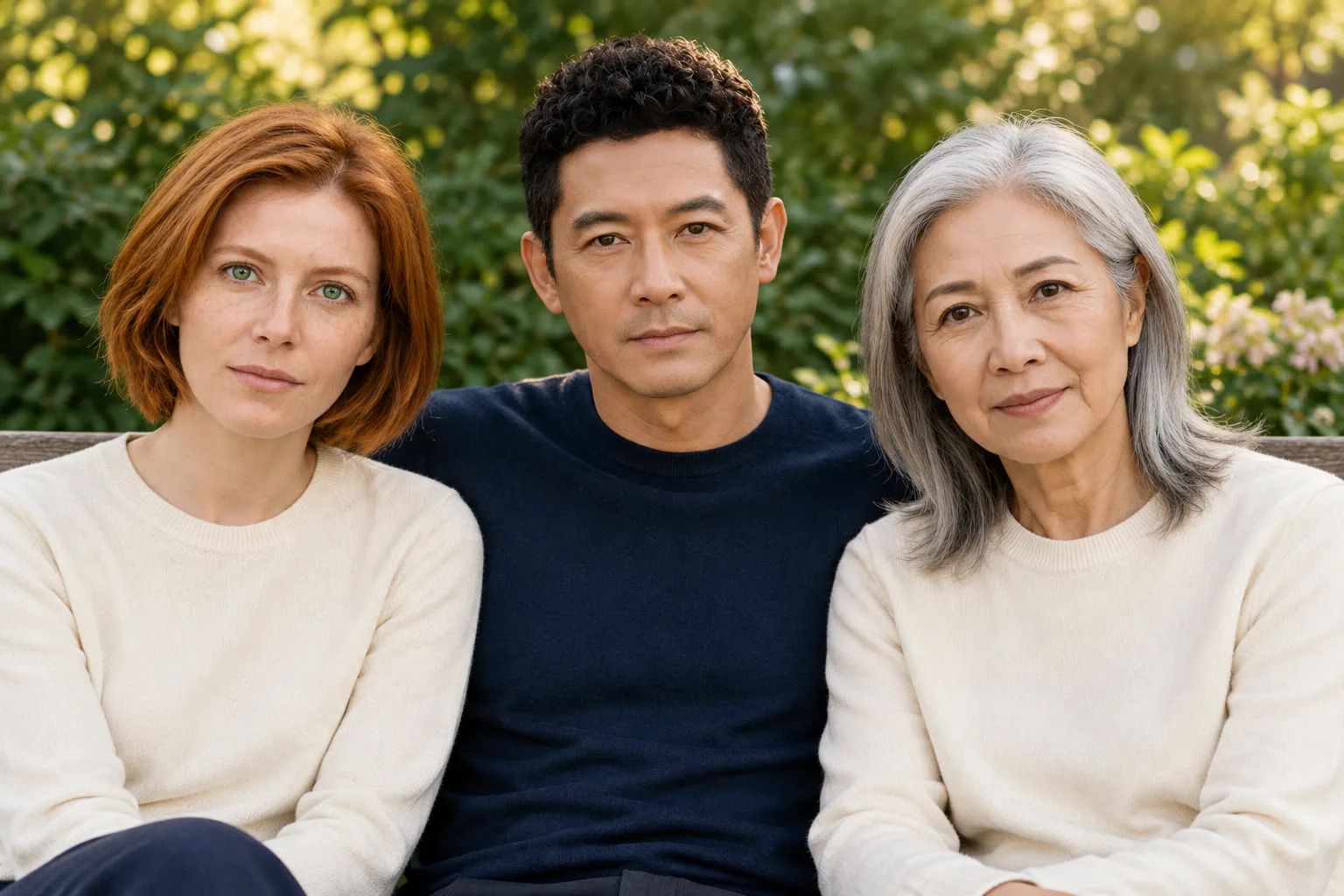
GPT Image 2.5, 1K, 3:2; garden output from the same three separate fictional references and the instruction above.
The people stay in the requested order. A bench back, green leaves, small flowers, and warm background light replace the studio wall. The sweaters remain cream, navy, and cream.
Using the originals again lets you compare both versions against the same faces. You do not need to upload the studio output to request the garden setting.
5. How can you tell whether each face still matches?
Compare one person at a time with their source portrait. Look at eye shape and spacing, the nose outline, lips, and jaw before judging the hairstyle. Copper hair alone would be a weak match; the green eyes and freckles give you more specific details to inspect.
Both outputs tilt the women's heads inward from their straight-on reference poses. Neither shows complete hands, so these examples offer little evidence about finger accuracy.
Count the people, check their order, and inspect the space above each head. Then look along the shoulders and sweater edges for odd overlaps. Zoom in before choosing a version for a card or print.
If a person lands in the wrong seat, restate the photo number and position while keeping the other instructions stable. The Nano Banana image editing guide has examples of narrowly worded corrections. A new generation still needs a fresh comparison with the references.
Check your intended print crop before ordering. These outputs are 1536 × 1024 pixels; “1K” is the model's setting name. Leave room around the heads if your frame will trim the edges.
Frequently asked questions
What is the best free AI family photo generator?
For combining separate portraits, check the reference limit before choosing a tool. AI Photo Generator's free FLUX.2 [klein] model accepts one reference photo. The three-photo workflow shown here uses GPT Image 2.5, which requires an account and spends credits. These examples do not rank free tools.
What are ChatGPT family photo prompts?
They describe who should appear, where each person should sit or stand, and the setting. The studio prompt above shows that structure: three adults, photo 1 on the left, photo 2 in the center, and photo 3 on the right. Both pictured results were generated through AI Photo Generator using GPT Image 2.5.