
Nano Banana Image Editing: Remove or Recolor Glasses
Use Nano Banana image editing to remove glasses or recolor frames. Copy two exact prompts and compare the original with real Nano Banana 2 outputs.
Nano Banana image editing lets you upload a photo and describe what should change. In AI Photo Generator, select Nano Banana 2, attach your original, and request one edit while naming the details to preserve. The examples below show glasses removal and frame recoloring, with the exact prompts and results side by side.
Last updated: October 4, 2026 · 5 min read
“Change only the eyeglass frames from black to red” gives you a specific result to judge. “Improve this portrait” leaves the model to decide what improvement means. Start with a change you can point to, then compare the face and background before saving.
How do you remove or recolor glasses with Nano Banana 2?
1. Upload a portrait where the glasses are clear
Use the plus button beside the prompt box in the AI photo editor. It accepts JPG, PNG, and WebP files, with an 8 MB limit per reference photo. Choose a sharp portrait with both eyes and the whole head visible so you can inspect the result afterward.
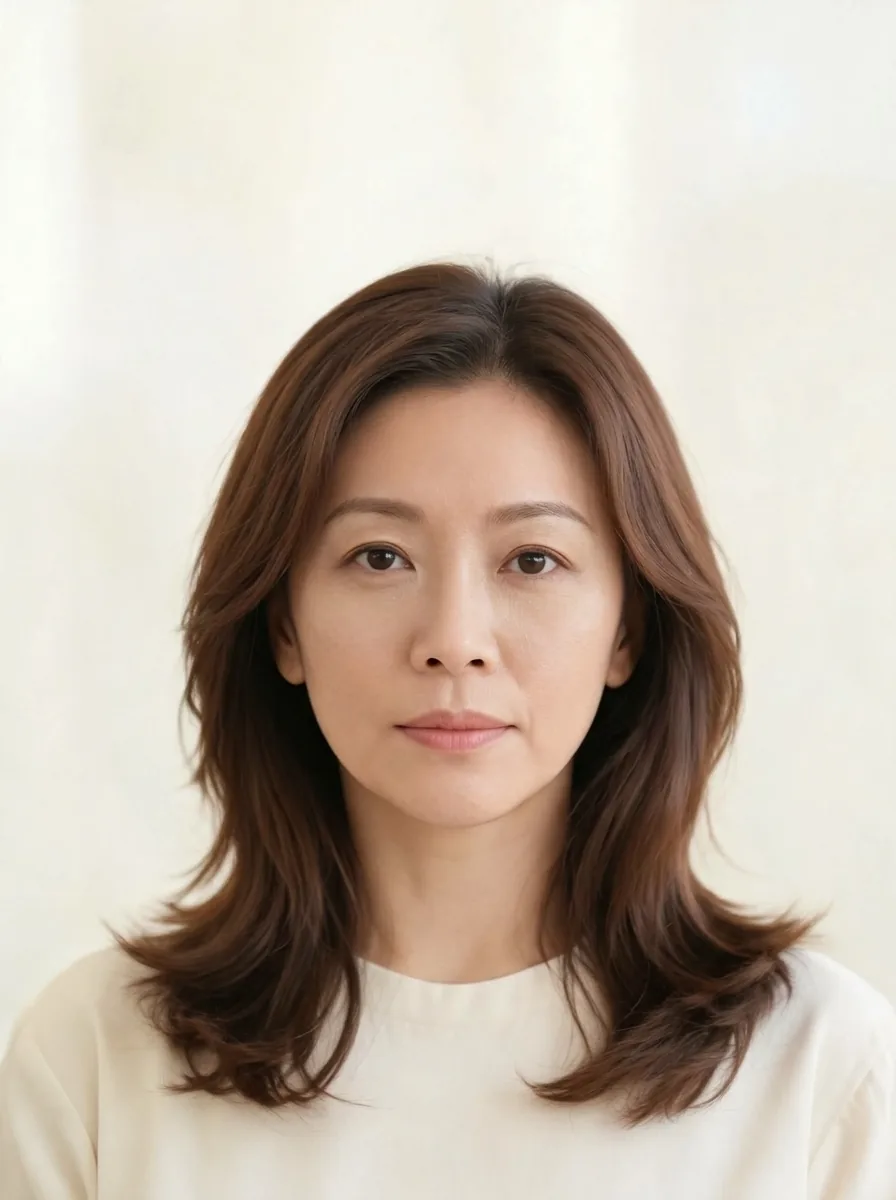
Our source is an AI-generated fictional woman with shoulder-length brown hair, black round glasses, and a cream blouse. She faces the camera against a pale background. The simple scene makes it easy to see whether the glasses changed and whether the hair, neckline, or framing moved.
Keep the original for both versions. Removing the glasses and recoloring them are alternative edits; each should start from the photo that still has black frames.
2. Choose Nano Banana 2, 1K, and the matching aspect ratio
Sign in, select Nano Banana 2, and choose 1K and 3:4 to match these examples. The photo editor opens with GPT Image 2.5 selected, so change the model before generating. Nano Banana 2 requires an account and uses credits.
Keep your original photo's aspect ratio for a small accessory edit. This source is 3:4; a square photo would call for 1:1. Asking for a wide image adds a framing change to the glasses request. The Nano Banana aspect-ratio guide shows portrait examples in different shapes.
The live pricing page lists Nano Banana 2 at 4 credits per 1K image, checked October 4, 2026. Two separate edits at that setting would use 8 credits. Check the displayed cost before generating if you choose another size.
3. Name the edit and the details to preserve
For glasses removal, we used this exact instruction:
Remove her eyeglasses. Preserve her recognizable facial features, expression, hair, blouse, background and framing; retain natural skin texture.
For recoloring, we attached the original again and used:
Change only the eyeglass frames from black to red. Preserve the frame shape, lenses, face, hair, blouse, background and framing.
The recoloring request names the frames as the target and the lenses and shape as details to keep. That gives you three things to inspect: the new color, the round rims, and the clear lenses.
Tool pages prefill editable prompt text. Replace it with your instruction; the site sends your prompt to the selected model as typed.
4. Generate and compare each output with the original
Both pictured edits used Nano Banana 2 at 1K and 3:4, with the same source photo as the reference.
| Original portrait | Remove eyeglasses | Recolor frames |
|---|---|---|
 | Nano Banana image editing result with the glasses removed from the fictional woman's portrait | 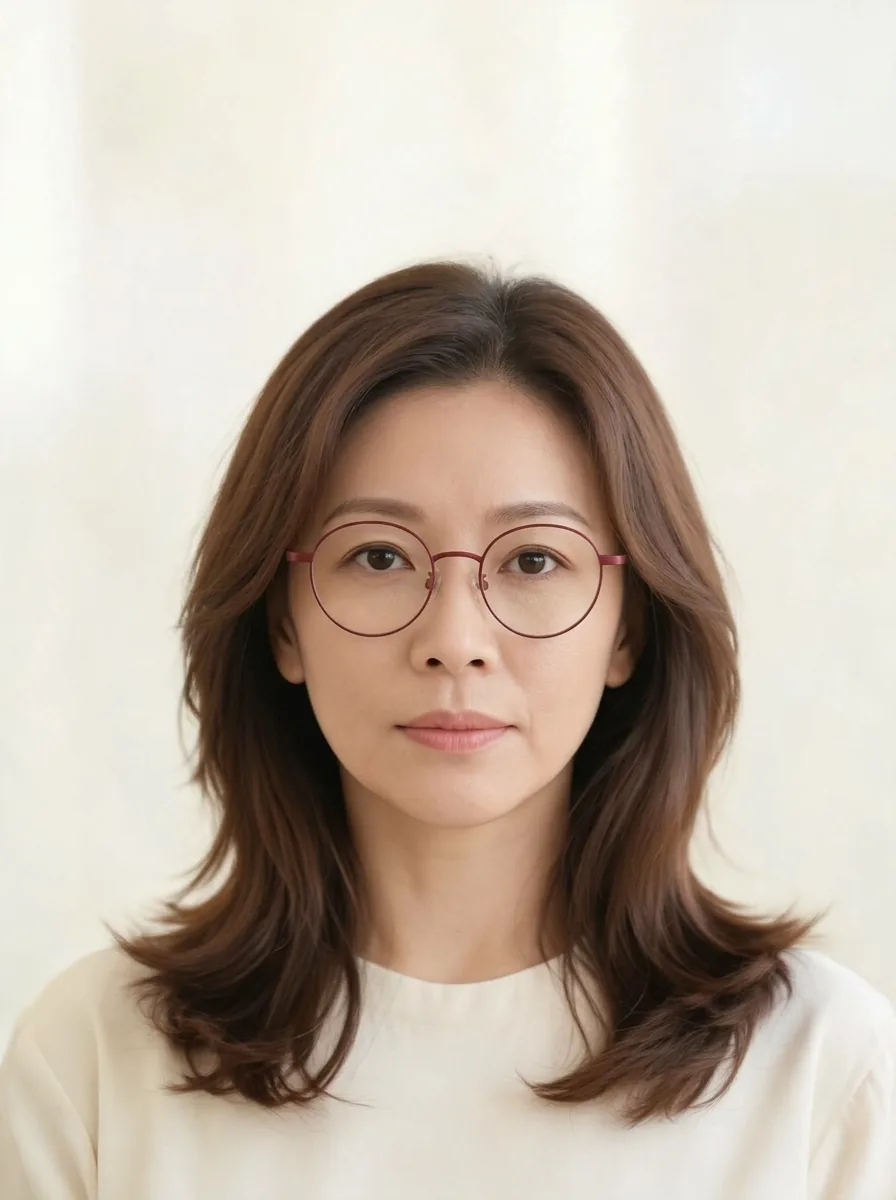 |
Left: AI-generated fictional source portrait. Center: glasses removal. Right: frame recoloring. Both outputs: Nano Banana 2, 1K, 3:4; each used the original photo.
The removal output has no visible rims, bridge, or glasses arms. The closed-mouth expression, hairstyle, cream neckline, and pale background remain recognizable. The recoloring output retains round glasses with transparent lenses.
The requested red came out as muted burgundy. If you want a vivid red, specify that shade in your next prompt; this example shows only the result of the broader instruction “red.”
What should you check around the eyes after removing glasses?
Compare the nose bridge, temples, and skin beneath the lenses. Look for leftover frame fragments or an odd edge where an arm crossed the hair. In this removal output, no dark frame fragments are visible beside the eyes.
Next, compare the eyebrow arches, eye corners, nose outline, lips, and jaw with the original. “Preserve her recognizable facial features” is an instruction, so you still need to judge the likeness yourself. View the images at a similar size, then zoom in on the eyes.
Check the hair part, neckline, shoulder position, and space above the head as well. These give you reference points outside the edited area. For recoloring, inspect the bridge and arms along with the front rims, and check that the lenses have stayed clear.
How can you adapt the glasses prompt to another small edit?
Use a direct verb and identify the object by its location:
Change only [specific object] from [current appearance] to [wanted appearance]. Preserve [nearby details] and [the rest of the scene].
For a necklace, name “the necklace at her collar.” For a mug, identify the hand holding it. These are prompt-writing suggestions; the pictured examples demonstrate glasses edits only.
For a broader change, the image-to-image tool offers editable scene prompts and an uploaded-image workflow. It uses the same generator; the page supplies a starting prompt. The Nano Banana portrait prompts cover lighting and style changes once you are ready to alter more of the scene.
Frequently asked questions
Does Nano Banana do image editing?
Yes. Google's Nano Banana page describes uploading an image and editing it with text instructions. The examples here use Nano Banana 2 through AI Photo Generator.
How do you edit a photo with Nano Banana?
Upload your photo, select Nano Banana 2, and describe the change plus the details to preserve. Generate the result, compare it with the original, and download the version you want to keep.
Is Nano Banana a free online image editor?
On AI Photo Generator, Nano Banana 2 requires an account and uses credits. The site's separate free model is FLUX.2 [klein]. Both outputs shown here used Nano Banana 2.