
AI LinkedIn Cover Photo Generator: 4 Prompts and Banner Crops
Use an AI LinkedIn cover photo generator with four exact prompts, real banner crops, and steps to export a 1584 × 396 cover for your profile.
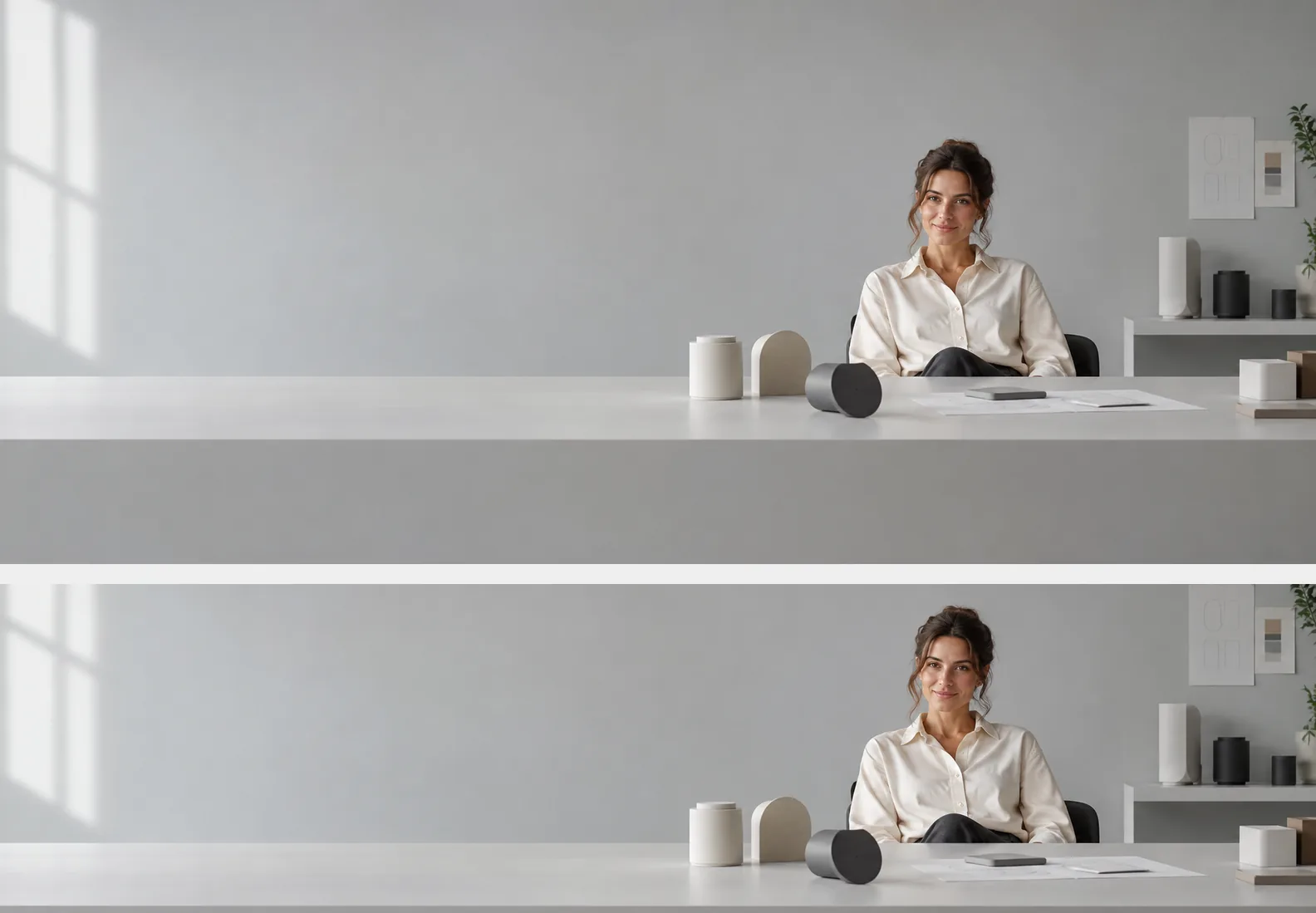
Use an AI LinkedIn cover photo generator to make a wide background for your profile. In AI Photo Generator, choose GPT Image 2.5 and 21:9, then crop the download to 1584 × 396 pixels in a separate editor. Place people or key objects on the right and leave the lower left clear.
Last updated: October 6, 2026 · 5 min read
These text-generated scenes feature fictional adults. For your profile, try a room without a person or use your own photo. Likeness was not tested here.
Which LinkedIn banner scene fits your work?
Choose a few recognizable objects: prototypes, metal forms, or books. They need to read clearly in a narrow banner.
| Direction | Useful for | Visual cue | Space to keep quiet |
|---|---|---|---|
| Minimal studio | Product design and creative work | Simple prototypes on a desk | Pale wall on the left |
| Technical workspace | Engineering and technical consulting | Metal forms and a wireframe sphere | Cool gray background |
| Planted workspace | Sustainability and environmental work | Leafy plants and an oak desk | Neutral plaster wall |
| Warm library | Writing, research, and editing | Bookshelves and a reading lamp | Darker corner on the left; less empty space |
Match the colors to your profile photo. The studio and technical workspace leave the most open wall space.
What do four LinkedIn cover prompts look like after cropping?
All four scenes used GPT Image 2.5, 1K, 21:9, with text alone. Each image shows the full output above a manual 4:1 crop preview, before upload to LinkedIn.
1. A minimal studio for a product designer
Exact prompt:
Photorealistic wide LinkedIn cover scene for an original fictional adult product designer aged 35 in a minimal studio. Fully clothed in a cream shirt and dark trousers, seated in the right third, small in the frame, complete head visible, hands resting out of view behind the desk. Pale gray walls, a few unbranded geometric product prototypes on a low desk, soft daylight. Ample quiet space on the left. Keep the entire head, shoulders and important props within the central horizontal band, the middle half of image height, so a 4:1 crop retains them. No text, logos or real company branding.
GPT Image 2.5, 1K, 21:9. Top: full generated studio scene. Bottom: manual 4:1 crop preview at 1584 × 396.
The designer sits behind a desk on the right, beside simple geometric prototypes. The crop keeps her full head and the tabletop objects, leaving a broad gray wall on the left.
2. Abstract technical forms for an engineer
Exact prompt:
Photorealistic wide LinkedIn cover scene for an original fictional adult engineer aged 42 beside abstract technical shapes. Fully clothed in a navy shirt and gray trousers, seated in the right third, small in the frame, complete head visible, hands resting out of view behind a low workbench. Cool gray workspace with unbranded metal cylinders and a simple wireframe sphere, soft side light. Ample quiet space on the left. Keep the entire head, shoulders and important props within the central horizontal band, the middle half of image height, so a 4:1 crop retains them. No text, logos or real company branding.
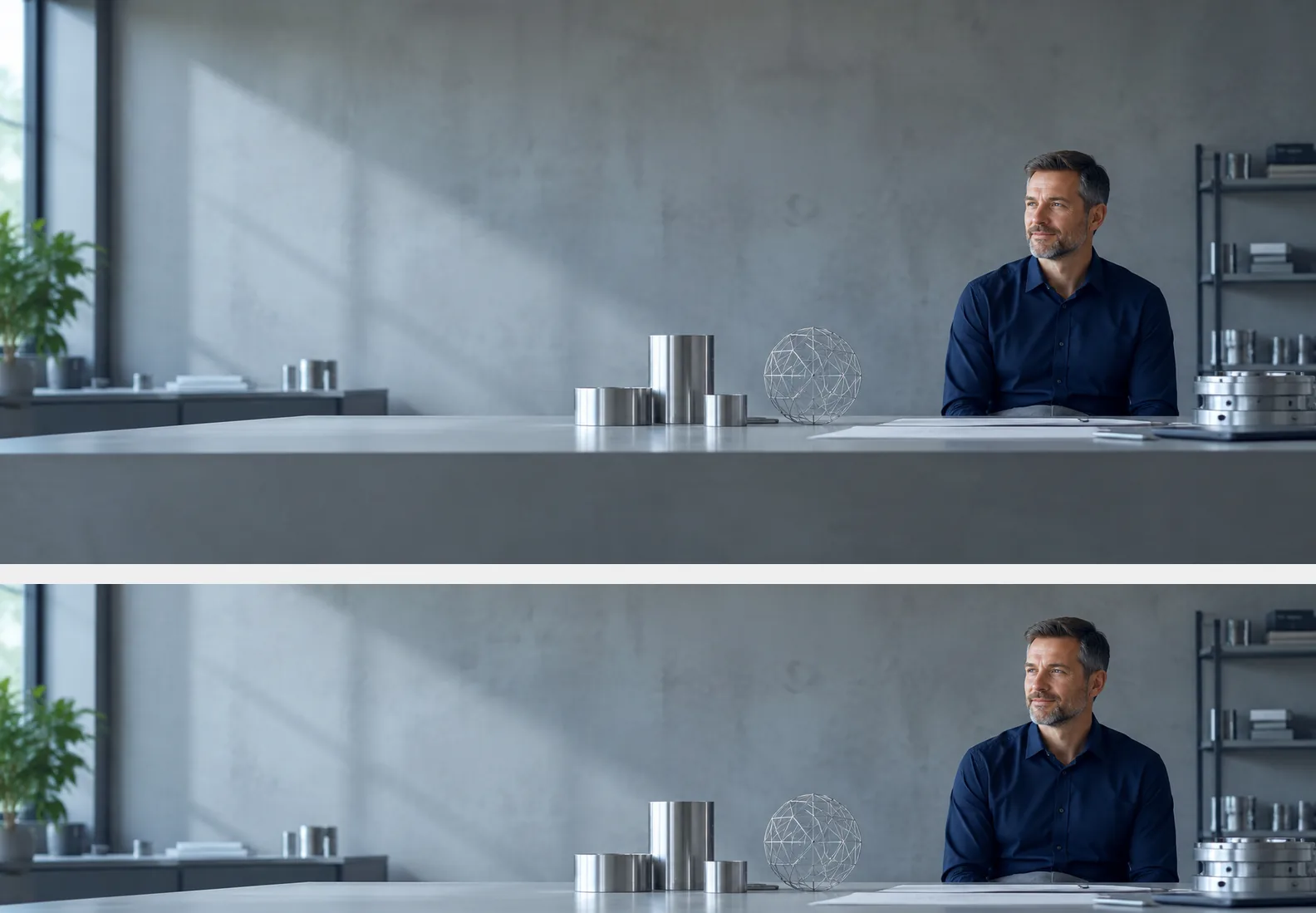
GPT Image 2.5, 1K, 21:9. Top: full generated technical workspace. Bottom: manual 4:1 crop preview at 1584 × 396.
The crop keeps the metal cylinders, wireframe sphere, and engineer’s full head. Those few objects give the scene a technical theme without filling the open gray wall.
3. A planted office for a sustainability consultant
Exact prompt:
Photorealistic wide LinkedIn cover scene for an original fictional adult sustainability consultant aged 38 in a planted workspace. Fully clothed in a sage green blouse and dark trousers, seated in the right third, small in the frame, complete head visible, hands resting out of view behind the desk. Warm neutral plaster wall, indoor leafy plants and a light oak desk, soft natural daylight. Ample quiet space on the left. Keep the entire head, shoulders and important props within the central horizontal band, the middle half of image height, so a 4:1 crop retains them. No text, logos or real company branding.
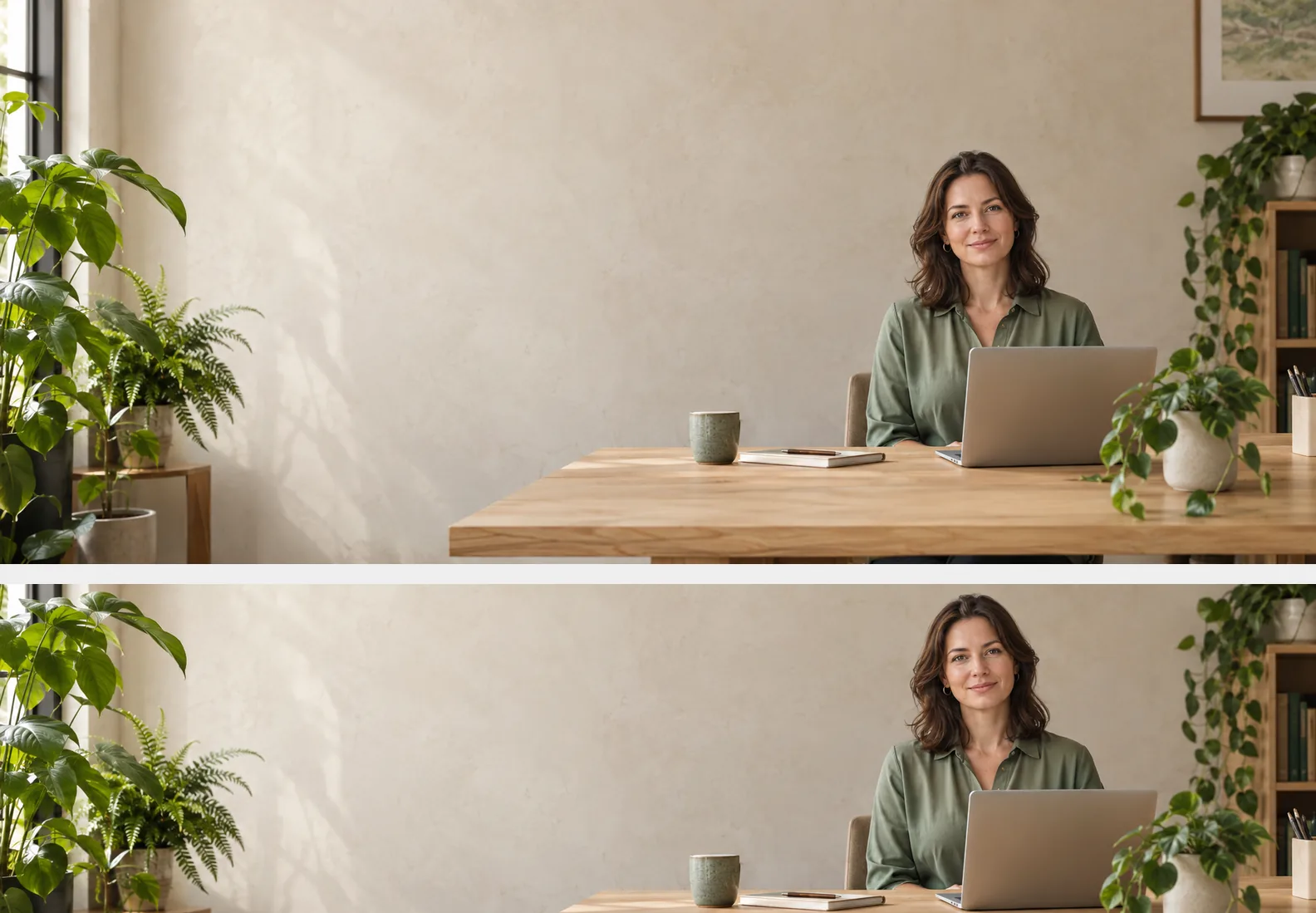
GPT Image 2.5, 1K, 21:9. Top: full generated planted workspace. Bottom: manual 4:1 crop preview at 1584 × 396.
Plants frame a cream wall, with the consultant on the right. The crop preserves her full head and cup, but cuts off the laptop’s lower edge and leaves little room above her hair; check both edges before exporting.
4. A warm library for an independent writer
Exact prompt:
Photorealistic wide LinkedIn cover scene for an original fictional adult independent writer aged 45 in a quiet library. Fully clothed in a charcoal sweater and dark trousers, seated in the right third, small in the frame, complete head visible, hands resting out of view behind the reading desk. Warm oak shelves with books showing plain unlettered spines, a simple reading lamp and muted amber light. Ample quiet space on the left. Keep the entire head, shoulders and important props within the central horizontal band, the middle half of image height, so a 4:1 crop retains them. No text, logos or real company branding.
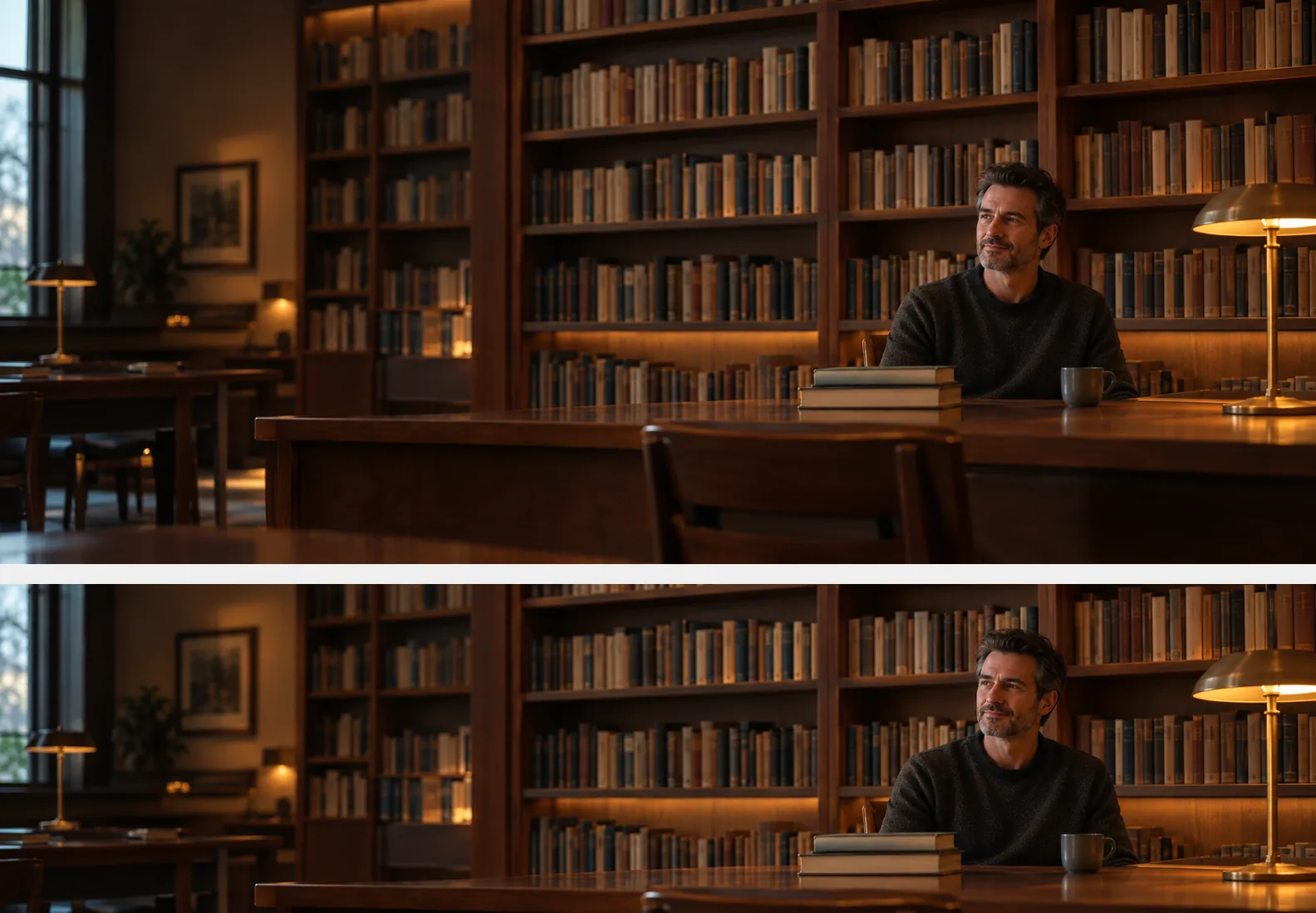
GPT Image 2.5, 1K, 21:9. Top: full generated library. Bottom: manual 4:1 crop preview at 1584 × 396.
The crop keeps the writer’s full head, reading lamp, and stack of books. The shelves and furniture fill much of the left side despite the request for quiet space, so choose one of the plainer scenes if you want room for text.
If you want a short phrase or website address, add it as editable text after cropping. Place it on open wall space above the area your profile photo will cover.
How do you crop a 21:9 image to 1584 × 396?
LinkedIn’s cover-image instructions recommend 1584 × 396 pixels: a 4:1 rectangle, saved as JPG or PNG below 8 MB. Generate at 21:9, then set the final dimensions in a separate editor.
- Generate the wide scene. Sign in to use GPT Image 2.5, then select 21:9 and 1K. Paste a prompt above and change the setting or objects. Leave the upload empty for a text-only scene.
- Crop to 4:1 in a separate editor. At the original width, the crop height is width divided by four. Move that rectangle vertically until the full head and useful objects fit. A 21:9 image keeps roughly 58% of its height in this crop.
- Resize and export. Resize the cropped image to 1584 × 396 and save as JPG or PNG below 8 MB. Start from your full generated download; the stacked WebP gallery images include two views and are unsuitable for direct upload.
- Upload and review the profile. On desktop, open your profile and use the camera icon in the cover area. Adjust the position and apply it. View the finished profile on your phone as well.
LinkedIn says the image’s appearance can change with browser size and screen resolution. Keep essential details away from the outer edges and leave the lower left uncluttered, where your profile photo can overlap the cover.
GPT Image 2.5 costs 3 credits per 1K image on the live pricing page, checked October 6, 2026. These examples used that premium model. The separate free model is FLUX.2 [klein].
For a scenic cover, the AI wallpaper generator has scenic example prompts you can load into the same generator. Switch its default 9:16 setting to 21:9 for a banner. For more on why a generated ratio and a final crop are different, see the aspect-ratio and crop guide. Its Nano Banana examples use the same crop calculation.
What if you want your own face in the cover?
Upload your photo in the AI professional photo generator, write a banner brief, and select GPT Image 2.5 and 21:9. Ask to preserve your face and hair, with you small on the right. Compare the result with your original before using it.
The AI LinkedIn photo generator defaults to 1:1 for your separate profile picture. Its example buttons fill the prompt box; edit the colors and lighting to match your cover.
To try a cover without a person, describe only the room and objects and add “no people.”
Frequently asked questions
What size is a LinkedIn cover photo?
LinkedIn recommends 1584 × 396 pixels for a personal profile cover. Export a JPG or PNG below 8 MB after cropping the generated image.
Is the cover photo different from the profile photo?
Yes. The cover is the wide image behind your profile photo; the profile photo is the separate portrait. Leave the cover’s lower left clear for the overlap.
Can AI Photo Generator make a 4:1 cover directly?
GPT Image 2.5 supports 21:9 here, but has no 4:1 setting. Generate at 21:9, crop to 4:1 in a separate editor, then resize to 1584 × 396.