
AI T-Shirt Art Generator: 4 Hiking Designs and Prompts
Use an AI T-shirt art generator to create four hiking graphics. Compare real prompts, lettering, styles, and file sizes before preparing a shirt print.
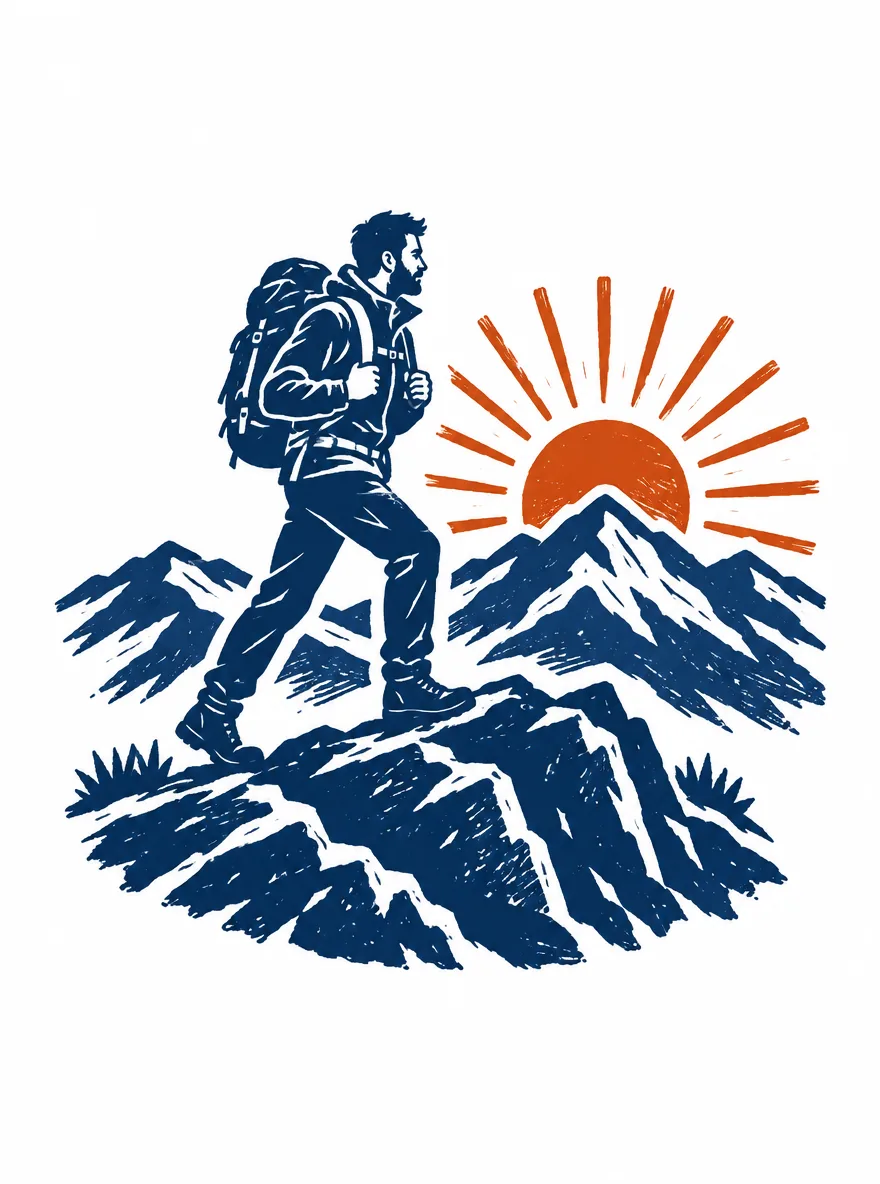
An AI T-shirt art generator can turn a design brief into a standalone shirt graphic. In AI Photo Generator, name the subject, style, colors, and exact lettering, then ask for artwork without a garment mockup. The four hiking designs below show what those prompts produced and what each file still needs before printing.
Last updated: October 8, 2026 · About 6 min read
For this fictional hiking club, the geometric design gives “RIDGE CLUB” the most room. The linocut emphasizes rugged texture, the badge encloses the scene, and the line drawing keeps the hiker large with open white areas. All four are generated artwork; no physical shirts were printed.
How do you generate shirt artwork without a mockup?
- Open the AI art generator and select GPT Image 2.5, the page’s default model. Sign in to use this paid model.
- Choose 3:4 under Size and 1K under Quality to match these examples. The live art page lists 1K at 3 credits per image, checked October 8, 2026.
- Paste one complete prompt below into the prompt box, generate, and inspect the result. No input photo is needed; your prompt is sent to the model as typed.
The useful instruction is “standalone centered T-shirt graphic.” Asking only for “a hiking T-shirt” leaves room for an image of someone wearing a shirt. Include the subject, palette, background, and text placement so the model has a specific asset to draw.
Each design below came from a separate text-to-image run. They share a fictional adult hiker, backpack, mountain ridge, and rising sun; no reference image was used to hold the character or layout constant.
What does a two-color linocut add to a hiking shirt?
Standalone centered T-shirt graphic of an original fictional adult hiker aged 35 wearing a jacket, trousers and backpack, crossing a mountain ridge beneath a rising sun. Bold readable silhouette, generous empty margin, plain white background, no garment mockup, no existing brands. Two-color linocut style using only deep navy and rust-orange ink, bold carved shapes, sparse carved texture, no gradients, no text.
GPT Image 2.5, 1K, 3:4. Linocut-style output, 880 × 1,184 pixels; white background.
The navy hiker and rocky ridge stand apart from the rust-orange sun. White cuts through the jacket and rocks, creating the carved appearance. The figure is large, and both boots and the backpack remain easy to pick out.
Use this prompt for a textured front graphic. For a small chest print, try replacing “sparse carved texture” with “large solid shapes, very few interior cuts” and compare the result at the intended print size.
How does a vintage badge frame the hiking scene?
Standalone centered T-shirt graphic of an original fictional adult hiker aged 35 wearing a jacket, trousers and backpack, crossing a mountain ridge beneath a rising sun. Bold readable silhouette, generous empty margin, plain white background, no garment mockup, no existing brands. Three-color vintage circular badge using forest green, golden ochre and warm brown, broad mountain shapes, subtle worn ink texture, strong outer border, no text.
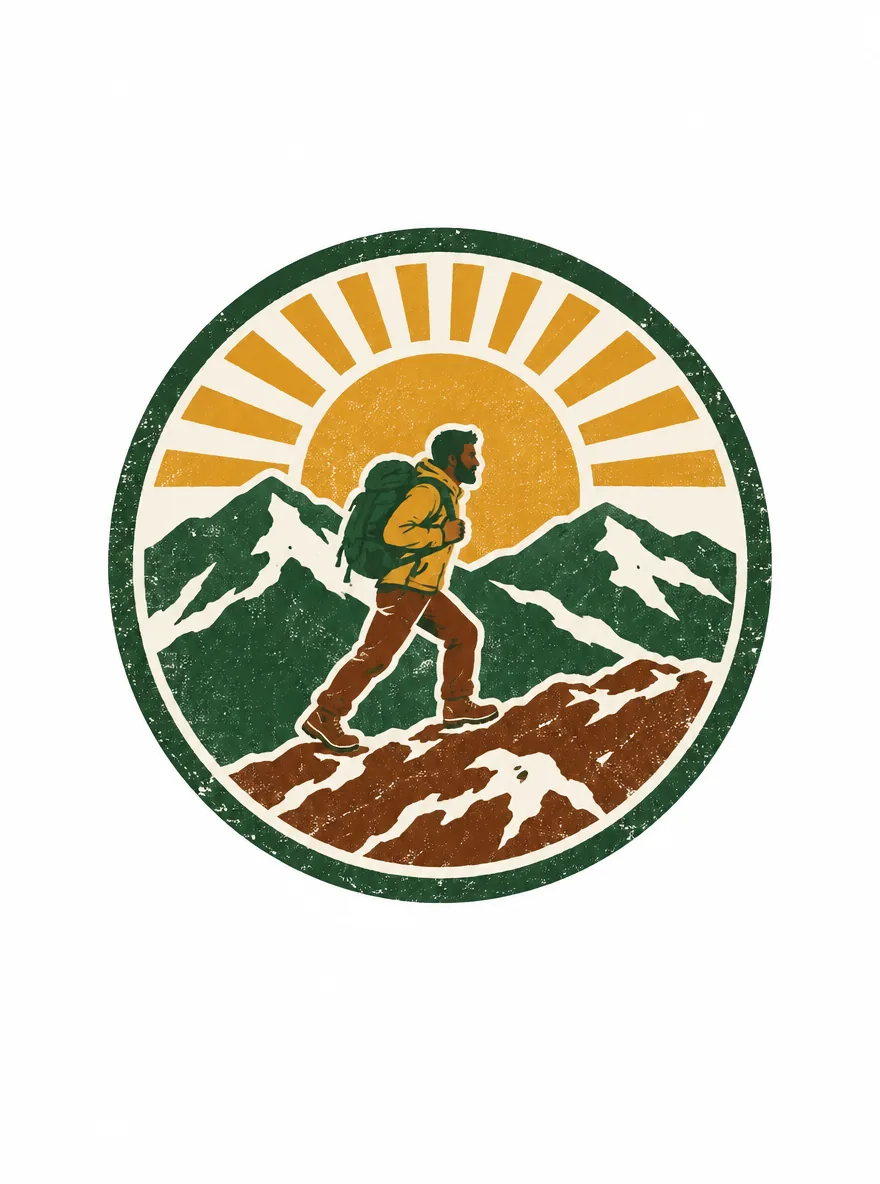
GPT Image 2.5, 1K, 3:4. Vintage badge output, 880 × 1,184 pixels; white exterior and cream interior.
The green border gives this design a round outer shape. Inside it, the hiker is much smaller than in the other versions, surrounded by mountains and broad ochre sun rays. Speckled texture runs across the border, sky, and rocks.
The cream-colored spaces inside the badge are part of the artwork: removing the outer white background would still leave a filled badge. For a chest emblem, keep the border but ask for a larger hiker and fewer mountain layers.
Which details survive in bold black line art?
Standalone centered T-shirt graphic of an original fictional adult hiker aged 35 wearing a jacket, trousers and backpack, crossing a mountain ridge beneath a rising sun. Bold readable silhouette, generous empty margin, plain white background, no garment mockup, no existing brands. Monochrome black bold line art, thick continuous contours, simplified mountain ridge and sun, minimal interior detail, no gray shading, no text.
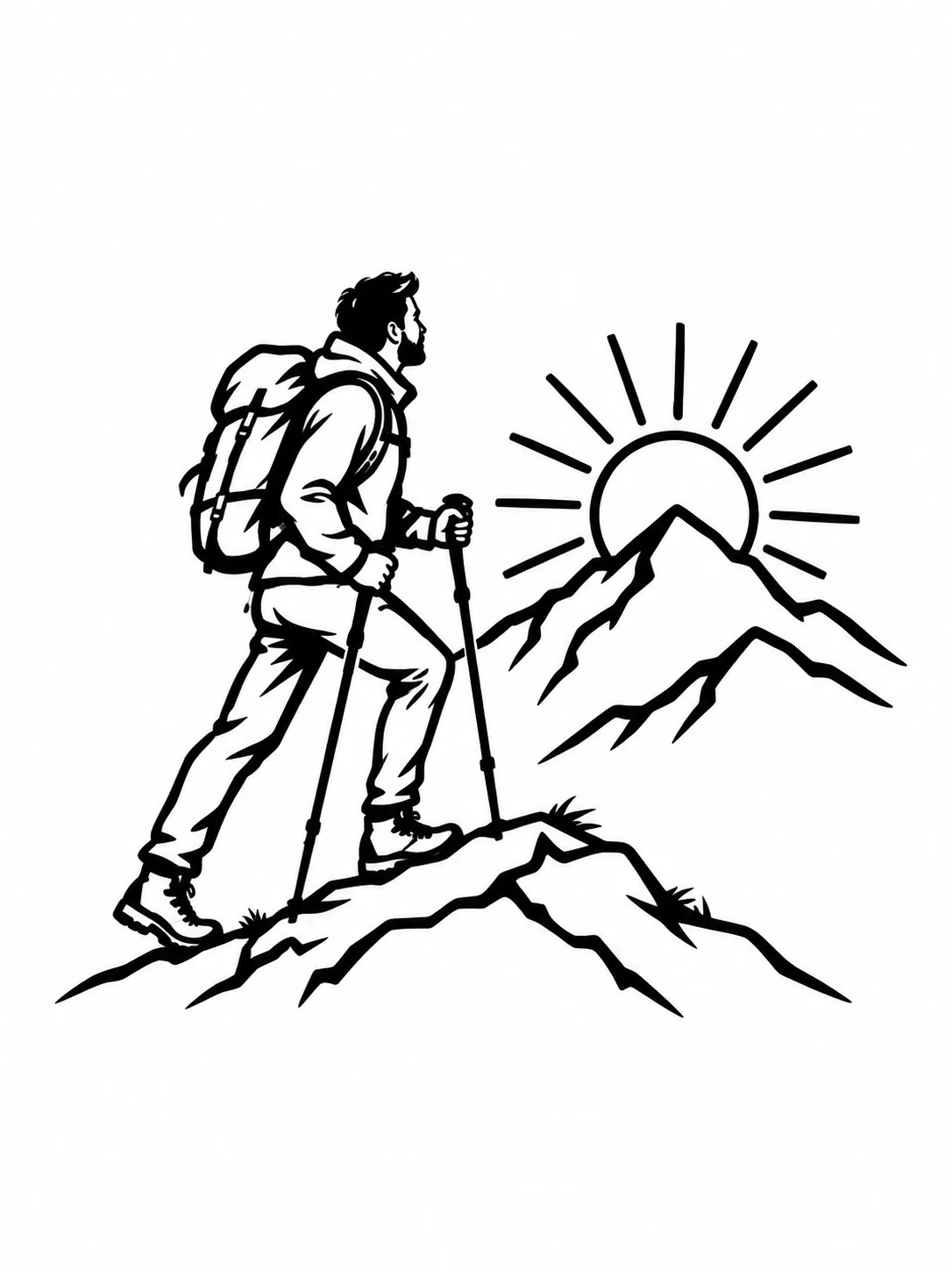
GPT Image 2.5, 1K, 3:4. Bold line-art output, 1,086 × 1,448 pixels; white background.
The jacket, pants, and backpack have open white interiors bounded by heavy black lines. The model also added two trekking poles, which were absent from the prompt. Compared with the linocut, this version has fewer textured surfaces and a simpler mountain backdrop.
The AI line art generator offers outline-focused starting prompts. To adapt this example, keep the walking pose and pack outline, then specify which gear to include. If you want the hiker without poles, add that instruction explicitly.
Can the graphic spell “RIDGE CLUB” correctly?
Standalone centered T-shirt graphic of an original fictional adult hiker aged 35 wearing a jacket, trousers and backpack, crossing a mountain ridge beneath a rising sun. Bold readable silhouette, generous empty margin, plain white background, no garment mockup, no existing brands. Flat geometric illustration using navy, teal and orange shapes, no gradients. Add the short caption "RIDGE CLUB" below the scene in large clear uppercase block letters; no other text.
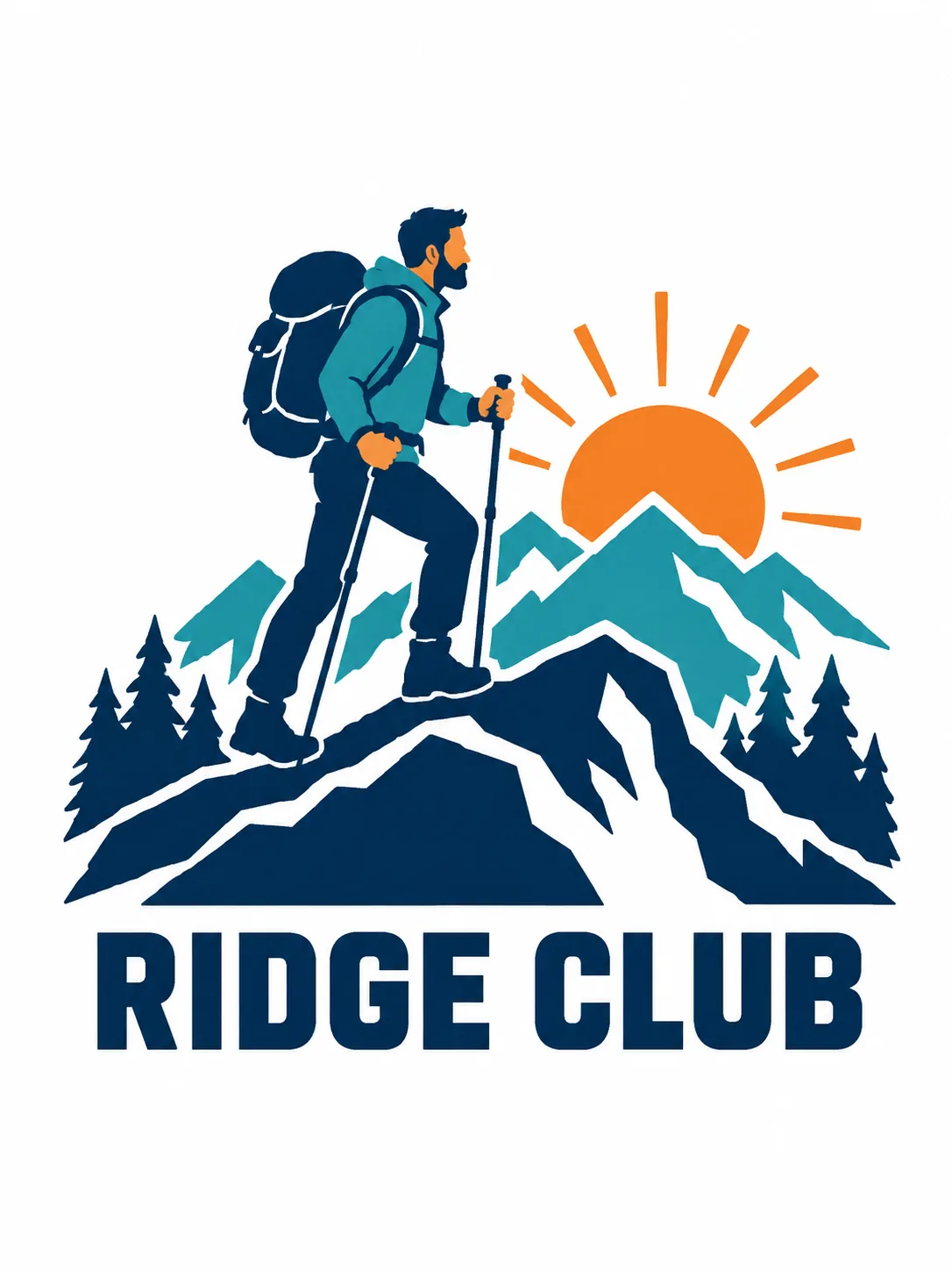
GPT Image 2.5, 1K, 3:4. Geometric-style output, 1,086 × 1,448 pixels; white background.
This result spells “RIDGE CLUB” correctly in large navy letters below the ridge. Teal mountains, an orange sun, and navy foreground shapes keep the scene readable above the name. The model added trees and trekking poles; the hiker’s contours are more rounded than the word “geometric” might suggest.
For this club-name brief, this is the strongest layout of the four: the lettering gets its own clear space. Put your exact words in quotation marks and specify their position. Proofread every new output, even when this example gets the spelling right.
The AI photo text editor guide covers changing lettering in an existing image. The AI poster generator provides starting prompts for combining illustrations with readable titles.
Which design suits a chest emblem or a front print?
| Design | What stands out | What to simplify for a small print | Lettering |
|---|---|---|---|
| Linocut | Large navy hiker and orange sun | Fine cuts through the rocks and clothing | None |
| Vintage badge | Border enclosing the whole scene | Mountain layers around the small hiker | None |
| Bold line art | Large hiker and open outlines | Pack straps and pole details | None |
| Geometric | Club name below broad color shapes | Trees beside the ridge | “RIDGE CLUB” |
View the design at its intended physical size. Can you still distinguish the backpack, boots, and mountain edges? Can you read the club name without leaning closer? Choose the layout first, then revise details that disappear at that size.
To try another style, keep the subject sentence and replace the style instructions. The Seedream prompt examples offer illustration and print-style wording you can adapt to an original subject.
Are these 1K files large enough for a shirt print?
The original linocut and badge files are 880 × 1,184 pixels; the line-art and geometric files are 1,086 × 1,448 pixels. All four have white backgrounds and no transparency. The WebPs displayed here are compressed copies for the article.
If your printer requests 300 pixels per inch for a 10-inch-wide graphic, the artwork needs to be 3,000 pixels wide. Even before trimming the margins, these files would supply only 88 or about 109 pixels per inch at that width. They need more resolution for that target. Changing the resolution label alone adds no detail.
GPT Image 2.5 offers 2K and 4K settings. Generate a larger version of your chosen prompt, check its actual dimensions, and inspect the new result; a new generation may change the design.
For an isolated graphic, remove the background in a graphics editor and check the edges over the intended shirt color. In the badge, decide whether to preserve the cream interior. In the line art, check whether enclosed white areas should become transparent too.
Printful’s DTG file guidance recommends transparent PNG files, an sRGB color profile, and checking each product’s file guidelines for resolution and dimensions. Follow your own printer’s requirements. A two-color prompt still produces a raster image; if a screen-printing shop requests vector artwork or separated ink layers, those need separate preparation.
Frequently asked questions
What makes a good prompt?
Name the subject, style, palette, and exact lettering. Ask for standalone centered T-shirt artwork and no garment mockup. The four prompts above use the same hiking brief with different style instructions.
What size should a T-shirt design be?
Use the dimensions and resolution required for your printer’s specific garment and placement. A 10-inch-wide graphic at 300 pixels per inch needs 3,000 pixels across the artwork itself. The 1K examples here are too small for that target.
Is the AI art generator free?
AI Photo Generator offers a free FLUX.2 [klein] model. These examples used the paid GPT Image 2.5 model at 1K, which the live art page listed at 3 credits per image on October 8, 2026. The gallery does not show the free model’s output.