
Nano Banana Pro vs Nano Banana 2: Portrait Results and Credits
Nano Banana Pro vs Nano Banana 2: see both portrait edits from the same photo and prompt, compare the background blur, and check credits at 1K, 2K, and 4K.
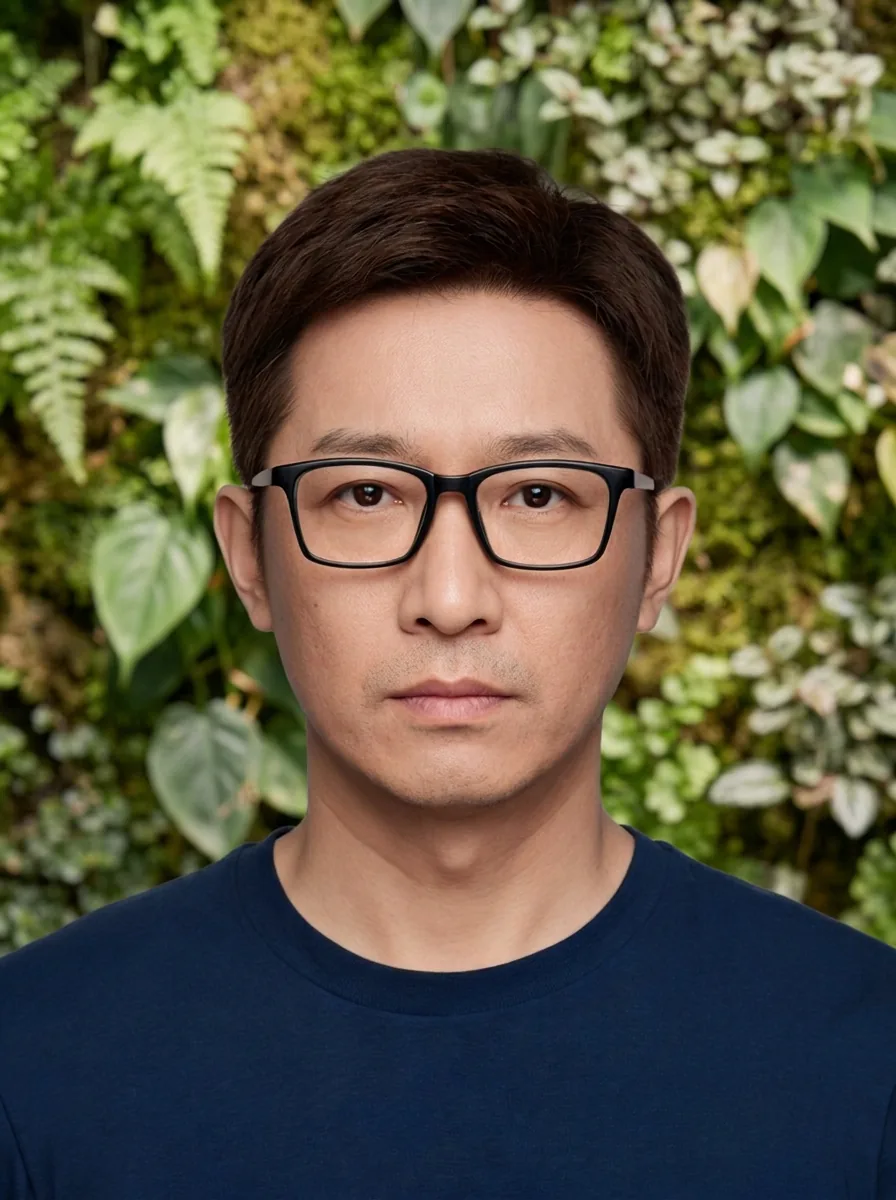
Start with Nano Banana 2 for a lower-cost portrait edit. Nano Banana Pro produces the softer plant background in the matched example below, but there is no clear likeness advantage. This Nano Banana Pro vs Nano Banana 2 comparison in AI Photo Generator shows where Pro's extra credits make a visible difference.
Last updated: October 2, 2026 · 4 min read
Which model follows the soft-background request more closely?
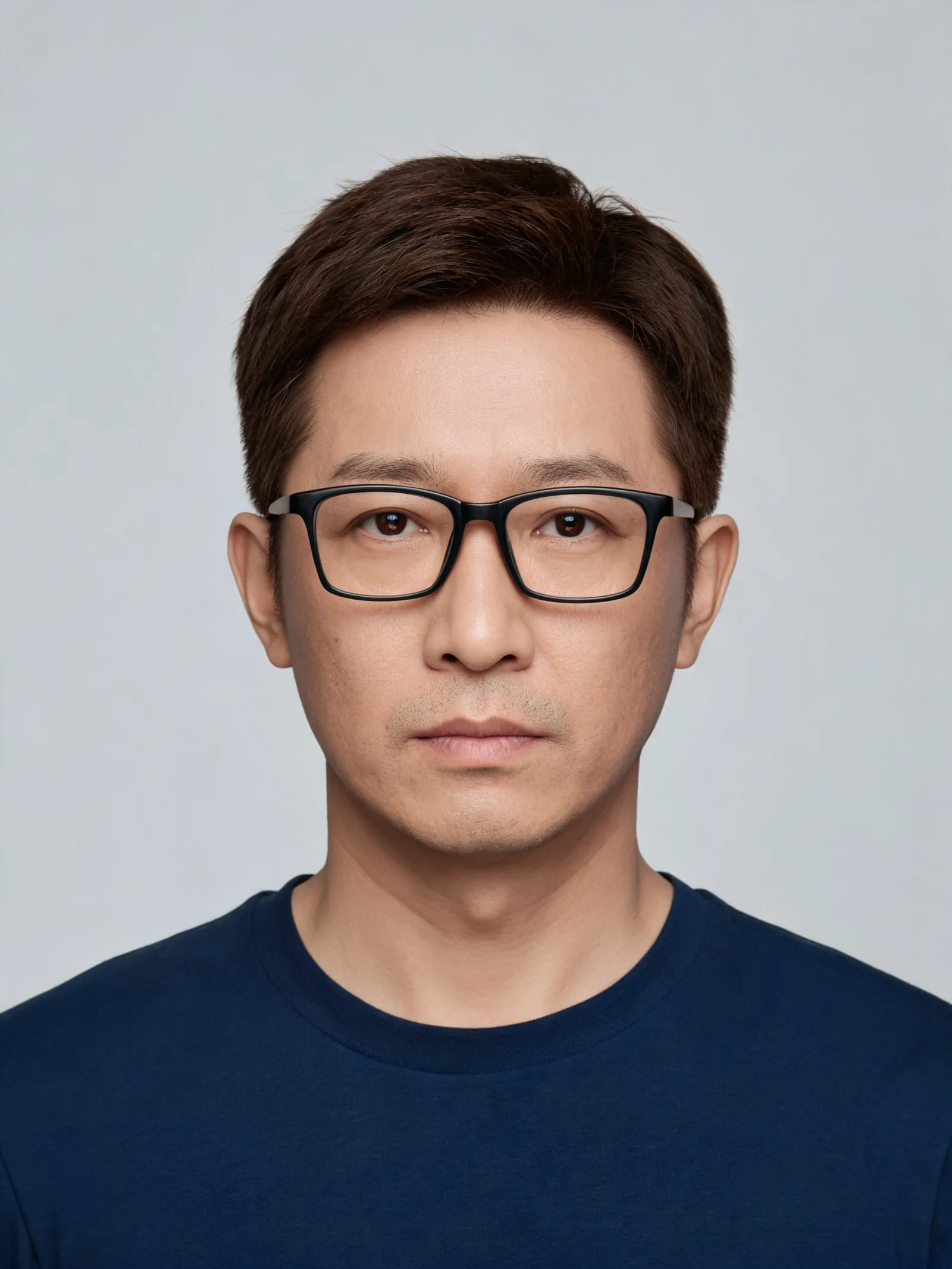
Nano Banana Pro does in this pair. We gave both models the same AI-generated portrait of a fictional man wearing glasses and a navy shirt. Each received one reference photo and the instruction below at 1K, 3:4. There is one output from each model.
Replace only the gray background with a softly blurred indoor plant wall. Preserve the face, glasses, hair, shirt, pose and lighting.
| Shared original | Nano Banana 2 | Nano Banana Pro |
|---|---|---|
 | Nano Banana 2 edit of the shared portrait with individual leaves visible behind the head | 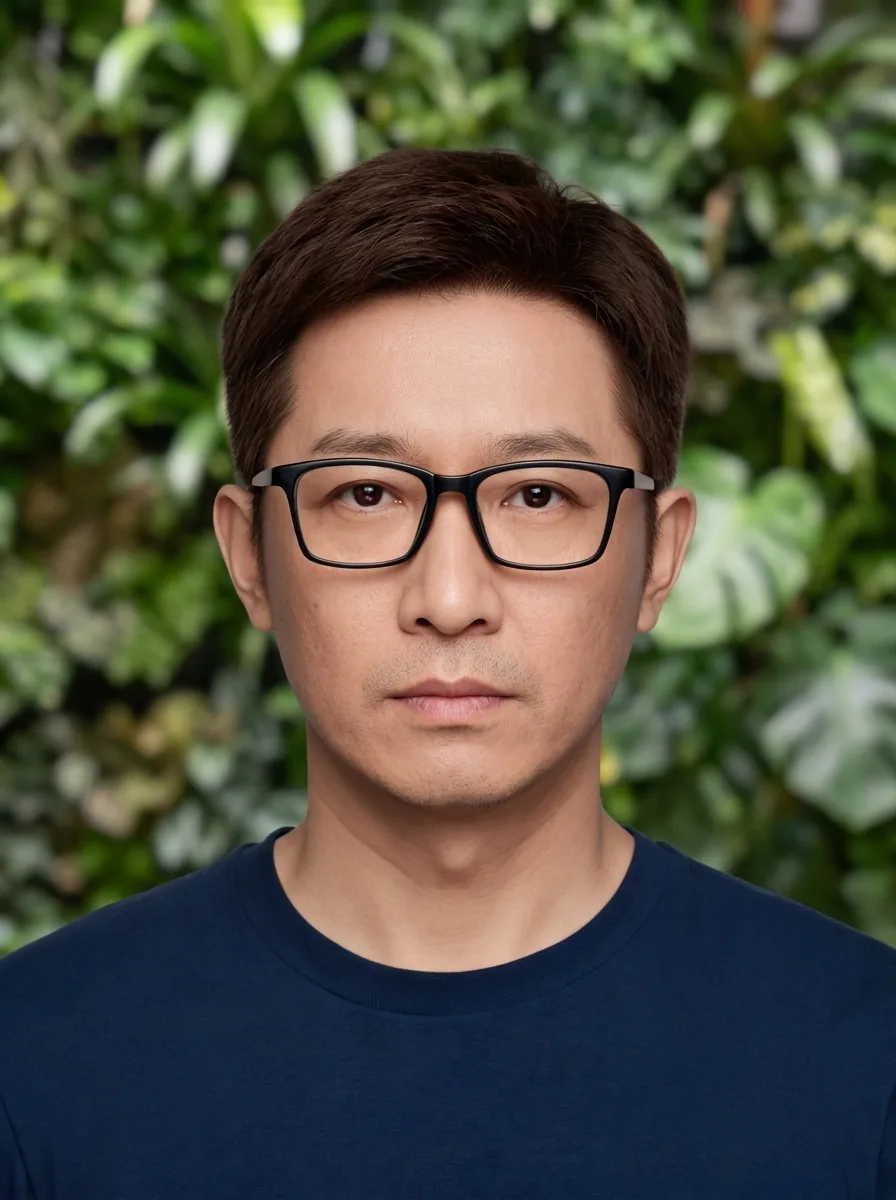 |
Left: shared AI-generated reference portrait. Center: Nano Banana 2, 1K, 3:4. Right: Nano Banana Pro, 1K, 3:4. Both outputs use the same original photo and exact instruction above.
Look above and beside the head. Nano Banana 2 leaves recognizable leaf shapes and edges across much of the wall. Pro softens those details, especially the foliage on the right side of the image. It is the closer match for “softly blurred.” Nano Banana 2's version suits a portrait where you want the plants to remain more visible.
Both keep the brown hair, neutral expression, navy crew-neck shirt, and full head in frame. Neither result shows a clear advantage in likeness. The most useful difference here is how much background detail remains behind the face.
Both redraw the glasses slightly: the upper rims look thinner, and the lens outlines change. Compare those details with the original before accepting either result as a background-only edit.
For this photo and prompt, I would choose Pro for the requested blur and Nano Banana 2 to keep the cost down. One image per model cannot tell you how often either will get the edit right on other portraits.
How much more does Pro cost at 1K, 2K, and 4K?
The AI Photo Generator pricing page, checked October 2, 2026, lists these per-image rates:
| Output size | Nano Banana 2 | Nano Banana Pro | Extra credits for Pro |
|---|---|---|---|
| 1K | 4 credits | 8 credits | 4 |
| 2K | 5 credits | 8 credits | 3 |
| 4K | 8 credits | 10 credits | 2 |
At 1K, two Nano Banana 2 generations cost the same as one Pro generation. Running one image with each model at the settings shown above would use 12 credits at these site rates. That gives you a concrete budget for trying the same comparison on your own photo.
The price gap narrows as size increases. Pro costs twice as much at 1K and 25% more at 4K. Choose your output size before comparing the cost; these 1K samples provide no evidence about either model's 4K image quality.
Is Nano Banana Pro a different model or just a larger output?
It is a different model. Google's announcements identify Nano Banana 2 as Gemini 3.1 Flash Image and Nano Banana Pro as Gemini 3 Pro Image. Both generate images from text and edit reference photos. Selecting Pro changes the model; selecting 4K changes the output size.
On AI Photo Generator, both support 1K, 2K, and 4K in eight aspect ratios: 1:1, 9:16, 16:9, 4:3, 3:4, 3:2, 2:3, and 21:9. Nano Banana 2 accepts up to 14 reference images per request; Pro accepts up to eight. Those are this site's limits. The pictured edit uses only one reference, so it does not compare how well the models combine multiple photos.
Both Nano Banana models use credits and require an account here. The separate free option is FLUX.2 [klein]. Tool pages let you edit the suggested prompt; your instruction is sent to the selected model.
How can you compare them on your own headshot?
The AI photo editor accepts a reference photo and a written instruction. GPT Image 2.5 is selected by default, so switch to Nano Banana 2 or Pro. The AI headshot generator uses the same editable workspace for profile portraits.
- Upload your original photo, paste the background instruction above, and select Nano Banana 2 at 1K, 3:4.
- Run Pro with the same original photo, instruction, size, and aspect ratio. Keep the original as the reference for both runs; feeding the first result into Pro would give it a different starting point.
- Compare each output with the original. Inspect the glasses and facial features, then decide which background you prefer and whether Pro's four extra credits are worth it.
Which model should you use for poster text?
We did not run a matched poster test. This portrait pair gives no basis for choosing between the models on spelling or text layout, even though Google describes text generation in both announcements.
If you compare them in the AI poster generator, use identical quoted wording and settings. Check every letter, extra words, and text placement. Our bookshop model comparison includes a Nano Banana 2 lettering example, but it has no Pro output to compare.
Frequently asked questions
What's the best version of Nano Banana?
For the portrait background shown here, Pro follows the soft-blur instruction more closely. Nano Banana 2 costs less and keeps the subject recognizable. This pair supports that choice for one edit; choosing a model for lettering or another task needs matching examples of that task.
Is Nano Banana 2 still the best?
Nano Banana 2 is the lower-cost option at all three sizes offered here. It is a sensible starting point for a portrait edit if cost matters most. In this pair, Pro's softer foliage is worth considering, but neither result shows a clear likeness advantage.