
AI Word Art Generator: 4 Prompts for Decorative Lettering
Create decorative lettering with four AI word art generator prompts. See real MAKE outputs in clay, teal paper, indigo ink, and brushed copper.
An AI word art generator creates decorative lettering from the words and style you describe. In AI Photo Generator, enter your exact text, choose a model, and specify a material such as clay, paper, ink, or copper. The four MAKE examples below show complete prompts and readable results you can adapt to your own word.
Last updated: October 10, 2026
The brief is for Mara, a fictional potter who wants MAKE as a studio graphic. Each image uses that word on a cream background. The material and letter shapes change across the four designs.
Do you want decorative lettering or a word cloud?
Decorative lettering gives one word or a short phrase a visual character: letters made from clay, for example. A word cloud arranges many words, often sizing them by frequency. For a heart filled with family names or a vocabulary display, WordArt.com offers controls for words, shapes, fonts, colors, and layouts.
These MAKE examples are raster images: the letters are part of the picture. You cannot select the A and change its font as you would with an editable text layer. Choose this approach for illustrated lettering; use a text or vector editor when you need precise spacing or a reusable font.
How do you generate a word with a specific material?
- Open the AI art generator, select GPT Image 2.5, and set 1K and 1:1. Leave the reference-photo upload empty for these examples.
- Paste one complete prompt below. To use your own word, replace MAKE and keep the material, background, and spacing instructions.
- Generate, read every letter, and download the result you want to use. Check the spelling and gaps between letters before judging the texture.
Tool pages provide starting prompts you can change; your prompt goes to the model as typed. Naming both the material and its construction gives a clearer brief: “coiled terracotta clay” or “layered teal paper cutouts” describes more than “craft style.”
GPT Image 2.5 requires sign-in and credits. The live pricing page lists 3 credits for a 1K image, checked October 10, 2026. A separate free FLUX.2 [klein] model is available; all four images here came from GPT Image 2.5.
Each prompt was generated separately with no reference image. The captions identify the selected size setting and the actual pixel dimensions.
What does coiled terracotta lettering look like?
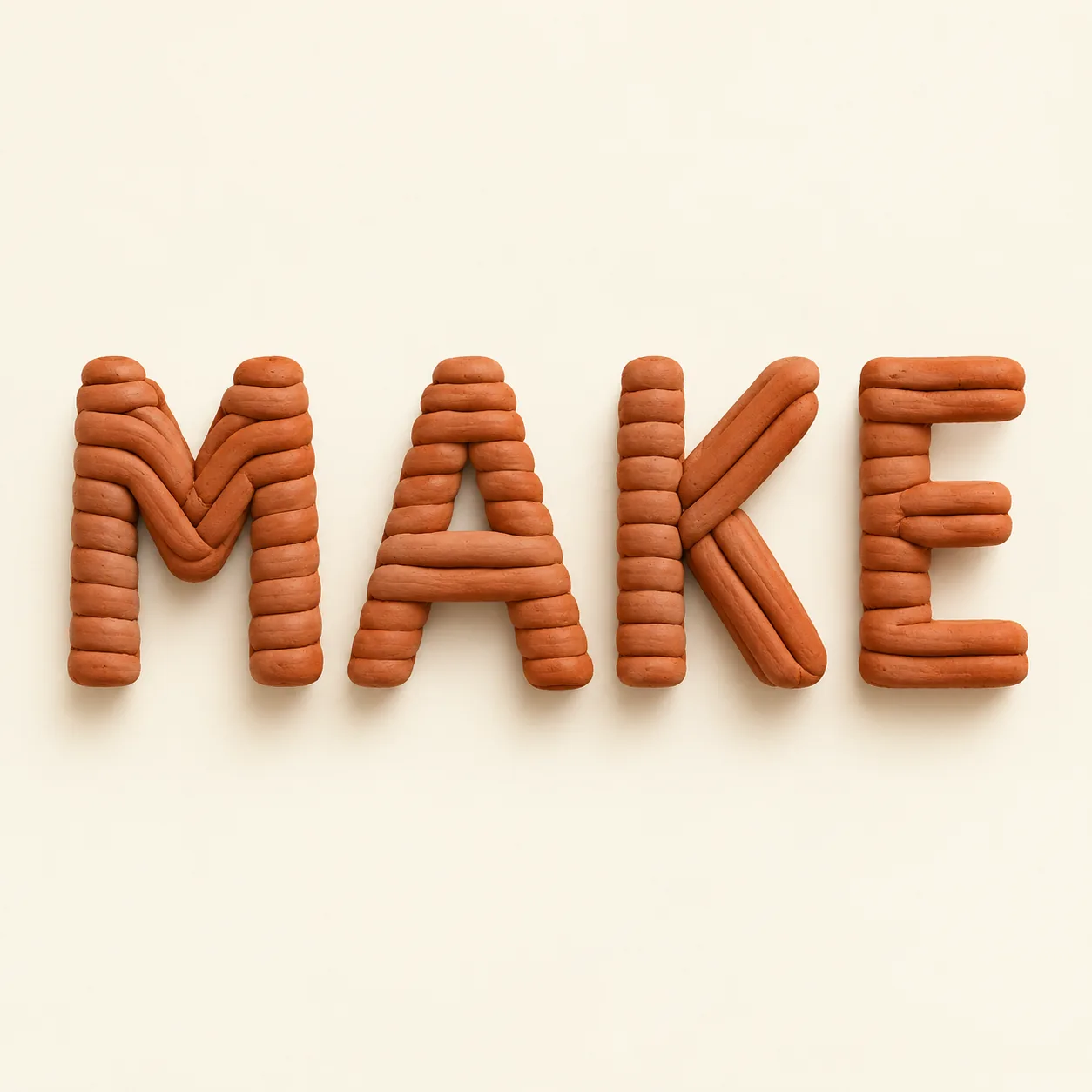
Typography artwork for a fictional adult potter aged 35. Display only the exact word MAKE in large centered letters, generous margins, plain cream background, no additional text, no people, no logos. Form each letter from coiled terracotta clay, warm earthy orange, visible rounded coils, clearly separated upright letters, soft studio shadows.
Orange terracotta coils spelling MAKE, with rounded strokes and shadows on cream
GPT Image 2.5, 1K, 1:1. Terracotta-style MAKE; 1254 × 1254 pixels, generated from the exact prompt above.
The word reads clearly. Stacked clay pieces build the upright strokes, while longer pieces bend into the M and run along the K diagonals. The A has a small triangular opening, and soft shadows give the orange letters depth.
For Mara's pottery studio, this is the closest match to the work itself. If you adapt it, look closely at enclosed spaces such as the center of an A: thick clay strokes leave less room inside the letter.
How do layered paper cutouts shape the letters?
Typography artwork for a fictional adult potter aged 35. Display only the exact word MAKE in large centered letters, generous margins, plain cream background, no additional text, no people, no logos. Form each letter from layered teal paper cutouts, clean cut edges, visible stacked paper layers, clearly separated upright letters, subtle shadows.
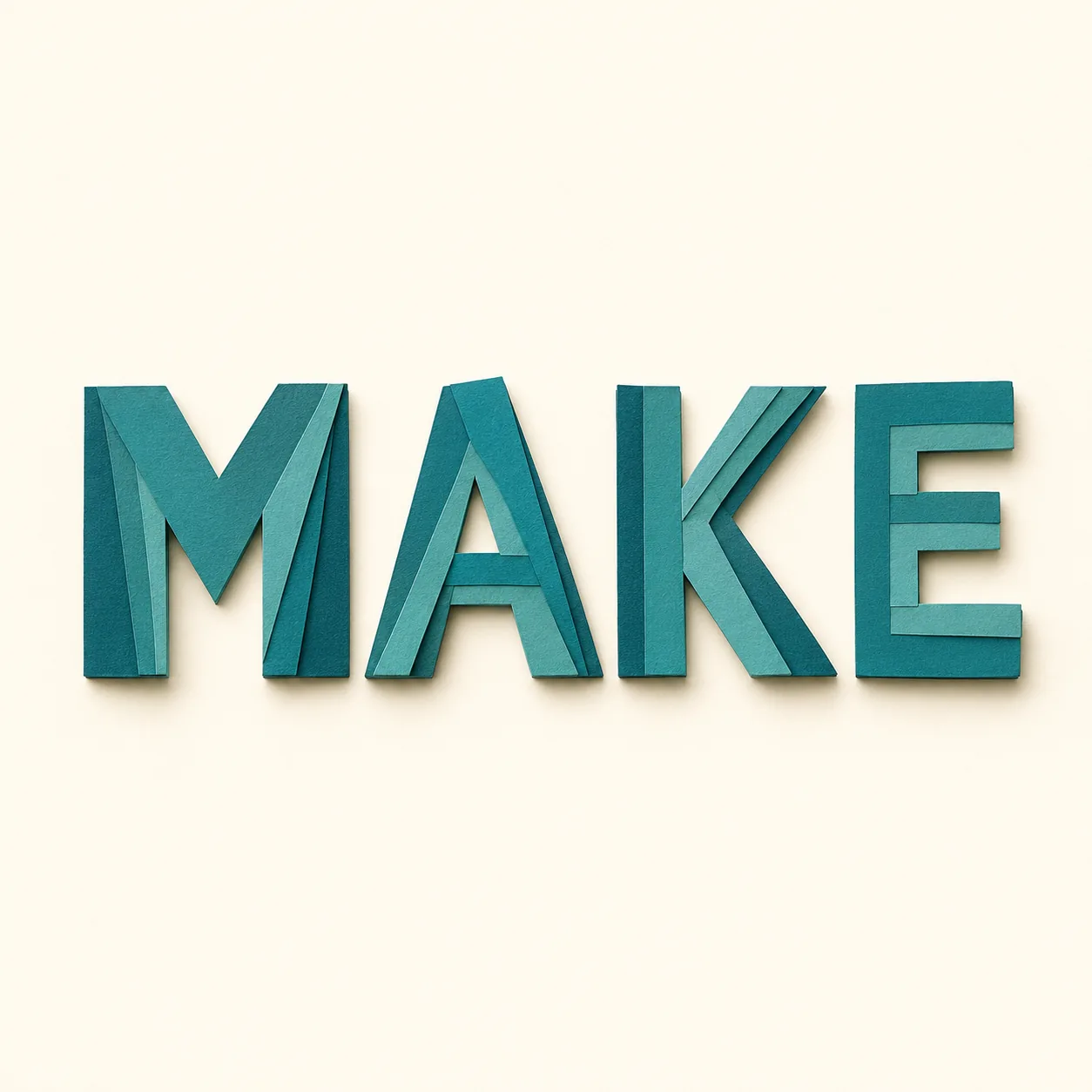
GPT Image 2.5, 1K, 1:1. Layered-paper MAKE; 1254 × 1254 pixels, generated from the exact prompt above.
Overlapping teal strips follow the letter strokes, with darker edges and small shadows showing their depth. The angular M and K remain distinct, and the A has an open triangular center.
This version suits a paper-craft workshop graphic. To change its palette, replace “teal” with one color and keep the construction instructions. The visible effect comes from layered strips, not from extra decorations around the word.
What does indigo screen-print style add?
Typography artwork for a fictional adult potter aged 35. Display only the exact word MAKE in large centered letters, generous margins, plain cream background, no additional text, no people, no logos. Cream-and-indigo screen-print lettering, solid deep indigo uppercase letters with cream negative spaces, subtle ink grain, clearly separated upright letters, flat graphic composition.
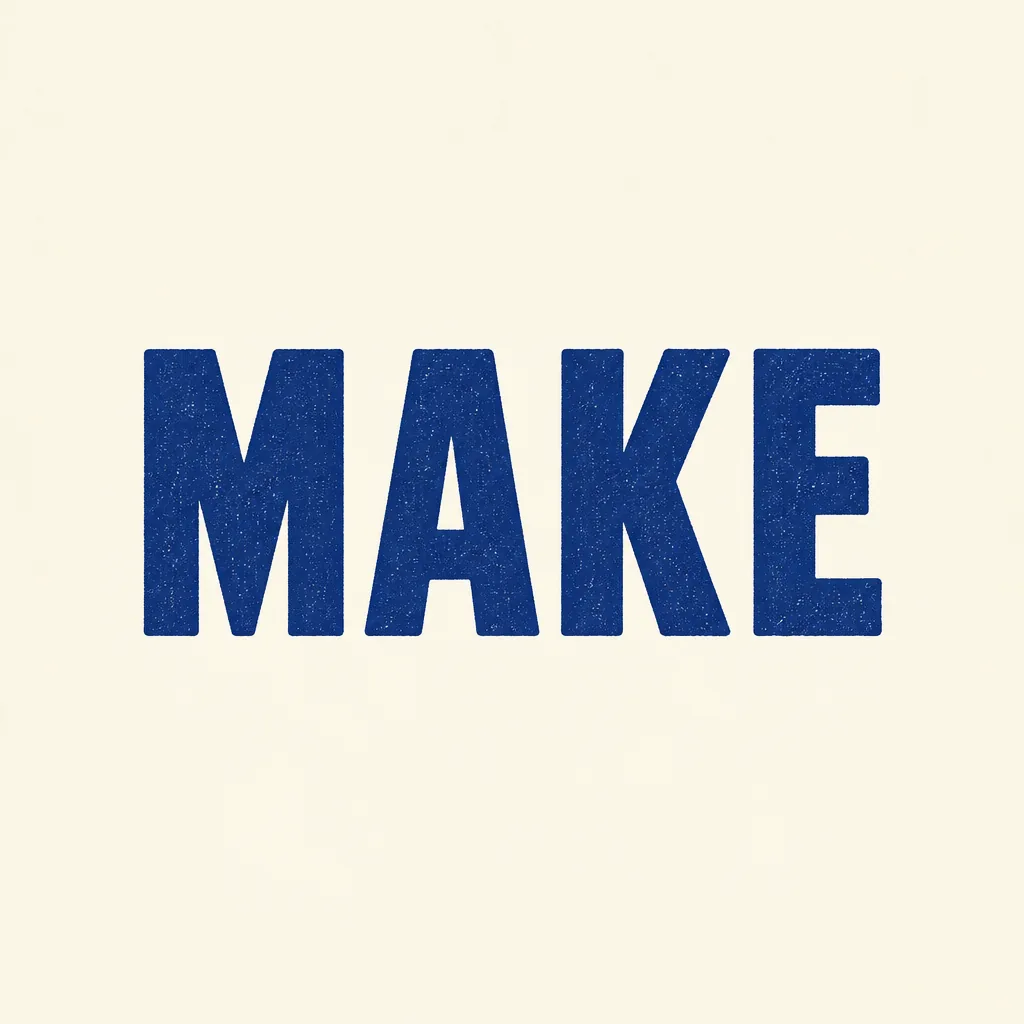
GPT Image 2.5, 1K, 1:1. Screen-print-style MAKE; 1024 × 1024 pixels, generated from the exact prompt above.
Broad indigo strokes make this the simplest silhouette of the four. Fine pale speckles suggest ink grain, and cream shows through the A. It has no dimensional shadows like the clay and paper versions. This is a generated screen-print look; no physical print was made.
Use “flat graphic composition” when you want the letter shapes to dominate. For an announcement that also needs a date and location, the AI poster generator provides starting prompts for a headline and supporting details.
How does brushed copper change the letter style?
Typography artwork for a fictional adult potter aged 35. Display only the exact word MAKE in large centered letters, generous margins, plain cream background, no additional text, no people, no logos. Brushed copper 3D letters, warm metallic surface with fine brushed texture, clearly separated upright letters, front-facing view, soft studio lighting and restrained shadows.
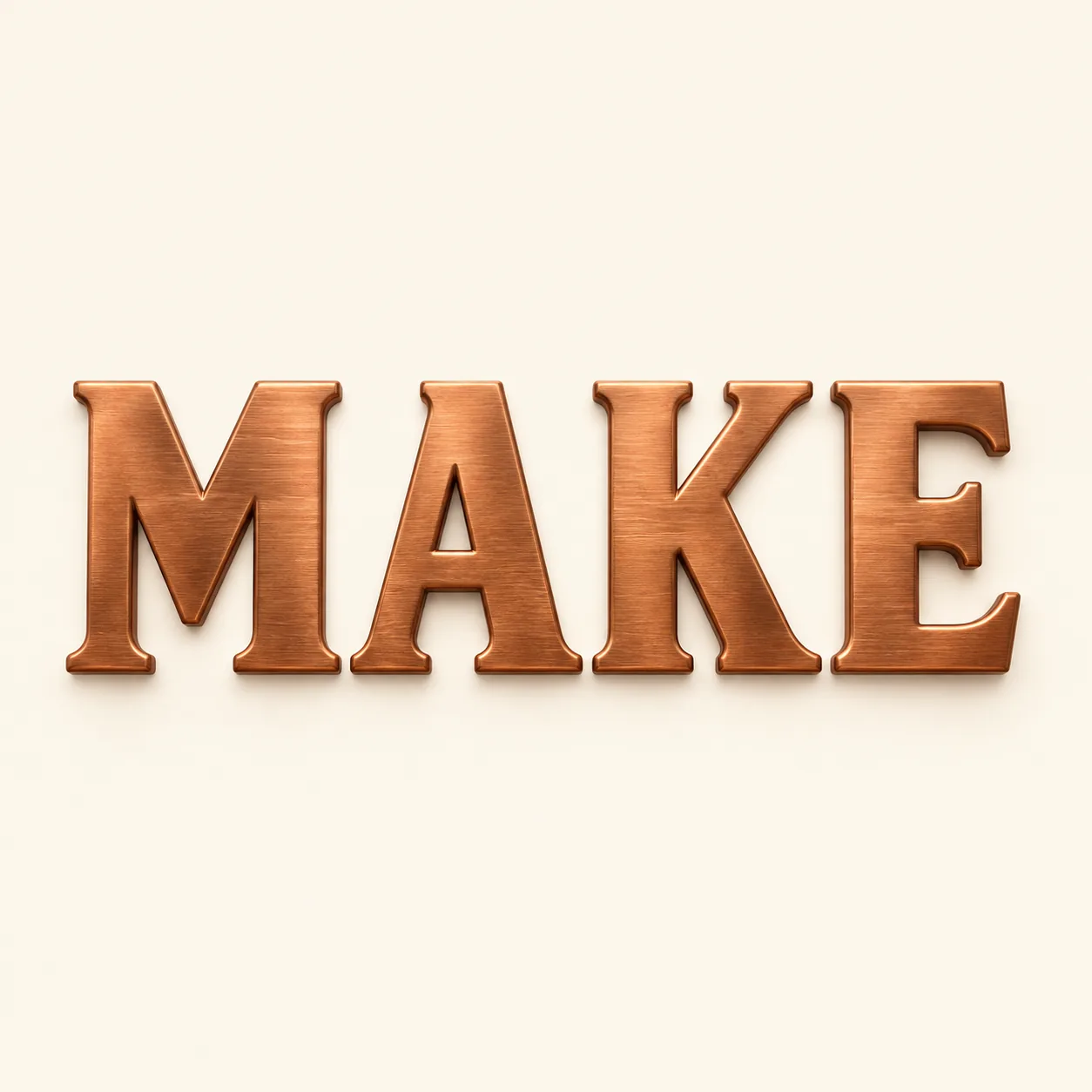
GPT Image 2.5, 1K, 1:1. Brushed-copper MAKE; 1254 × 1254 pixels, generated from the exact prompt above.
Fine horizontal brushing runs across the copper faces. Bright beveled edges and small shadows give the word depth, while the front-facing view keeps all four letters readable.
The model chose serif letters even though the prompt did not specify a type style. If you need the same letter shapes across a set, these four independent generations do not establish that consistency.
Which lettering style fits your graphic?
| Style | What you can see | Suggested use |
|---|---|---|
| Terracotta | Rounded orange coils and soft shadows | Pottery-studio graphic |
| Teal paper | Angular strokes built from overlapping strips | Craft-workshop announcement |
| Indigo ink | Broad flat letters with fine pale speckles | Simple title graphic |
| Copper | Brushed serif faces and bright beveled edges | Formal studio title |
Read the image at the size you plan to use. Are the letters immediately recognizable? Do they stay separate? Leave enough cream background around the word when cropping so the outer strokes remain intact.
Only the four-letter word MAKE is demonstrated here. For a longer word, change the text first and inspect the new result; if it is crowded, try a wider aspect ratio or ask for larger gaps. Those adjustments are suggestions, not additional tested examples.
For words already inside a photograph, the AI photo text editor guide shows a numeral replacement on a sign. For a permanent studio mark, the logo finishing guide explains how to prepare vector artwork from a generated concept.
Save the original download before cropping. All four backgrounds are opaque cream, so placing an image over a colored design also places its cream square. Use a graphics editor to remove the background or rebuild the lettering when you need separately editable shapes.
Frequently asked questions
Can I use my own word in these prompts?
Yes. Replace MAKE with your exact word and keep the material instructions. These examples demonstrate MAKE only; inspect the spelling, spacing, and letter shapes in your new result.
Are these AI word art examples free to generate?
The examples use GPT Image 2.5, which requires sign-in and credits. The live pricing page lists 3 credits for 1K as of October 10, 2026. The site's separate free FLUX.2 [klein] model was not used for this gallery.
Can I edit the font or download a transparent background?
The four supplied images have pixel-based lettering and opaque cream backgrounds. They contain no editable text layers. Use a graphics editor for background removal and a text or vector editor for precise font and spacing changes.