
gpt image 2 vs nano banana pro: Workflows Compared
GPT Image 2 vs Nano Banana Pro: compare editing, output sizes, Search grounding, and access. See which exact model AI Photo Generator offers.
GPT Image 2 fits an OpenAI API workflow that needs an explicit model ID and pixel-size controls. Nano Banana Pro fits a Gemini workflow that needs image-and-text responses or Google Search grounding, provided the service enables it. Both support generation and editing. In AI Photo Generator, Nano Banana Pro is available; the GPT option is GPT Image 2.5 Flare, a different model.
These are documented workflow differences, compared as of October 17, 2026. There are no matched GPT Image 2 and Nano Banana Pro outputs in this article, so it cannot establish a quality or speed winner.
Which GPT Image and Nano Banana versions do you need?
The exact pair is OpenAI’s GPT Image 2, API ID gpt-image-2, and Google’s Nano Banana Pro, API code gemini-3-pro-image. Nano Banana 2 and GPT Image 2.5 are separate options; results from those versions do not answer how this pair performs.
OpenAI’s model page identifies GPT Image 2 as an image generation and editing model with text input and image input/output. Google’s model documentation identifies Nano Banana Pro as Gemini 3 Pro Image, with image and text input/output.
| Requirement | GPT Image 2 | Nano Banana Pro |
|---|---|---|
| Exact provider model ID | gpt-image-2 | gemini-3-pro-image |
| Make an image from a prompt | Supported | Supported |
| Edit from an image and instruction | Supported through the image edit endpoint | Supported through Gemini’s image workflow |
| Output-size controls | Pixel dimensions, subject to model limits | 1K, 2K, and 4K settings |
| Google Search grounding | Not documented on the GPT Image 2 model page | Documented as supported; requires a compatible, configured workflow |
| Available in AI Photo Generator | No; its GPT choice is 2.5 Flare | Yes |
This table separates provider capabilities from access through our site. It gives you requirements to check before choosing an app, rather than a score for image quality.
Generation, editing, and output sizes
For GPT Image 2, OpenAI documents separate generation and edit endpoints. Set model explicitly to gpt-image-2; copying a sample request with another model selected would change the comparison. An edit supplies source images and a prompt describing the change.
The generation reference accepts a size such as 1536x864. For GPT Image 2, both dimensions must be divisible by 16, with an aspect ratio between 1:3 and 3:1. Resolutions above 2560x1440 are experimental, and the documented maximum is 3840x2160; other pixel and edge limits still apply. This is useful when a publishing system needs specific dimensions, though the final file still needs inspection.
Google’s Nano Banana Pro overview documents creation, editing, and 1K, 2K, or 4K output. Its image-generation guide explains reference-image workflows. Choose the shape and resolution your destination needs, then check the downloaded file’s dimensions. A resolution label alone does not tell you whether small lettering is legible.
For a poster, size and layout are separate decisions. A tall design needs space for its headline and booking details; requesting a larger image does not specify where those elements belong. Put the required words, visual style, and placement in the prompt for either model.
Does Nano Banana Pro bring Google Search into every app?
No. Google lists Search grounding as a Nano Banana Pro capability, but the service must expose and configure the relevant workflow. AI Photo Generator has no user-facing Search grounding control in its current image request configuration.
That difference matters for a bookstore announcement. If the task is to illustrate a reading event using details you supply, you can put the approved title, date, and venue in the prompt. If the task is to build a visual around current information found online, use a service that explicitly supports grounding and review the retrieved information before publishing.
Typing “use Google Search” into a prompt does not establish that the app has enabled the tool. Nor does grounding remove the need to check names, dates, and image labels. Treat the documented support as a workflow option, not evidence that Nano Banana Pro makes more accurate images than GPT Image 2.
What can you use in AI Photo Generator today?
You can select Nano Banana Pro, add reference photos, and choose an aspect ratio and 1K, 2K, or 4K output. The site allows up to eight reference images for this model. GPT Image 2 is absent from the current picker; GPT Image 2.5 uses the Flare generation and editing routes.
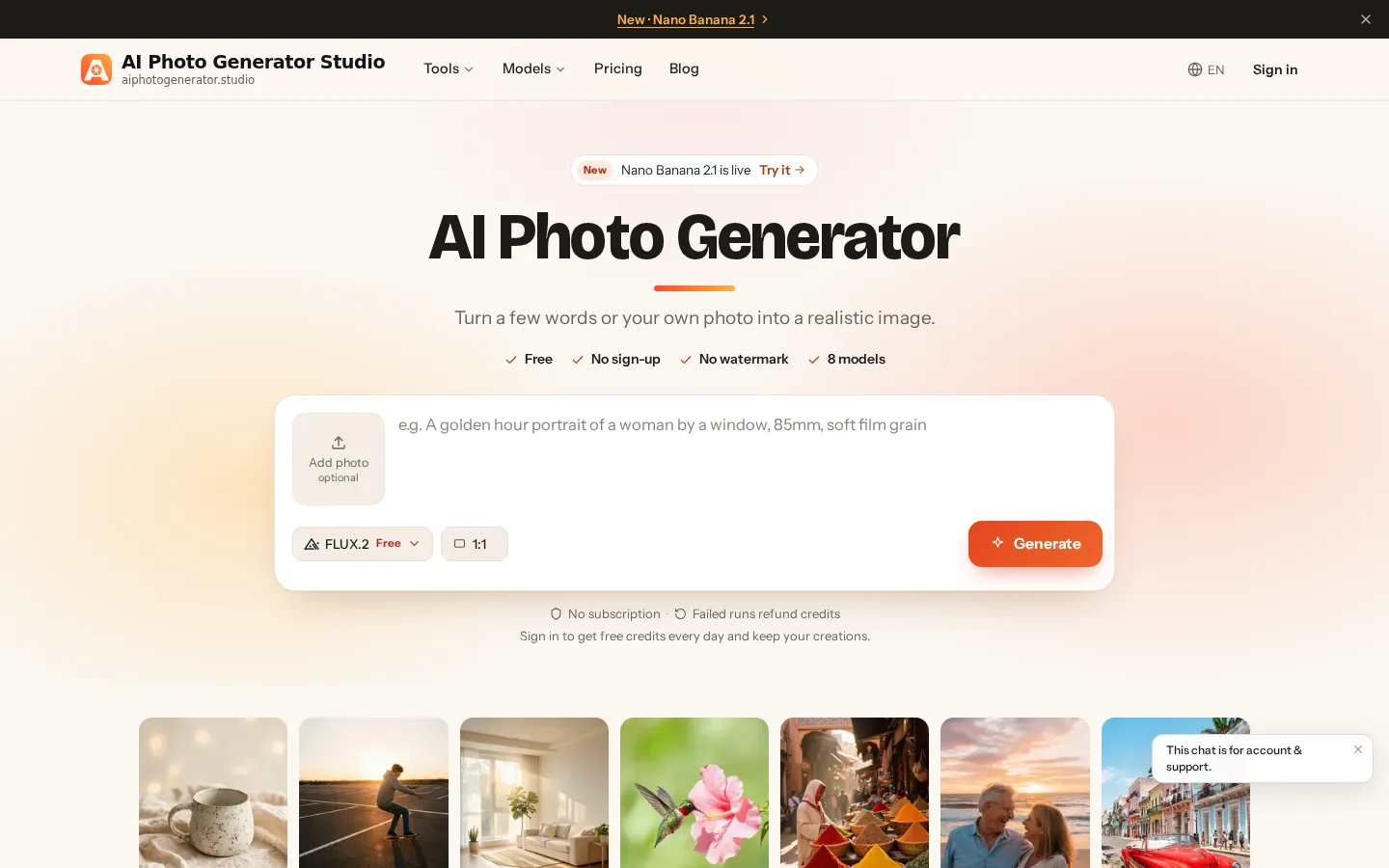
AI Photo Generator’s shared interface, captured October 17, 2026, Beijing time. FLUX.2 is selected and the model picker is closed. This screenshot shows where to enter a prompt and choose a model; it shows neither comparison model’s output.
To prepare a Nano Banana Pro request:
- Open the model picker and select Nano Banana Pro. Do not leave the screenshot’s FLUX.2 selection unchanged.
- Enter your prompt. Add reference photos if the request depends on an existing person, object, or composition.
- Choose the aspect ratio and output setting, then review the credit cost before generating.
Nano Banana Pro requires an account and uses credits. The live pricing page, checked October 17, 2026, lists 8 credits for 1K, 8 for 2K, and 10 for 4K. These are AI Photo Generator charges, separate from OpenAI or Gemini API billing and from consumer-app subscriptions. Check your account’s available credits; this article promises no free allowance for either premium model.
Open AI Photo Generator to check the available choices. If a job specifically requires gpt-image-2, use OpenAI’s documented API or a service that explicitly offers that exact model.
Choosing a workflow for a bookstore announcement
Consider a hypothetical bookstore owner, age 35, making a “BOOK NIGHT” announcement. No image was generated for this example. The workflow depends on what the job requires:
| The bookstore’s requirement | Appropriate starting point | What remains to check |
|---|---|---|
| An existing OpenAI integration must use GPT Image 2 | OpenAI’s generation or edit endpoint with gpt-image-2 selected | Required size, API access, and the returned image |
| A visual must use current information retrieved through Google Search | A Gemini workflow that enables Nano Banana Pro’s grounding capability | Retrieved facts, sources, and rendered labels |
| The owner wants to work in AI Photo Generator | Nano Banana Pro in the model picker | Account, credits, references, ratio, and resolution |
| The owner wants the best lettering or most natural portrait | Matched outputs from both exact models | Spelling, likeness, anatomy, layout, and detail at the intended size |
For a supplied event brief, the important first step is to specify the announcement: exact headline, date, venue, visual style, and where each text element belongs. If those facts are already approved, Search grounding is not a necessary requirement for that task.
Documentation can establish whether the required controls exist. Choosing between the finished designs needs images made from the same prompt and references, at comparable final dimensions. Neither a provider’s showcase nor another model version’s result establishes that choice.
The existing Nano Banana 2 and GPT Image 2.5 portrait and poster comparison shows that different pair’s results. The Nano Banana Pro vs Nano Banana 2 portrait comparison offers a Pro editing example, but contains no GPT Image 2 result.
Frequently asked questions
Is GPT Image 2 the same as GPT Image 2.5 Flare?
No. gpt-image-2 is the OpenAI model compared here. AI Photo Generator’s GPT Image 2.5 option uses Flare routes and does not select GPT Image 2.
Is Nano Banana Pro the same as Gemini 3 Pro Image?
Yes. Google’s model documentation identifies Nano Banana Pro as Gemini 3 Pro Image, with API code gemini-3-pro-image.
Can I use both comparison models in AI Photo Generator?
No. Nano Banana Pro is available, but the current GPT option is GPT Image 2.5 Flare. Use a separate service that explicitly supports GPT Image 2 to access that model.
Does Nano Banana Pro always use Google Search?
No. Google documents Search grounding support, but availability depends on the service and configuration. AI Photo Generator currently exposes no Search grounding control.
Which model makes better images?
There is no quality winner established here. This article compares documented workflows and product access. A visual verdict requires matched outputs from the exact two models for the task you care about.
Next step
To use Nano Banana Pro here, open AI Photo Generator, select the model, and review the credit cost and output settings. For existing visual examples, see the Nano Banana 2 and GPT Image 2.5 comparison or the Nano Banana Pro portrait comparison.