
Nano Banana 2.1: Release Changes, Settings, and Examples
Nano Banana 2.1 explained: Google’s release changes, current sizes and credits, plus four real examples with exact prompts and reference photos.
Nano Banana 2.1 is Google's October 6, 2026 update to Nano Banana 2 for generating and editing images. In AI Photo Generator, choose “Nano Banana 2.1” in the model picker or click the “New · Nano Banana 2.1” chip above the headline. Start with a written prompt, or upload photos and describe the change.
Last updated: October 11, 2026 · 4 min read
What changed from Nano Banana 2?
Google's October 6 release notes announce improvements to image quality, prompt following, character consistency through successive edits and text rendering. Google also reports fixes for tiling artifacts in wide and panoramic images at 2K and 4K. Its model documentation describes more accurate infographic layouts.
The four outputs below show portraits, editing, two-photo composition and lettering at 1K. We did not compare them with Nano Banana 2 or test the higher-resolution fixes.
What settings and credits does Nano Banana 2.1 use here?
As of October 11, 2026, AI Photo Generator offers:
| Setting | Available choices |
|---|---|
| Input | A written prompt, with up to 10 optional reference photos |
| Output size | 1K, 2K or 4K |
| Aspect ratio | 1:1, 9:16, 16:9, 4:3, 3:4, 3:2, 2:3 or 21:9 |
| Credits per image | 2 at 1K; 3 at 2K; 4 at 4K |
These are the site's settings. Google documents additional API ratios; use the choices in this table when generating here. The live pricing page lists the credit costs. Nano Banana 2.1 requires an account and uses credits; the site's separate free model is FLUX.2 [klein].
Can Nano Banana 2.1 create a florist portrait from text?
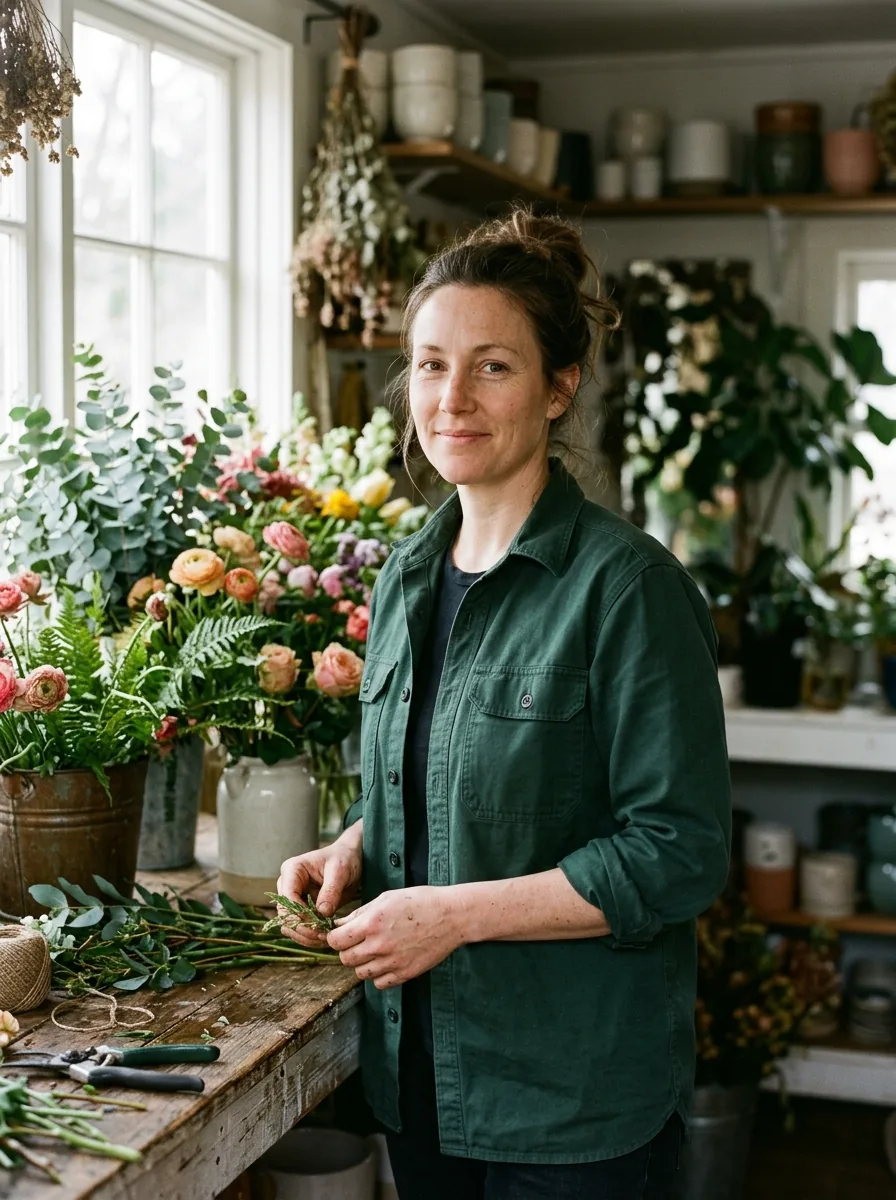
This exact prompt used no reference photo:
Photorealistic portrait of an original fictional adult florist aged 36, fully clothed in a green work shirt, standing beside flowers in soft window light; natural skin texture, no text.
Nano Banana 2.1, 1K, 3:4; output: 896 × 1200 pixels. Generated from the quoted prompt without a reference photo.
The florist holds stems at a wooden worktable. Light comes from the window on the left, with freckles, shirt stitching and rolled sleeves visible. The model added shelves, tools and the stem-handling pose; the prompt left those details open.
Can it change a portrait's background while keeping the person?
We uploaded the fictional portrait shown on the left and used this instruction:
Replace only the background with a softly lit flower shop; preserve the face, hair, clothing and pose. Do not include signs, labels or lettering anywhere in the flower shop.
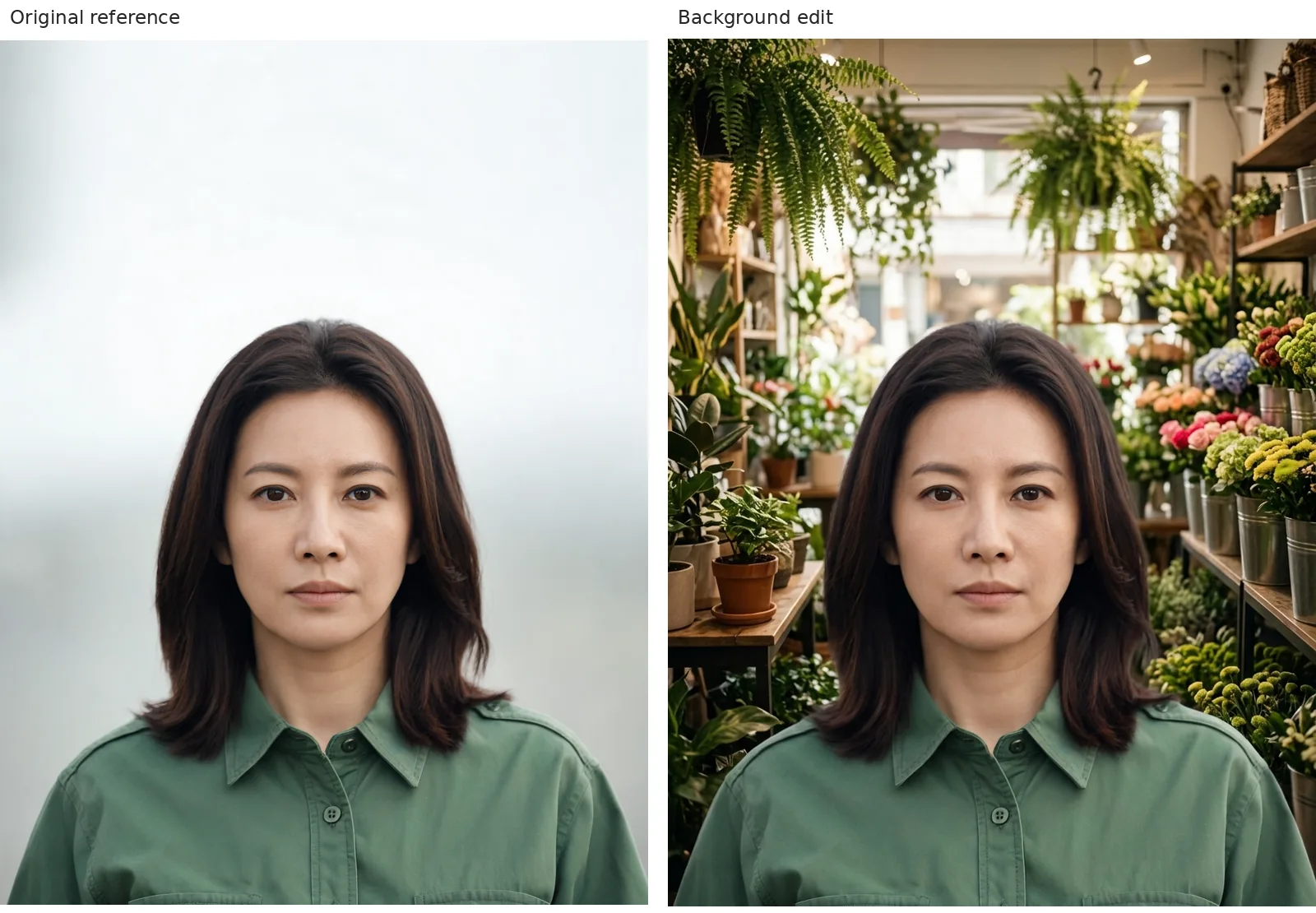
Left: fictional source portrait. Right: Nano Banana 2.1, 1K, 3:4; output: 896 × 1200 pixels. Resized and labeled for comparison; no retouching.
The plain background becomes a shop lined with flowers and hanging ferns. Her face, hair part, green collar and forward-facing pose remain close to the source.
The AI photo editor includes editable prompt ideas for background changes. For examples of more targeted changes with earlier models, see the Nano Banana image-editing guide.
Can it combine two reference people in one scene?
We uploaded that portrait and a second fictional adult portrait:
Place both adults behind a flower-shop counter, preserving each reference face and outfit.
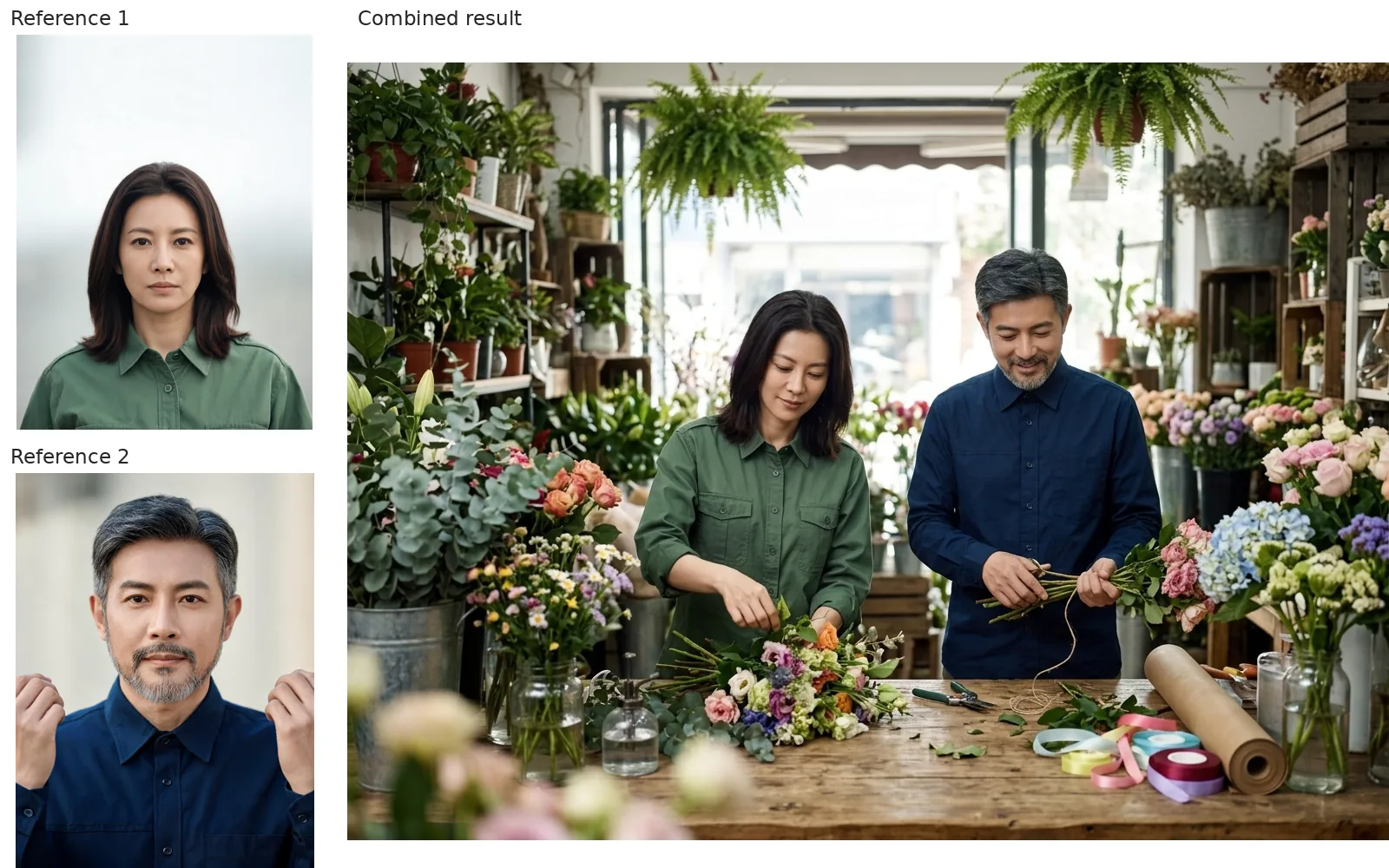
Left: two fictional source portraits. Right: Nano Banana 2.1, 1K, 4:3; output: 1200 × 896 pixels. Resized and labeled for comparison; no retouching.
The result puts the woman in green on the left and the man in navy on the right. Both hairstyles and the man's beard remain recognizable. It changes their expressions and poses: both look down at flowers, and the man's raised hands move to the bouquet. The changed angles make exact face matching harder.
The image-to-image tool includes scene-transformation prompt ideas. Name what each reference contributes.
Can Nano Banana 2.1 spell labels in a diagram?
This prompt used no reference photos:
Create a 16:9 diagram showing a fully clothed fictional adult florist aged 36 and three separate labeled stages: CUT, ARRANGE, WRAP.
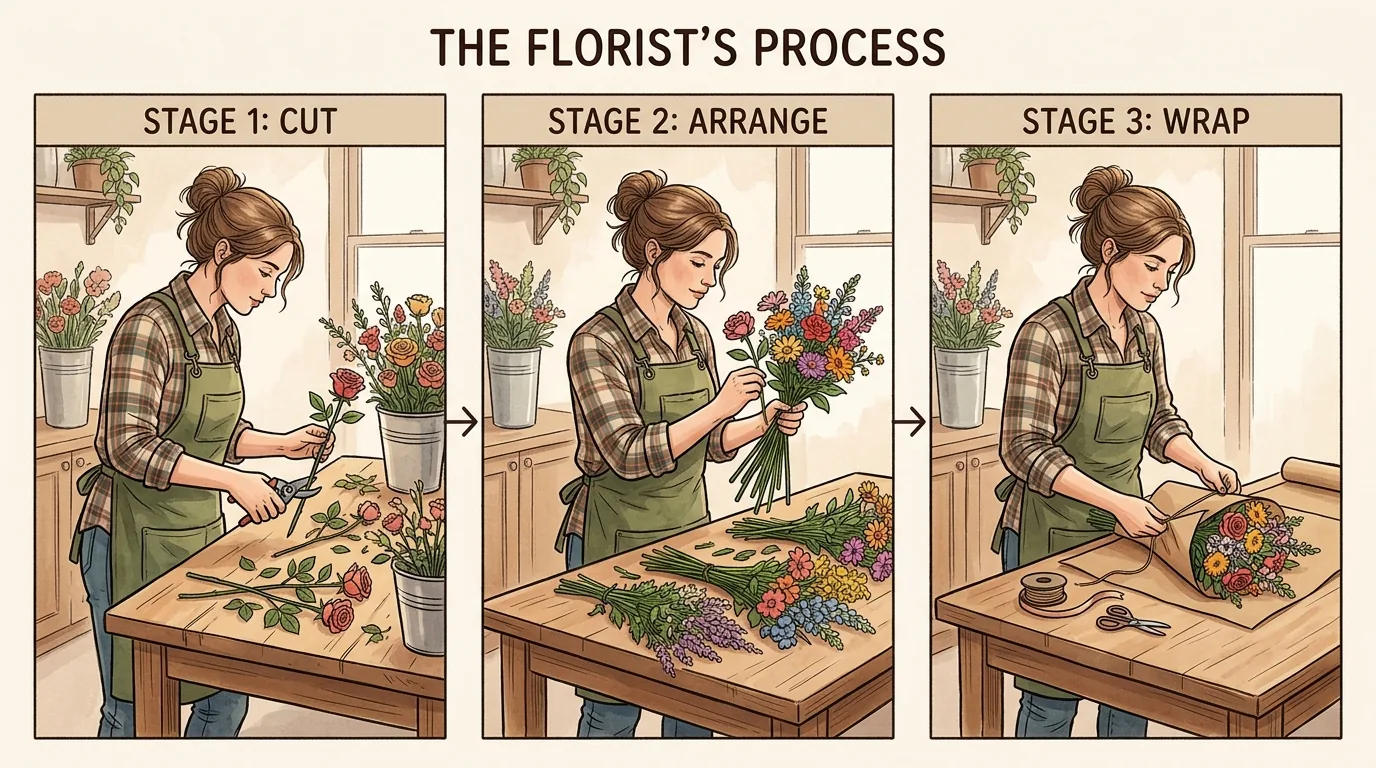
Nano Banana 2.1, 1K, 16:9; output: 1376 × 768 pixels. Generated from the quoted prompt without reference photos.
All three labels are spelled correctly. Arrows connect the panels, and the florist wears a plaid shirt and green apron throughout. The model added “THE FLORIST’S PROCESS” and stage numbers beyond the requested labels.
The AI poster generator has examples of layouts built around text. For earlier framing examples, see the Nano Banana aspect-ratio guide.
How do you start a Nano Banana 2.1 image or edit?
- Open the homepage generator, sign in, and select Nano Banana 2.1 or click its New chip.
- Choose a size and aspect ratio. Leave uploads empty for a new image; add reference photos for an edit or combined scene.
- Enter your prompt and generate. Compare faces, poses and lettering with your request before downloading.
Tool pages prefill the prompt box. You can replace that text; the generator sends your prompt to the selected model as typed.
Frequently asked questions
Is Nano Banana 2.1 free here?
It uses account credits: 2 for 1K, 3 for 2K and 4 for 4K as of October 11, 2026. FLUX.2 [klein] is the separate free model.
Do I need a photo to use Nano Banana 2.1?
No. The portrait and diagram above used only written prompts. Upload references when you want to edit a photo or combine subjects.