
Nano Banana 2.1 Poster Prompts: Jazz, Sales and Gallery Art
Try three Nano Banana 2.1 poster prompts with real 1K outputs. See readable event text, added sale terms and a wide image that became a wall mockup.
For a Nano Banana 2.1 poster, write the exact headline and details, say where each line belongs, and describe one main image. Open AI Photo Generator, choose “Nano Banana 2.1,” and use a prompt below. The jazz example keeps both lines readable; the sale and gallery examples show why you still need to inspect the result.
Last updated: October 11, 2026
Google's Nano Banana 2.1 documentation lists improvements to text rendering and infographic layout accuracy. Below are three actual Nano Banana 2.1 outputs made from text alone at 1K, plus an older movie-poster image used only as a layout reference.
Which poster prompt fits your design?
| Design | Requested shape | Result shown |
|---|---|---|
| Jazz event | 2:3 | Illustrated guitarist between a large headline and a bottom time band |
| Flower-shop sale | 3:4 | Readable headline and discount, with extra sale terms added |
| Minimal gallery | 21:9 | Vertical print on a gray wall inside a wide image |
To use one of the three prompts:
- Select Nano Banana 2.1 in the homepage model picker.
- Choose 1K and the shape listed with the prompt, then paste the exact text. No uploaded photo is needed for these examples.
- Generate, then read every line and check that the artwork fills the space you need.
The AI poster generator offers more starting prompts for markets, sales, travel and classroom prints. Tool pages pre-fill an editable prompt box; your prompt is sent to the model as typed.
How do you keep jazz-poster text away from a guitarist?
Select 2:3 and use this exact prompt:
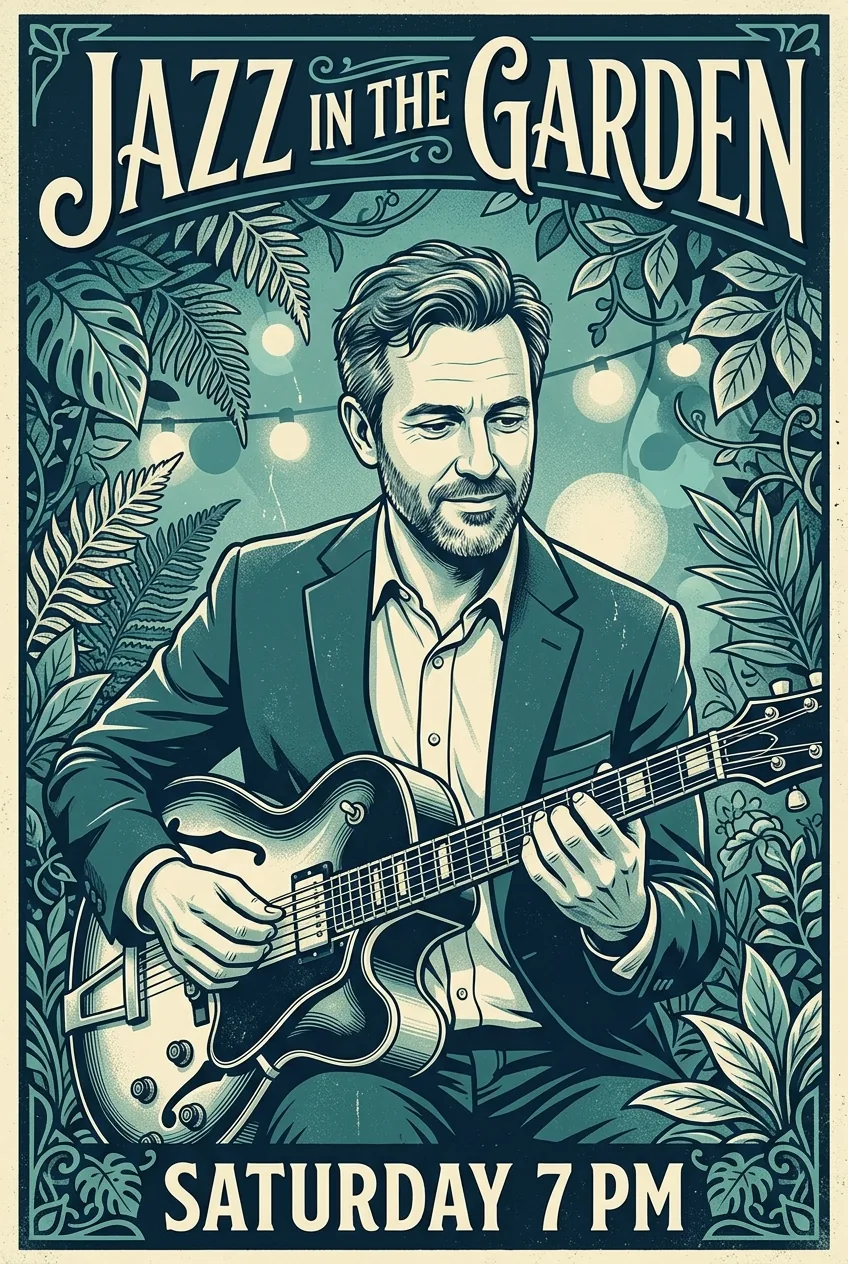
Create a teal-and-cream jazz event poster featuring an original fictional adult guitarist aged 42, fully clothed. Put JAZZ IN THE GARDEN at the top and SATURDAY 7 PM at the bottom; keep words clear of the face and instrument.
Nano Banana 2.1, 1K, requested 2:3; returned 848 × 1264 pixels. Text-only generation.
Both requested lines are spelled correctly. The cream headline fills the top, and the time sits in a dark band at the bottom. The guitarist's face and hands stay clear of the lettering, with leaves and string lights behind him.
The placement instruction gives you a useful structure to reuse: event name above the performer, time below. Replace both lines with your own copy. For a real event, also supply the calendar date and venue; this sample includes neither.
Can a sale headline and discount share a flower-shop scene?
Select 3:4 and paste:
Create a clean flower-shop sale poster featuring a fully clothed fictional adult florist aged 36 arranging flowers. Use exactly SPRING BLOOMS and 20% OFF; separate headline and offer.
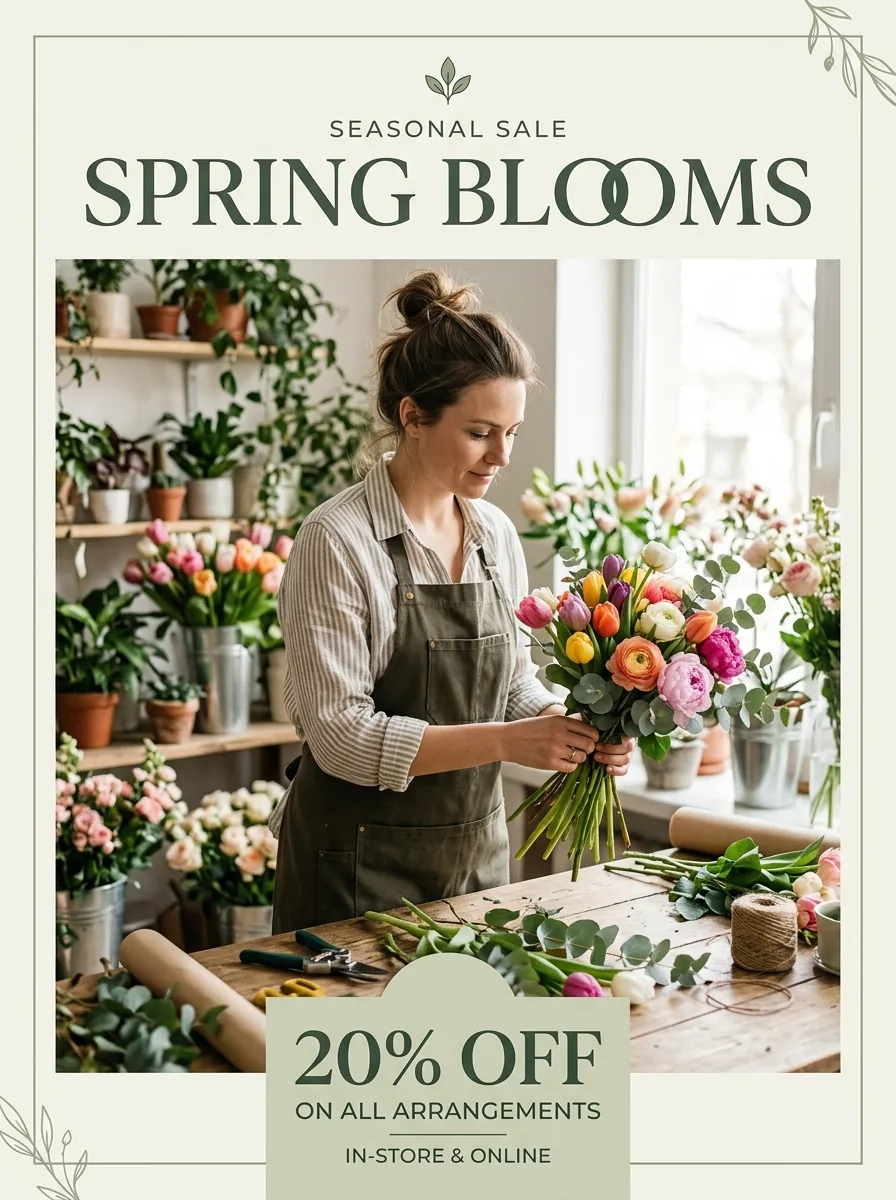
Nano Banana 2.1, 1K, requested 3:4; returned 896 × 1200 pixels. Text-only generation.
SPRING BLOOMS sits above the florist, and a pale green card carries 20% OFF below her. The two O's in BLOOMS overlap but remain readable. The headline and discount occupy separate areas, as requested.
The model also added “SEASONAL SALE,” “ON ALL ARRANGEMENTS” and “IN-STORE & ONLINE.” Remove those unrequested terms unless they match your offer.
When adapting this prompt, spell out the scope of the discount and any end date. You could also append “Include only the supplied text; do not add sale terms.” That revision was not generated here.
Why did a 21:9 gallery prompt produce a vertical print?
Select 21:9 and use:
Create a minimalist gallery poster with one abstract orange circle, generous ivory space and exactly FORM AND LIGHT and OCTOBER 24; use a clear hierarchy.
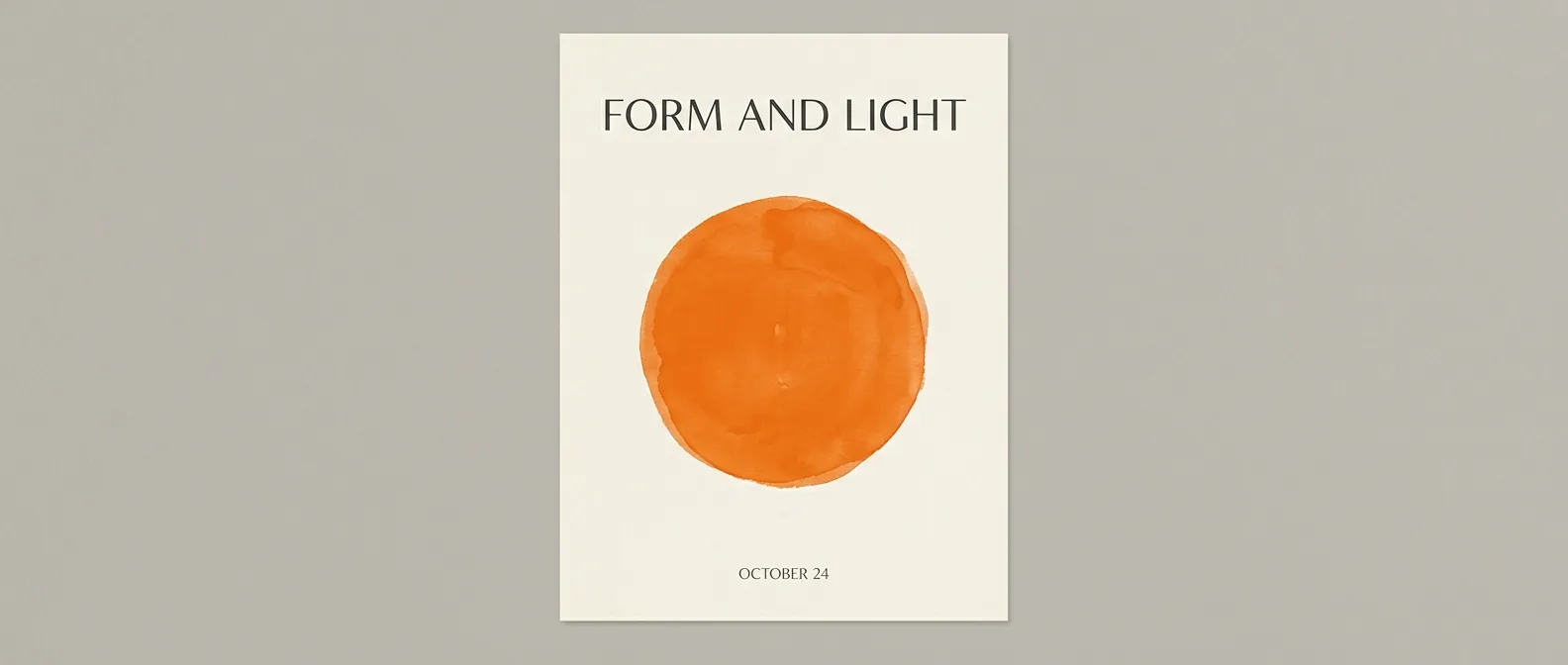
Nano Banana 2.1, 1K, requested 21:9; returned 1584 × 672 pixels. Text-only generation.
FORM AND LIGHT appears above one orange watercolor circle, with OCTOBER 24 beneath it. Both lines are spelled correctly, and the ivory print has plenty of empty space.
The wide shape applies to the whole image: the poster itself is vertical, centered on a gray wall. If you need horizontal artwork, try adding:
Flat, full-bleed design filling the entire wide canvas, no wall or poster mockup.
That proposed revision has not been generated here. Keep the headline, circle and date when changing the style; specify whether you want the artwork itself or a displayed print. The word-art prompts offer more lettering ideas.
How can a movie poster separate its title, tagline and credits?
The image below is an existing example from the AI movie poster generator. Its generation model is unconfirmed. Use it as a layout reference; the three images above are the Nano Banana 2.1 results.
The site's source prompt gives these text-placement instructions:
Title “The Last Signal” in large silver letters, tagline “Someone is still listening” above it, and “A Lantern Hill Film” in small type at the bottom.
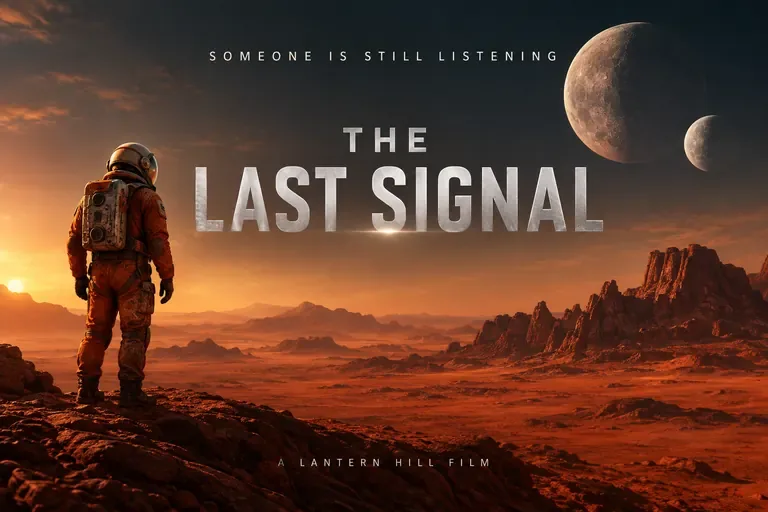
Existing AI Photo Generator example, model and generation size unconfirmed; 3:2 image, 768 × 512 pixels. Layout reference.
The silver title dominates the upper center, the tagline sits above it, and the short credit line runs along the bottom. All three lines are readable. The astronaut stands to the left, leaving the title its own space.
For your own film, write the title, tagline and credit line separately and give each a position. This reference shows that arrangement; no Nano Banana 2.1 movie-poster result is shown here.
What should you check before sharing a poster?
Read the headline, date, time and offer at the size your audience will see. Check for added words as well as misspellings. The flower-shop image shows how readable text can still change the meaning of an offer. For wording changes to a finished image, the photo text-editing guide shows how to name the old and replacement text.
As of October 11, 2026, the live pricing page lists Nano Banana 2.1 at 2 credits for 1K, 3 for 2K and 4 for 4K. All three new examples here use 1K; no larger versions are shown.
To make your version, open the homepage generator, choose Nano Banana 2.1, and paste one of the three tested prompts with your own words.
Frequently asked questions
Can Nano Banana 2.1 put readable text on a poster?
Yes. The requested headlines and detail lines are readable in all three Nano Banana 2.1 examples here. Check every word before use: the flower-shop output also includes sale terms that the prompt did not supply.
Does selecting 21:9 guarantee a horizontal poster?
The gallery example returned a wide image containing a vertical print on a wall. Ask explicitly for flat artwork that fills the canvas if you need a horizontal design. The suggested wording above has not been tested.
How much does a Nano Banana 2.1 poster cost?
As of October 11, 2026, AI Photo Generator lists 2 credits at 1K, 3 at 2K and 4 at 4K. These examples were generated at 1K.