
Best AI Image Generator for Realistic Images: 4 Options in 2026
Compare four AI image generators for realistic images, with matched café portraits, current costs, and a reference-photo example.
For realistic images, Leonardo is the first option to try if you need a canvas editor and upscaler. AI Photo Generator suits comparing Nano Banana 2.1 and GPT Image 2.5 with the same prompt. Choose Gemini for edits in chat and Midjourney for image and style references.
Last updated: October 15, 2026
Which generator fits the realistic photo you need?
The order below prioritizes photo editing and refinement, then model comparison, edits in chat, and reference-guided creation. These recommendations describe workflow fit. Only AI Photo Generator outputs were available for this comparison; the other three providers' features come from their official documentation.
| Pick | Generator | Choose it for | Relevant features | Cost and access |
|---|---|---|---|---|
| 1 | Leonardo | Creating a photo, then refining its composition and detail | Lucid Origin and Lucid Realism; text or reference inputs; Canvas Editor and Universal Upscaler | Free plan; Essential is $12/month before tax |
| 2 | AI Photo Generator | Comparing different image models on one brief | Nano Banana 2.1 takes up to 10 reference photos and offers 1K/2K/4K; GPT Image 2.5 is also selectable | Free FLUX.2 model; premium pricing lists Nano Banana 2.1 at 2 credits and GPT Image 2.5 at 3 credits for 1K |
| 3 | Gemini Apps | Creating an image and asking for changes in chat | Generate images, edit uploaded or generated images, and combine multiple image references | Available without a Google AI plan; plan and feature limits vary |
| 4 | Midjourney | Guiding a new image with visual references | Image Prompts, Style References, and an Editor for changes to existing images | Subscription; Basic is $10/month with monthly billing |
Leonardo's advantage for someone who wants to refine a photograph is its documented combination of a canvas editor and upscaler. Its AI photography page describes both, alongside model and reference choices.
For AI Photo Generator, the realistic AI image generator provides a photo-focused starting point. You can edit the prompt and switch models. Tool pages pre-fill prompts; the model receives the text you submit as typed.
Google's Gemini Apps image guide describes editing a generated picture or uploading a photo and asking for a change. It currently lists 1K downloads without a Google AI plan and 2K with one. Midjourney's Image Prompts guide says references guide new creations and points users to its Editor for precise changes. That distinction matters when you need to preserve an existing object.
How do Nano Banana 2.1 and GPT Image 2.5 handle the same portrait?
Both examples used this exact text-only prompt, the 1K setting, and a requested 3:2 aspect ratio. No reference photo was supplied:
Photorealistic photograph of a fictional adult ceramic artist aged 42 wearing a fully covering navy work shirt, seated beside a café window and holding an unbranded teal ceramic mug with both hands. Soft daylight from the left, natural skin texture, believable fingers, woven fabric, glossy ceramic reflections, entire head visible. No text, logos or watermark.
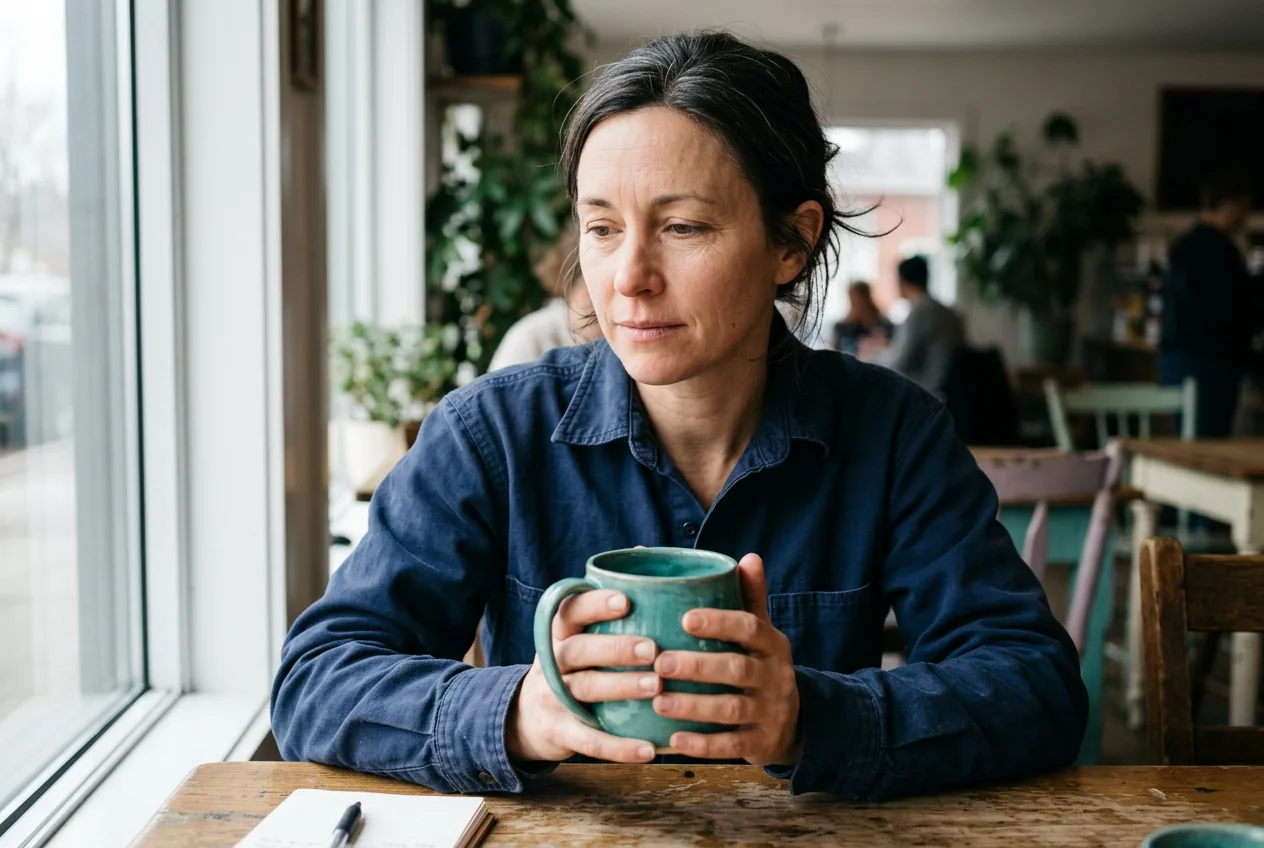
Nano Banana 2.1, 1K setting, requested 3:2. Wider composition with both forearms on the table and a notebook at the lower left.
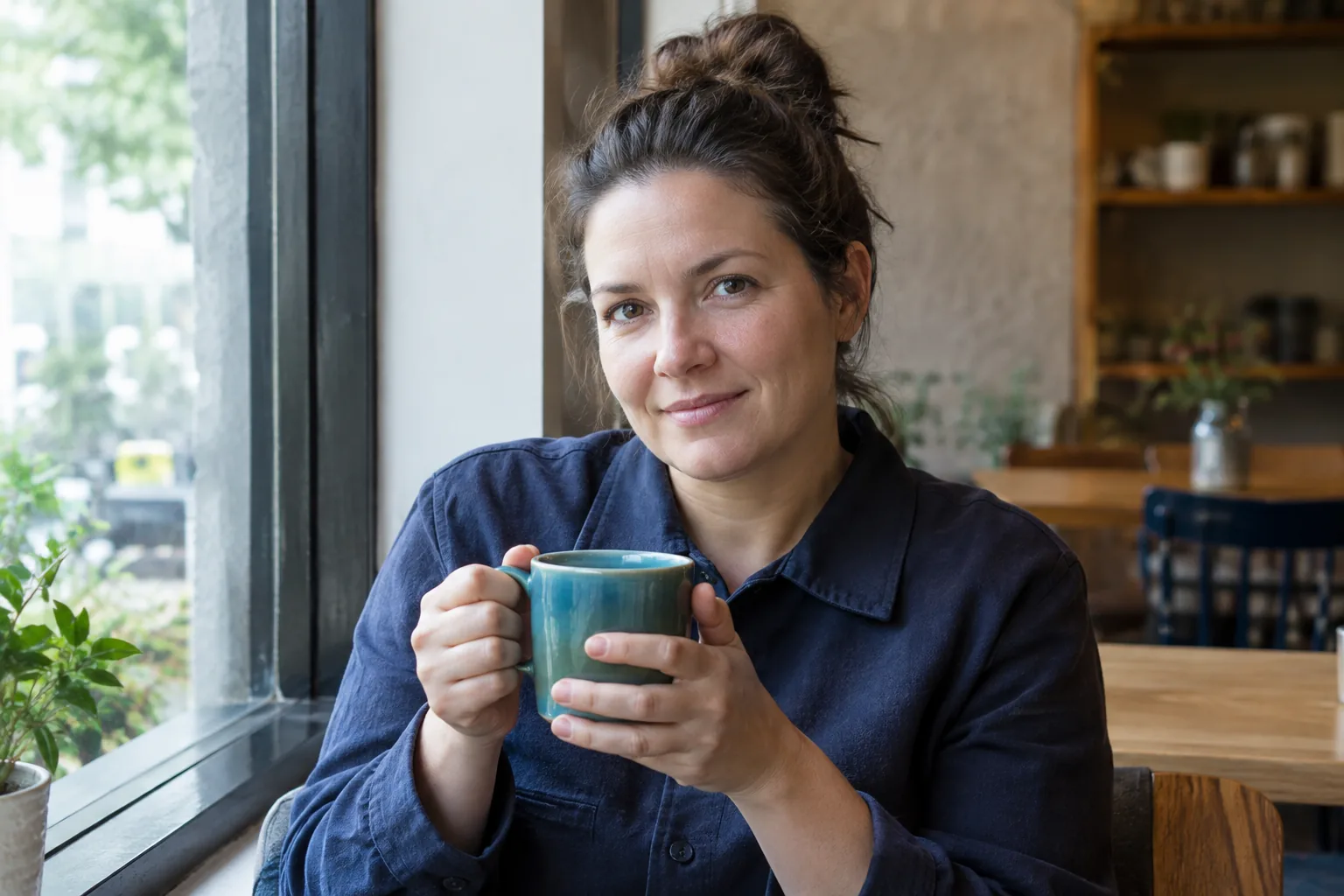
GPT Image 2.5, 1K setting, requested 3:2. Closer composition with the mug raised near the chest and less space above the hair.
| Photographic detail | Nano Banana 2.1 output | GPT Image 2.5 output |
|---|---|---|
| Framing | Full head, forearms, table, and notebook visible | Full head visible with little room above the hair; face and mug fill more of the frame |
| Hands and mug | Both hands wrap around the mug body | One hand grips the handle; the other supports the body |
| Texture | Facial lines, shirt seams, and a mottled teal glaze are visible | Facial lines, fabric texture, and vertical glaze highlights are visible |
| Light | Bright window on the left; right side of the face is darker | Bright window on the left; right side of the face is darker |
| Added details | Notebook, plants, and blurred café patrons | Plants, empty chairs, and a counter in the background |
Both results show the navy shirt, teal mug, and two-handed hold. Neither has an obvious hand defect or a cropped head. The clearest difference is composition: choose the first image when the setting matters, or the second when the face should dominate.
The fictional people and mugs differ because the prompt did not specify an identity or an exact product design. A convincing café portrait does not establish that a model can reproduce your face, preserve a label, or handle a crowded street. There was one generation per model.
When does a realistic image need reference photos?
A reference becomes useful when the brief depends on a particular face, mug, or room. The earlier Nano Banana 2.1 example below used separate fictional portrait, mug, and café inputs. Only the top row, files 1–3, supplied references for this result; the bottom row shows alternate views that were not used here. The three files were uploaded separately, not as a sheet.
Its exact instruction was:
Create a realistic lifestyle photo of the fictional adult holding an unbranded teal ceramic mug in a sunlit brick café. Use supplied portrait references only for identity and the navy shirt, product references only for mug shape and teal glaze, and setting references only for the café interior. When a role has no reference, follow this written description. No text or logos.
| Reference images | Result using files 1–3 |
|---|---|
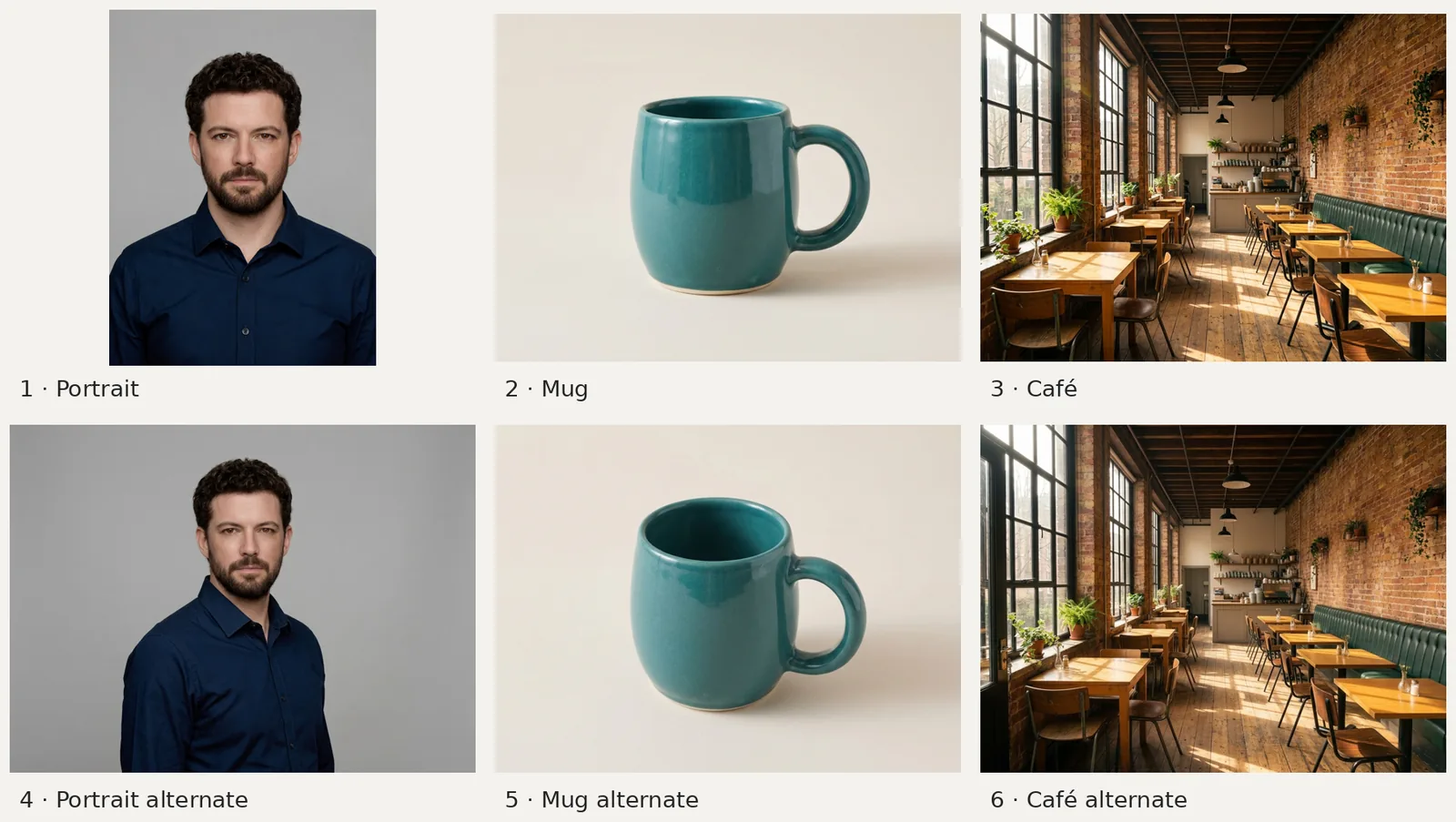 | 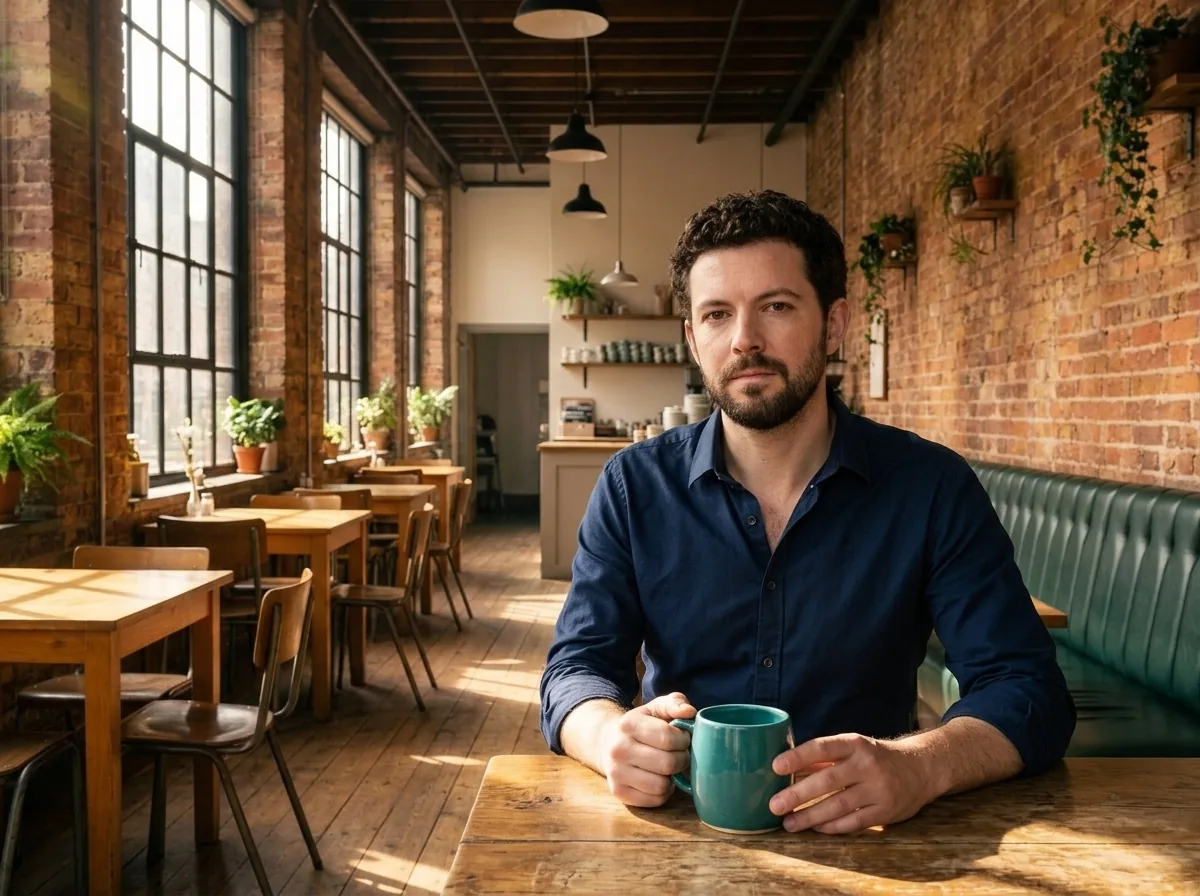 |
| Reference sheet: only the top-row portrait, mug, and café were used for the adjacent output. | Nano Banana 2.1, 1K setting, 4:3. Earlier library output using three separate fictional references. |
The result carries recognizable features from the inputs: curly dark hair and a short beard, a teal mug, tall windows, brick walls, and a green bench. The portrait's pose changes to a seated hold. Fingers hide part of the mug, limiting how much of its shape you can compare. The full reference example shows the other configurations.
For a real item, the AI product photo generator offers editable prompts; compare the result with your source photo before using it in a listing.
How can you judge realism before choosing a generator?
- Write a scene you could photograph. Specify the subject, action, setting, light direction, and framing. The café prompt gives the hands an object to hold and the lighting a visible source. If you need room above the head, request that margin explicitly.
- Keep the brief consistent. Use the same prompt, references, ratio, and comparable size settings across tools. Save the output alongside those settings. If a tool cannot offer the same control, record the difference before comparing pictures.
- Inspect the details that affect your use. For portraits, check the face, hands, hairline, and headroom. For objects, check the handle, rim, edges, surface finish, and printed words. Look at the full-size image before choosing a thumbnail favorite.
If you need to change an existing photo, the AI photo editor accepts an upload and a written instruction. State what should change and what should stay, then compare the output with the source. For more scene ideas, see the Nano Banana prompt examples and GPT Image prompt examples.
Frequently asked questions
Which AI makes the most realistic people?
The two pictured outputs make Nano Banana 2.1 and GPT Image 2.5 reasonable starting options for a café portrait. Both show visible facial texture and plausible hands. One image from each cannot establish which handles people more reliably across poses, ages, and lighting.
Is there a free AI image generator for realistic images?
AI Photo Generator offers a free FLUX.2 model. The examples here came from premium models, so they do not demonstrate the free model's quality. Nano Banana 2.1 and GPT Image 2.5 use credits.
Can a realistic AI image keep my product exactly the same?
Use a clear product reference and compare the output with it. The library mug looks plausible, but the hands hide some of its surface. For a listing, check the actual item's shape, color, and label; the portrait examples do not test label accuracy.